
OpenAI 的圖片模型
GPT Image 2.5 AI 圖片生成器
OpenAI 的圖片模型:精準遵循提示詞,圖中文字清晰可讀。
免安裝、免信用卡,預設完全私密。
重點速覽
GPT Image 2.5 是 OpenAI 的圖片模型,由 OpenAI 執行,並透過 Mage 使用。在 Mage 上,你可以用提示詞或最多 15 張參考圖片生成最高 2K 的圖片。每張圖片 9 Gems(約 $0.009)起,Basic 方案起可無限生成,新帳號還可獲得 300 Gems 免費額度開始使用。
- 9每張圖片 Gems 起
- $0.009約合美元
- Basic無限生成方案起
- 2K最高解析度
- 15參考圖片,最多
概覽
什麼是 GPT Image 2.5?
GPT Image 是 OpenAI 的圖片模型,由 OpenAI 執行,並透過 Mage 提供三個版本:GPT Image 2、速度更快的 GPT Image 2.5 Flare,以及高階的 GPT Image 2.5 Sunburst。
當圖片中的文字很重要時,就選它:海報、菜單、漫畫、標籤和迷因圖都適合。它也能依一句簡單的指令編輯圖片,並同時結合多張參考圖片。
範例
用 GPT Image 2.5 製作的作品
以上皆在 Mage 使用 GPT Image 2.5 Flare 生成。範例下方的提示詞,就是生成該圖時使用的原始提示詞。
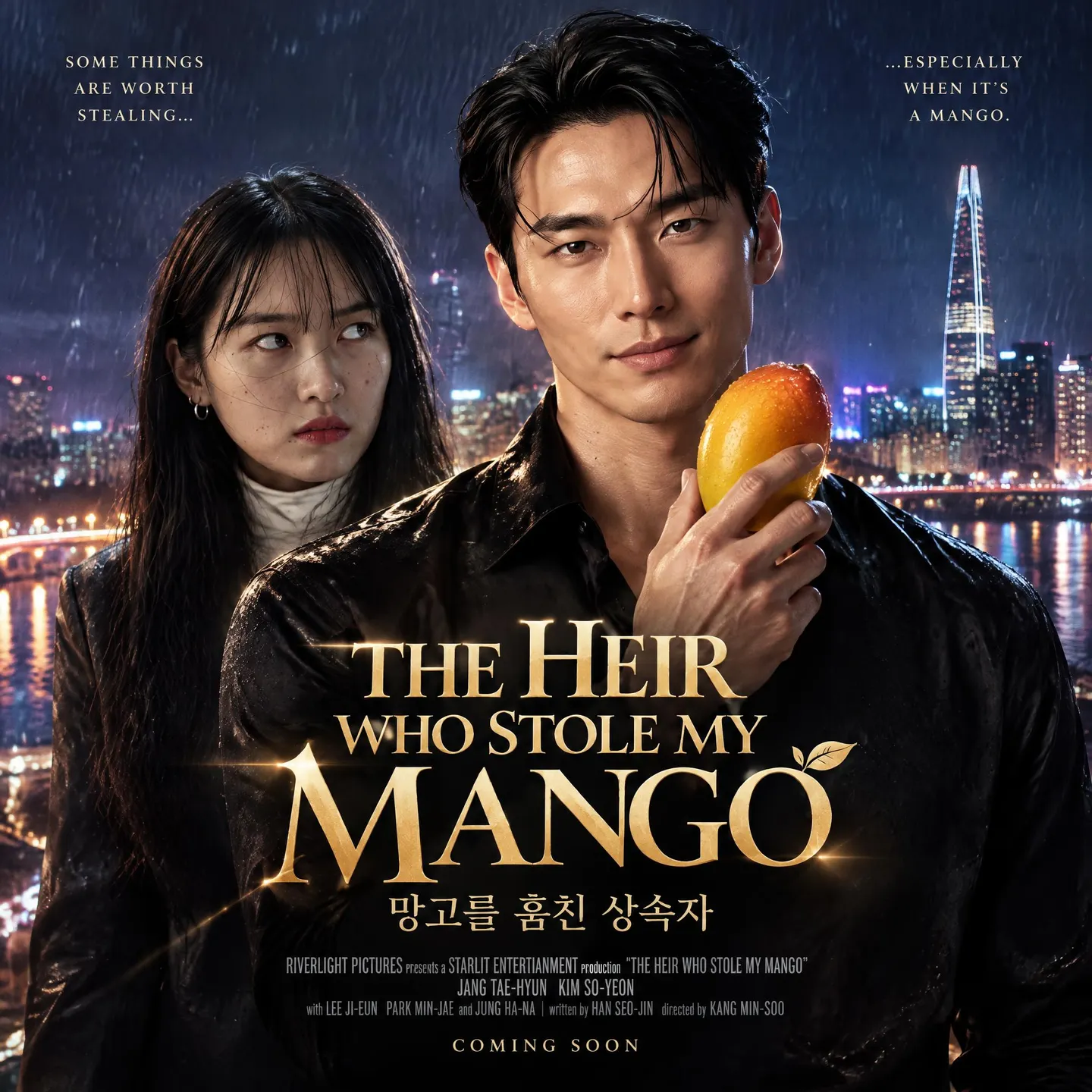
韓劇風格海報,標題以英文和韓文書寫 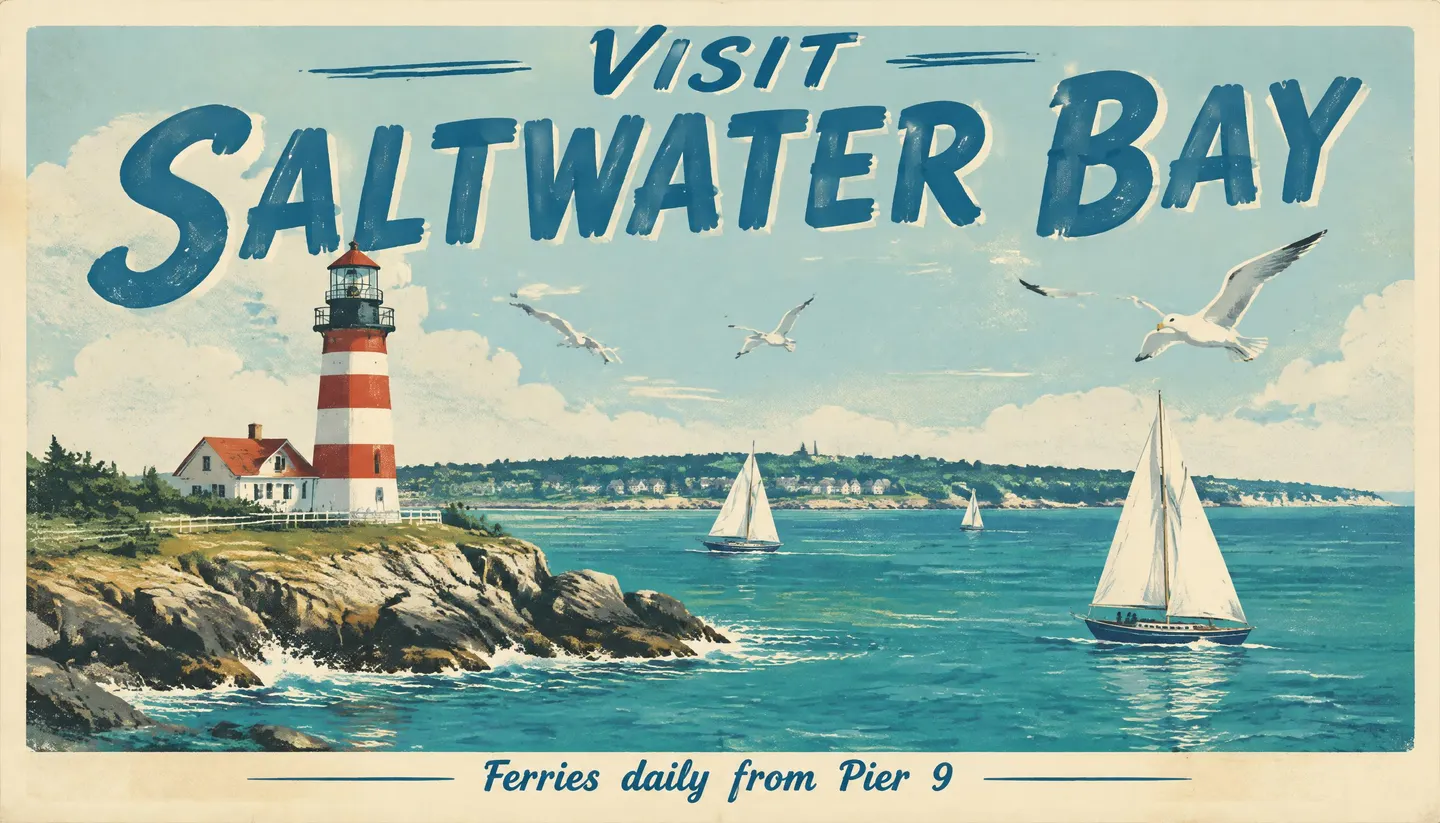
手寫字風格的旅遊海報提示詞: A vintage travel poster for a fictional seaside town. Big hand-lettered title across the top reading "VISIT SALTWATER BAY". Below it, a red-and-white lighthouse on a rocky point, sailboats on teal water, and gulls in a pale sky. A small line along the bottom reads "Ferries daily from Pier 9". Screen-printed texture with a warm cream border.
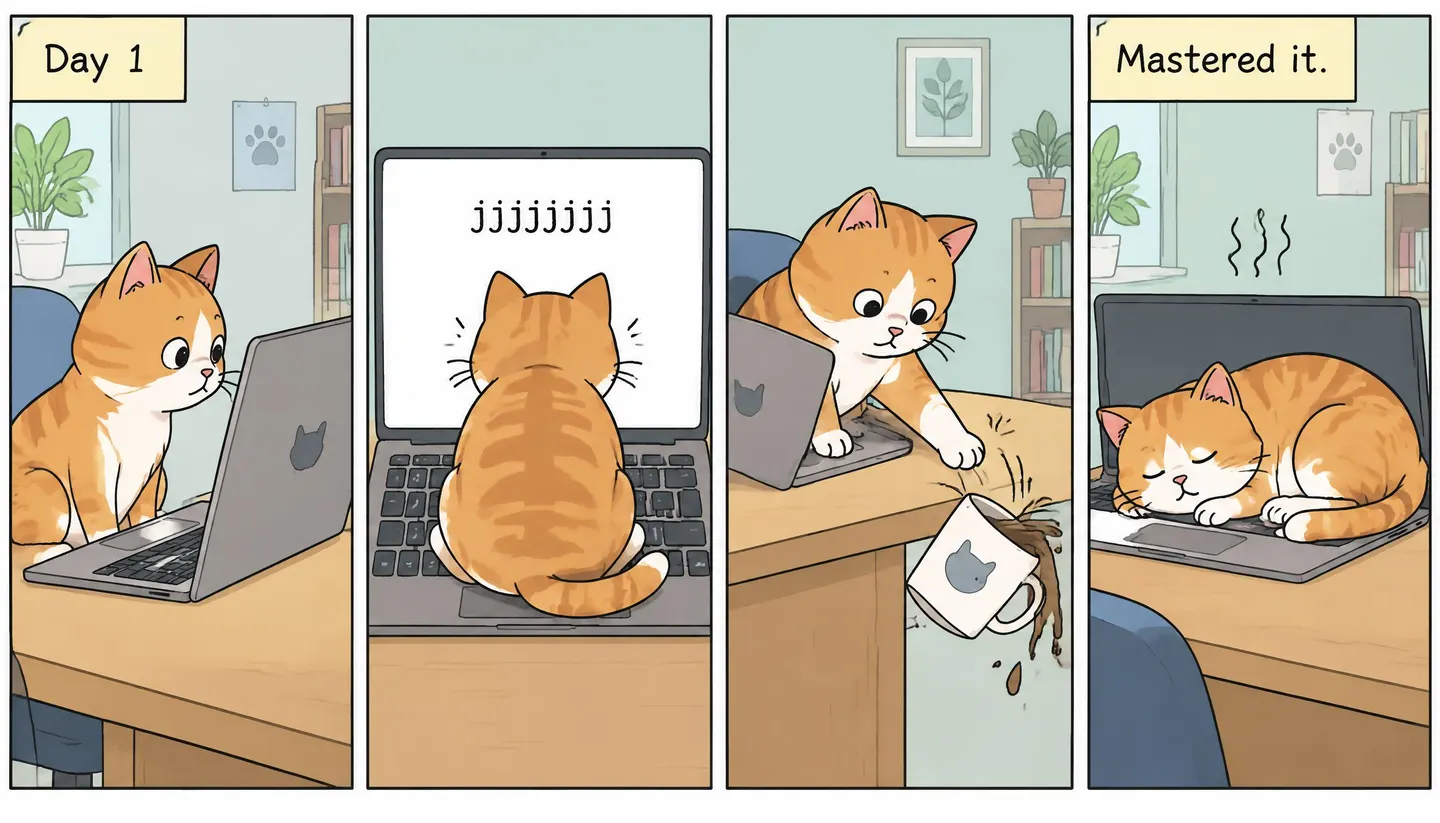
四格漫畫提示詞: A four-panel comic strip in a single row about a cat learning to use a laptop. Panel 1: the cat stares at the screen, caption "Day 1". Panel 2: the cat sits on the keyboard and the screen fills with "jjjjjjjj". Panel 3: the cat pushes a coffee mug off the desk. Panel 4: the cat asleep on the warm laptop, caption "Mastered it." Clean ink lines, flat pastel colors.
優勢
GPT Image 2.5 最擅長的事
最擅長
- 圖片中清晰可讀的文字:標題、標籤、說明文字和標示牌
- 以指令而非描述寫成的提示詞
- 漫畫、圖表,以及包含多個分格或部分的版面
- 依白話指令編輯圖片,其中以 GPT Image 2.5 Sunburst 表現最強
- 需要結合多張參考圖片的作品
取捨
- 適用 OpenAI 的安全過濾機制,Mage 無法覆寫
- 每提高一級畫質,費用就增加數倍
- 最高只到 2K
提示詞指南
如何為 GPT Image 2.5 撰寫提示詞
適用於這個模型的技巧、可以直接套用的範例提示詞,以及上方範例所用的原始提示詞。
小技巧
- 把確切的文字放在引號中(「VISIT SALTWATER BAY」),並讓每段文字保持簡短。
- 說明文字的位置(「標題橫跨頂部」、「底部一行小字」)和樣式(手寫字、粗體無襯線字體)。
- 把提示詞寫成指令,逐格或逐個元素描述:模型會遵循結構。
- 若要編輯,請附上圖片,並用一句話描述要改的地方。
- 先用預設畫質確定版面,定稿時再提高畫質。
- 指定媒材:網版印刷、墨線漫畫、產品標籤、雜誌封面。
提示詞範例
咖啡館菜單板
A chalkboard cafe menu titled "Morning Menu" listing three items with prices: "Oat Latte 4.50", "Cinnamon Bun 3.75", "Avocado Toast 8.00", with hand-drawn coffee cup doodles in the corners
規格
GPT Image 2.5 規格與輸入內容
| 開發者 | OpenAI,透過 Mage 使用 |
|---|---|
| 輸出 | 圖片 |
| 模型 | GPT Image 2, GPT Image 2.5 Flare, GPT Image 2.5 Sunburst |
| 預設模型 | GPT Image 2 |
| 解析度 | 1K, 2K |
| 長寬比 | 21:9, 16:9, 3:2, 5:4, 1:1, 4:5, 2:3, 9:16, 9:21 |
| 圖片輸入 | 最多 15 張參考圖片 |
| 影片輸入 | 否 |
| 以 @handle 提及 | Characters 與 References |
| 使用位置 | Mage 應用程式、Mage 助理、透過 Mage MCP 伺服器使用的 Claude 與 ChatGPT,以及 Mage API |
價格
GPT Image 2.5 價格與方案
所有價格都與實際生成時的計費標準一致。
| 模型 | 設定 | Gems | 每 | USD | Basic | Pro | Pro Plus | Max |
|---|---|---|---|---|---|---|---|---|
| GPT Image 2 | 1K | 9 | 圖片 | $0.009 | 無限制 | 無限制 | 無限制 | 無限制 |
| GPT Image 2 | 2K | 18 | 圖片 | $0.018 | 無限制 | 無限制 | 無限制 | 無限制 |
| GPT Image 2.5 Flare · GPT Image 2.5 Sunburst | 1K | 9 | 圖片 | $0.009 | 無限制 | 無限制 | 無限制 | 無限制 |
| GPT Image 2.5 Flare · GPT Image 2.5 Sunburst | 2K | 18 | 圖片 | $0.018 | 無限制 | 無限制 | 無限制 | 無限制 |
價格以 Gems 計,美元則依 10,000 Gems 包的定價($10)換算。各方案欄位顯示該方案可無限使用的項目;其他項目需花費 Gems。品質等級、額外輸入圖片等其他設定可能會改變價格。
常見問題
GPT Image 2.5 常見問題
GPT Image 2.5 的費用是多少?
我可以無限使用 GPT Image 2.5 嗎?
可以免費試用 GPT Image 2.5 嗎?
我可以向 GPT Image 2.5 提供哪些輸入內容?
GPT Image 2.5 支援哪些解析度?
可以透過 API,或在 Claude 和 ChatGPT 中使用 GPT Image 2.5 嗎?
我用 GPT Image 2.5 製作的內容是私人的嗎?
我該選哪一個 GPT Image?
比較
Mage 上更多 AI 圖片模型
Grok Imagine
xAI 的 Grok Imagine 圖片模型,提供三種品質等級,從快速發想到精緻成品。
Guava 2 Pro
逼真到能以假亂真的寫實畫質:人像、時尚與商品攝影,膚質、布料與光線都栩栩如生。
HiDream
快速、多用途的圖片模型,適合日常提示詞,寫實或插畫風格皆可。
Krea 2 Turbo
速度快、內建美感出色的圖片模型,適合快速出第一版。
Mango 3
Mage 的旗艦圖片模型:角色一致、編輯精準,還能把多張參考圖融合成同一個場景。
Nano Banana 2.1
Google 的圖片模型,文字清晰銳利,支援大量參考圖片,一句話就能完成編修。
