
提示詞指南
如何為 LTX Video 撰寫提示詞
如何在 Mage 上為 LTX Video 撰寫提示詞:快速入門、可直接填寫的範本,以及關於 120 字規則、起始畫面、運鏡和快速草稿的專業技巧。
快速入門
你的第一個 LTX Video 好提示詞
新手一分鐘就能掌握:先了解哪些重點、最重要的規則、可直接填寫的範本,以及能直接複製的提示詞。
先了解這些
LTX Video 能快速生成無聲短片,適合低成本試驗想法。有一點比什麼都重要:在 Mage 上,少於 120 字的提示詞會先被內建的小型寫作模型改寫,模型才會看到。請用一段 120 到 200 字、以動作開頭的文字,這樣模型讀到的就是你的原話,而不是別人改寫的版本。每個片段只包含一個連貫的動作和一個運鏡。
最重要的規則
至少寫 120 字
較短的提示詞會被自動改寫,你的細節也會跟著消失。請用外觀、場景和光線來湊足 120 字,不要重複堆疊形容詞。
以動作開頭
第一句就是主要動作本身:「A small penguin takes a red book from the shelf…」。不要先寫場景,也不要先寫風格。
寫得具體直白
請明確寫出顏色、質感、材質和光線(「dark, jagged rocks covered in patches of green moss」),不要用情緒形容詞和電影術語。
一個動作,一個運鏡
一個片段只有幾秒:不要剪接,不要第二個場景,也不要分段敘事。
用 Distilled 打草稿,用 Dev 出成品
LTX Video Distilled 是速度快的預設選項。提示詞調整到滿意後,再用同一段文字交給 LTX Video Dev 生成最終版本。
填寫這個範本
把中括號裡的每個部分換成你自己的想法,用不到的部分可以省略。
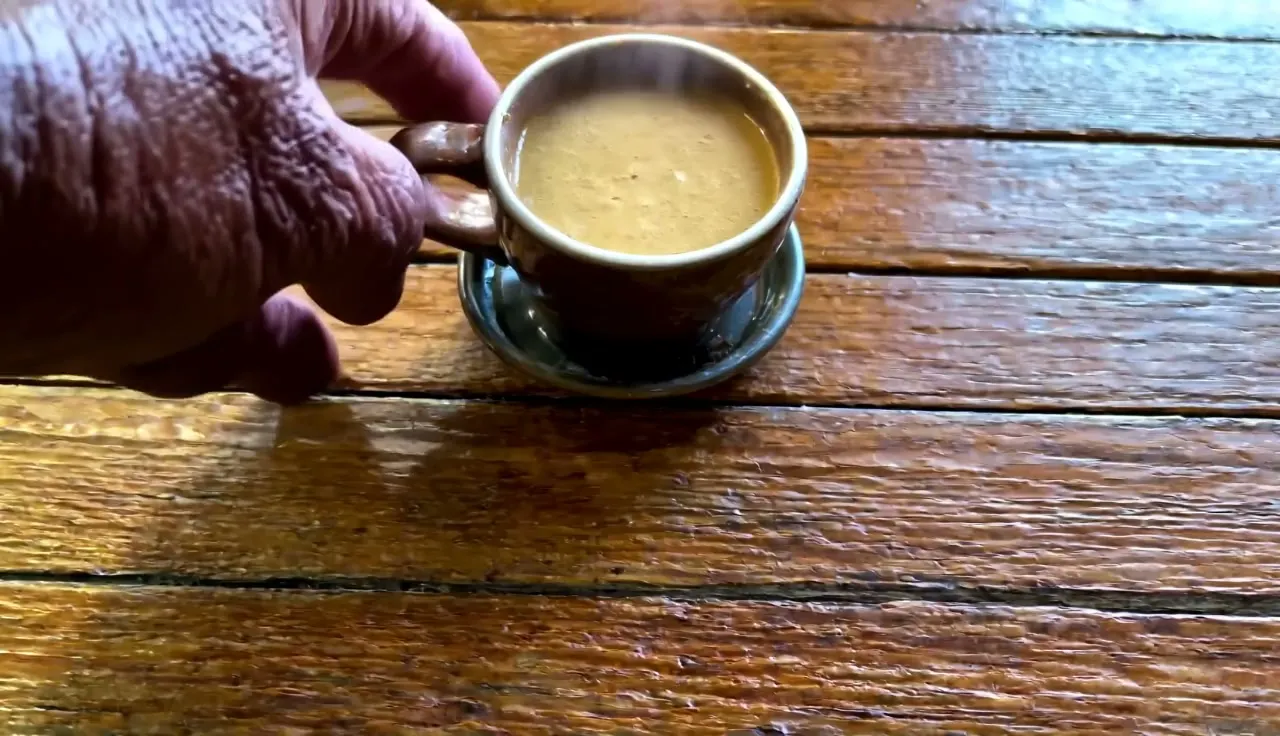
[The main action, in one sentence]. [The movements and gestures that follow]. [What the subject looks like]. [The setting and background]. [The camera's angle and movement]. [The light and the colors]. [A change or event at the end].A barista pours steamed milk into a cup of espresso, drawing a leaf pattern on the surface. She tilts the cup toward the pitcher, wiggles the spout gently from side to side, then lifts it in one smooth line through the middle of the pattern. She is in her twenties, with short bleached hair, silver rings on both hands and a black canvas apron over a white T-shirt. The cup is wide and pale blue, with a speckled glaze and a matching saucer. Behind her, a chrome espresso machine and shelves of glass jars full of coffee beans blur softly. The camera stays still at counter height in a close-up on her hands and the cup. Warm morning light comes through a window on the left, with soft shadows and a cream and brown palette. A thin curl of steam rises as she sets the pitcher down.[The main action, in one sentence]從動作本身開始:咖啡師把蒸好的牛奶倒進濃縮咖啡杯中,拉出葉子圖案。[The movements and gestures that follow]動作如何一步步展開:她傾斜杯子,輕輕晃動拉花鋼杯,然後從中間劃過提起。[What the subject looks like]用具體細節描述人物和物品:年齡、頭髮、服裝、顏色、材質。[The setting and background]主體周圍遠近的環境:一台鍍鉻義式咖啡機、擺滿玻璃罐的架子。[The camera's angle and movement]用平實的話描述一種運鏡:鏡頭固定在吧台高度;鏡頭緩緩推近。[The light and the colors]光線來源和色調:來自左側窗戶的溫暖晨光,奶油色和棕色調。[A change or event at the end]如果需要,加一個小小的收尾:她放下鋼杯時,一縷蒸氣升起。
可以參考的提示詞
文字生成的瀑布
White water pours over the edge of a mossy cliff and plunges into a deep green pool below, throwing up a fine mist. The falling water splits into three ribbons halfway down, then rejoins in a churning cloud of foam that spreads in rings across the pool. The cliff is dark gray basalt, wet and glistening, with thick cushions of bright green moss and small ferns growing from every crack. Smooth round boulders line the edge of the pool, and tall tree ferns lean in from both banks. The scene is dominated by the contrast between the bright white water and the dark, wet rock. The camera stays still at the water's edge, looking up at the falls. Soft overcast light, deep greens and grays, with a faint rainbow in the mist near the base.為什麼有效: 它以動作開頭,逐一具體描述每個表面,鏡頭保持固定,而且超過 120 字,所以你的原話會原封不動送到模型。
讓起始畫面動起來
A gray tabby cat on a sunny windowsill stretches its front legs, yawns widely, then curls back into a ball and closes its eyes. Its tail flicks once and settles over its nose as its sides rise and fall slowly. The cat has striped silver-gray fur, white paws, a pink nose and pale green eyes. The windowsill is painted white wood, with a small terracotta pot of basil at one end and a folded blue blanket under the cat. Through the window behind it, rooftops and a strip of blue sky are softly out of focus. The camera stays still at the height of the windowsill in a medium close-up. Warm afternoon sunlight falls across the cat from the right, with soft shadows and a gentle gold and gray palette.為什麼有效: 把照片上傳為首幀。提示詞同樣以動作開頭,接著用同樣具體的文字描述照片中的內容,讓畫面和提示詞互相吻合。
文字生成的熱氣球
A red and yellow striped hot-air balloon rises slowly from a misty valley at sunrise, its burner flaring orange as it lifts. The basket sways gently as the balloon climbs past the treetops, and two passengers in dark jackets lean over the edge and point toward the hills. The balloon is huge and round, with bold vertical stripes and a wicker basket hung on thick ropes. Below it, a patchwork of green fields and hedgerows stretches away, and a narrow river glints between rows of poplar trees. The camera follows from a distance at the same height, drifting slowly to the left as the balloon rises. The light is low and golden, with long shadows across the fields, pale blue mist in the hollows and a peach-colored sky.為什麼有效: 一個連貫的動作、一個緩慢的運鏡,並具體描述熱氣球、大地和光線。先用 LTX Video Distilled 打草稿,再用同一段文字交給 LTX Video Dev。
進階
LTX Video 進階提示詞技巧
掌握基礎後,用這些技巧更精準地控制結果。
Distilled 還是 Dev
LTX Video Distilled 是預設選項:速度快,適合打草稿和反覆調整。LTX Video Dev 較慢,但生成的片段畫質更高,提示詞調整好後再用它出成品。兩者讀取的是同一段提示詞。
LTX Video 是用來試驗想法的模型。當某個鏡頭在這裡成功後,再交給更大的影片模型來做最終版本,例如 Kiwi、Lemon 或 Cherry。
- 負面提示詞在 Distilled 上幾乎沒有效果,在 Dev 上才會生效。
為什麼 120 字很重要
Mage 執行 LTX Video 時,內建的提示詞寫作功能一律開啟。任何少於 120 字的提示詞,在影片模型讀取之前都會先被小型語言模型改寫;如果有起始畫面,這個模型還會先用自己的話描述圖片。120 字以上的提示詞則會完全照你寫的內容送出。
所以短提示詞並不是比較簡單的提示詞,而是別人的提示詞。依照下列順序寫 120 到 200 字,就能讓每個細節都由你掌握。
- 用真正有用的資訊湊足 120 字:主體的顏色和材質、背後有什麼、光線從哪裡來。不要重複堆疊形容詞。
- 生成前先數一下:120 字大約是七、八個完整的句子。
- 請控制在約 200 字以內:每個部分只寫重點,不必把想得到的細節全塞進去。
結構:一段文字,七個部分
請用英文寫成一段流暢的文字,依時間順序,描述要具體精確。想像自己是攝影師,正在描述一份分鏡清單。效果最好的順序是:以動作本身開頭的一句主要動作;動作和手勢;人物與物品的精確外觀;背景和場景;鏡頭角度和運鏡;光線與顏色;以及任何變化或突發事件。
描述越詳細越好。請像向看不見照片的人描述照片那樣,寫出顏色、質感、材質和光線:「The rocks are dark and jagged, covered in patches of green moss.」
- 如果是建立場景的鏡頭,在動作句後面接上「The scene is dominated by…」,再寫出畫面中最強烈的視覺對比。
- 「The video depicts…」很適合當作第二句,用來描寫某個地點的廣角畫面。
- 直白的描述勝過術語:「the waves crash against the rocks, sending white foam spraying into the air」比「dramatic, epic surf」更好。
鏡頭與動作
一個片段只包含一個連貫的動作和一種運鏡,並用平實的話說明。描述動作時,要寫出它看起來的樣子:路徑、速度、哪些在動、哪些保持不動。
- 日常的動態效果最穩定:蒸氣、水、忙碌的雙手、風中的樹葉、路上的車輛。
- 連續兩個動作沒問題,只要前一個自然銜接後一個(「takes the book, opens it, starts reading」);但切換到另一個地點就不行。
| 寫下 | 效果 |
|---|---|
the camera stays still at eye level | 固定鏡頭:只有主體在動。 |
the camera slowly pushes in | 鏡頭緩緩靠近主體。 |
the camera tracks alongside from the left | 鏡頭橫向移動,跟著移動中的主體前進。 |
the camera follows from high above and behind | 從上方追拍的視角,很適合拍載具和道路。 |
from a medium shot to a close-up | 構圖在影片過程中逐漸收緊。 |
從圖片開始
上傳一張靜態圖片作為首幀,影片就會完全從這張圖開始。提示詞仍然以動作開頭;接著用同樣直白的字眼描述畫面內容(顏色、服裝、場景),讓文字和圖片一致。
影片會依照圖片的形狀生成,長寬比設定不會生效。上傳前請先把圖片裁切成你想要的形狀。
- 如果要讓同一個角色出現在多支影片中,請每次都從該角色已確認的靜態圖片開始,並逐字重複同一句外觀描述。
- LTX Video 不支援 Characters、References 或 @handles,也不支援尾幀。@ 後面接字母會在扣款前就中止生成。
負面提示詞
負面提示詞設定預設已填入「worst quality, inconsistent motion, blurry, jittery, distorted」,請保留。使用 LTX Video Dev 時,可以再加入針對該鏡頭的內容;使用 Distilled 時,負面提示詞幾乎沒有作用,想改善草稿請改用更清楚的描述。
聲音與文字
LTX Video 生成的影片沒有聲音。提示詞中不要寫聲音和對白,之後再加上音訊,例如用 Seed Audio 製作的音樂或音效。
畫面中的文字不是它的強項。標題和字幕請在剪輯軟體中加入。
常見錯誤
避免這樣寫,改這樣寫
避免: 只有一行的提示詞。
a penguin reading a book in a library改成: 依七個部分的順序寫 120 到 200 字,這樣內建改寫器就不會介入。
A small penguin takes a red book from a low wooden shelf, opens it with both flippers and starts reading. It tilts its head toward the pages, then turns one page slowly as its feet shuffle on the floor. The penguin is round and glossy, with a black back, a white belly, a short orange beak and bright black eyes. The book has a worn red cloth cover with faded gold lettering. Behind it, tall dark bookshelves full of old leather-bound books stretch back into a quiet library with a green-shaded lamp on a desk. The camera stays at the penguin's eye level and slowly pushes in from a medium shot to a close-up. Warm lamplight falls from the left, with soft shadows and a calm amber and green palette.避免: 以場景或風格描述開頭。
Cinematic, moody, a misty forest at dawn where a deer…改成: 第一句先寫主要動作。
A young deer steps out of the trees and lowers its head to drink…避免: 電影術語和情緒形容詞。
改成: 直白描述動作、顏色、質感和光線。
避免: 包含多個情節點的故事,或剪接切換。
改成: 一個連續的動作。
避免: 指望用負面提示詞來改善 Distilled 的草稿。
改成: 寫出更清楚的正面描述,或改用 LTX Video Dev。
避免: 超過 200 字。
改成: 七個部分各自只留下重點。
避免: 在提示詞中寫對白、音樂或音效。
改成: 什麼都不用寫:影片本身沒有聲音,之後再加上音訊。
常見問題
LTX Video 提示詞常見問題
LTX Video 的提示詞應該寫多長?
為什麼 LTX Video 不照我寫的簡短提示詞生成?
LTX Video 會生成聲音嗎?
LTX Video 支援負面提示詞嗎?
如何在 LTX Video 中讓角色保持一致?
LTX Video 可以使用 Characters 或參考圖片嗎?
LTX Video Distilled 和 Dev 有什麼差別?
提示詞指南
更多提示詞指南
如何為 Berry 撰寫提示詞
教你如何為 Berry 撰寫提示詞。Berry 是 Mage 忠實還原參考圖的 AI 影片生成模型:一分鐘快速上手、範本,以及參考素材、時間安排、對白與編輯的進階技巧。
如何為 Blueberry 撰寫提示詞
學會如何為 Blueberry 撰寫提示詞。Blueberry 是 Mage 的首尾幀影片 AI 模型,本文提供快速入門、範本,以及轉場、循環、運鏡和聲音的進階技巧。
如何為 Cherry 撰寫提示詞
如何為 Mage 的 AI 影片生成模型 Cherry 撰寫提示詞:一分鐘快速上手、填空範本,以及運鏡、鏡頭、角色、聲音和剪輯的進階技巧。
如何為 Grok Video 撰寫提示詞
在 Mage 上如何為 xAI 的 Grok Imagine(Grok Video)撰寫提示詞:快速入門、填空範本,以及運鏡、參考圖、編輯和聲音的進階技巧。
如何為 Kiwi 撰寫提示詞
如何為 Kiwi 寫提示詞,Mage 的日常 AI 影片生成模型:一分鐘快速上手、填空範本,以及光線、運鏡、起始圖片與聲音的技巧。
如何為 Lemon 撰寫提示詞
教你如何為 Mage 的全能影片生成模型 Lemon 撰寫提示詞:一分鐘快速上手、提示詞範本,以及關於影格、參考素材、人聲、鏡頭與剪輯的進階技巧。
