
提示詞指南
如何為 Berry 撰寫提示詞
教你如何為 Berry 撰寫提示詞。Berry 是 Mage 忠實還原參考圖的 AI 影片生成模型:一分鐘快速上手、範本,以及參考素材、時間安排、對白與編輯的進階技巧。
快速入門
你的第一個 Berry 好提示詞
新手一分鐘就能掌握:先了解哪些重點、最重要的規則、可直接填寫的範本,以及能直接複製的提示詞。
先了解這些
Berry 會忠實呈現你提供的圖片。加入參考圖片(你上傳的圖片、已儲存的 Characters、已儲存的 References),它就會依據這些圖片安排片中演出;也可以改為加入首格畫面,讓影片從該畫面開始;或是只用文字描述。目前的 Berry 2 會照字面理解提示詞:嚴格依照時間、數量與位置執行,也能穩定唸出寫好的台詞。每支影片都有聲音,所以要寫出我們會聽到什麼。長度、解析度和長寬比則在設定中調整。
最重要的規則
先說明每張圖片的用途
開頭用一行交代每張圖片的任務:「[Image 1] 是場景:燭光映照的夜間書房。[Image 2] 是學者。」接著再寫明從每張圖片取用什麼。
場景、主體、動作,最後是聲音
依照這個順序寫,最後用一短行說明哪些必須保持不變、哪些絕不能出現:臉孔與服裝要一致,不要字幕。
把鏡頭單獨寫成一句
鏡頭要和演出分開寫,並說明它不能做什麼:「鏡頭:固定,不晃動,不變焦,不切換。」
為台詞和沉默寫好腳本
每句台詞寫在說話者後面,每個節拍最多兩句。像 [Jun / silent / tense / no line] 這樣的靜默佔位標記,能避免 Berry 自行編造台詞填空。
預留兩到三次拍攝
Berry 每次生成的結果都不同。先用 Berry 2 的最低解析度試拍,重要的鏡頭多跑幾次,再留下最好的。
填寫這個範本
把中括號裡的每個部分換成你自己的想法,用不到的部分可以省略。
[Who] [does what, in order] in [where].
[Look and light].
Camera: [shot size and one move], no shake, no cut.
Sound: [line, effects, ambience].
Keep every face and costume identical; no subtitles or watermarks.Mara (@mara) walks to the desk, picks up the unfinished letter, and reads it, her shoulders sinking, in a candle-lit study at night.
Realistic period drama, warm candlelight from the right, low-saturation grade, fine film grain.
Camera: medium shot pushing in slowly, no shake, no cut.
Sound: she says quietly: "You wrote all night." Candle crackle, wind against the shutters.
Keep every face and costume identical; no subtitles or watermarks.[Who]人物,用名字加 @handle 或外貌表示:Mara (@mara),或穿紅色雨衣的女子。[does what, in order]兩到三個具體動作:走向書桌、拿起信、讀信。[where]地點與時間:夜晚燭光映照的書房。[Look and light]一句風格描述:風格、光線方向、調色、質感。[shot size and one move]拍攝方式:中景,緩緩推近。[line, effects, ambience]說話者後面接引號內的台詞,再寫聲音。無聲的影片請寫「無對白」。
可以參考的提示詞
兩個人,三個節拍
[Image 1] is the scene: a candle-lit study at night. [Image 2] is the scholar. [Image 3] is his wife. Realistic period drama, warm candlelight from the right, low-saturation grade, fine film grain, real skin texture. [Image 2] the scholar: dark round-collared robe, hair tied up, tired and restrained. [Image 3] his wife: pale embroidered jacket, simple bun, calm, holding back her feelings. [00:00-00:04] Medium shot. She walks to the desk, her eyes falling on the unfinished letter. [The wife / quiet / "You wrote all night."] [00:04-00:07] Close shot. He stops his brush mid-stroke and looks up. [The scholar / tired / "It had to be finished."] [00:07-00:10] Two-shot. They hold each other's gaze; the candle flame wavers. [Both / silent / no line] Camera: fixed, no shake, no zoom, no cut. Lips sync naturally and every line is spoken in full. Keep the faces and costumes of [Image 2] and [Image 3] identical. No subtitles, printed text, logos or watermarks.為什麼有效: 先上傳書房,再上傳兩個人物。每張圖片各有任務,每個人物一張簡短的小卡,每個節拍最多一句台詞,最後一行鎖定臉孔。長度設為 10 秒。
從首格畫面開始
She slowly turns her head toward the window as a breeze lifts strands of her hair, then smiles. Fixed camera, medium close-up. Sound: cicadas outside, a soft breeze.為什麼有效: 畫面已經呈現她和房間,所以提示詞只需要兩三個動作、一個鏡頭指示和聲音,完全不用描述她的外貌。
你儲存的 Characters 相遇
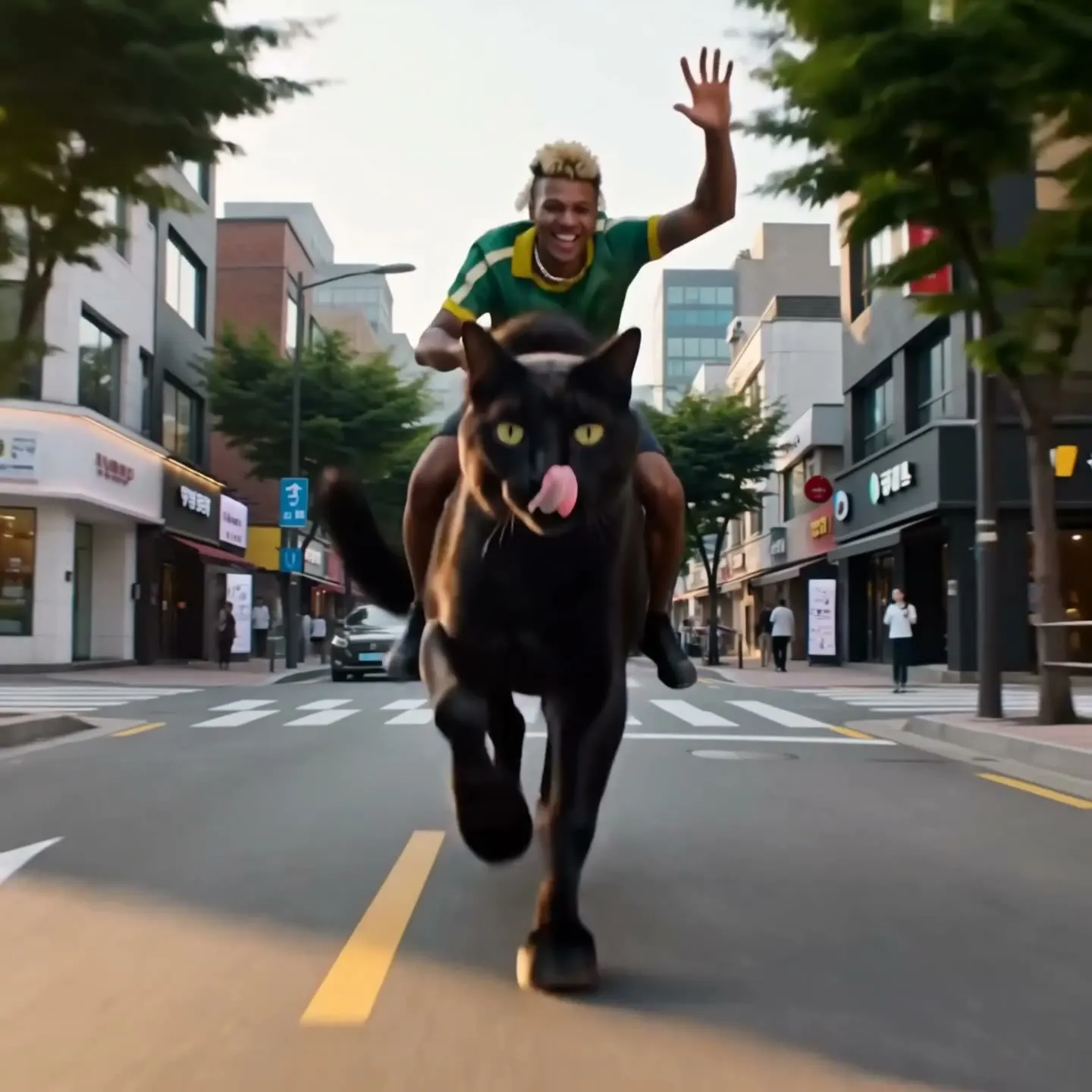
Davi (@davi) rides a horse-sized black cat (@shadow) down a sunny city street like a cowboy, one hand on the reins, the cat's tail swishing. Low tracking shot alongside them. Sound: heavy paws on asphalt, car horns, a twangy western guitar. Keep both designs identical to their references; no subtitles or watermarks.為什麼有效: 每個 Character 只用 @handle 提到一次,動作保持簡單,讓 Berry 把心力放在讓兩人都忠於各自的圖片上。請使用你自己的 handle。
含蓄的情緒,寫得輕鬆自然
[Image 1] is the woman. Realistic drama, one continuous shot with no cuts. Soft warm light from the upper right, shallow depth of field. Keep her face, hair and dress identical to [Image 1]. She begins calm, eyes lowered, then presses her lips together and her brows draw in slightly. She speaks very softly, each word catching in her throat: "I was wrong about you." Her eyes fill; one small tear runs down her left cheek and she holds back from crying aloud. She does not look up, shake her head or turn away. Camera: starts at a chest-up shot and pushes in very slowly and evenly to her face, about 1.3x; no shake, no zoom, no cut. No subtitles or on-screen text.為什麼有效: 不加時間碼,Berry 2 就不會把這一刻演得僵硬;情緒以細微可見的變化來描寫,演出部分的最後一句則列出她絕不能做的事。
進階
Berry 進階提示詞技巧
掌握基礎後,用這些技巧更精準地控制結果。
Berry 2 或原版 Berry
Berry 2 照字面執行。它會精準執行時間、數量與位置,緊密複製參考圖片,並穩定呈現寫好的台詞:適合需要角色與道具一致、多個鏡頭串成的連續畫面,以及對白很多的場景。
原版 Berry 更自由。它的演技更自然、更即興,把時間當成寬鬆的提示,最擅長讀英文提示詞,也是能編輯你上傳影片的那一個 Berry。若是單一角色含蓄、細膩的情緒演出,請用它,或在 Berry 2 上完全不寫時間、寫得寬鬆一些。
- 在 Berry 2 上用最低解析度試拍,再以較高解析度重跑滿意的版本。
- 每次結果差異明顯:重要的鏡頭請預留兩到三次拍攝,再從中挑一個。
結構:宣告、風格、角色、演出、鎖定
使用參考圖片時,依序寫五個部分。第一行宣告每張圖片的任務。一句風格描述:視覺風格、光線方向、調色、質感。每個角色一張簡短小卡:輪廓、服裝、情緒狀態。主體:有時間標記的節拍或自由的敘述,以及台詞。最後一行說明哪些保持完全相同、哪些絕不能出現。
只用文字時,先寫整體畫面風格(風格、調色、鏡頭特性),再加上 Characters: 一行和 Location: 一行,接著是有時間標記的節拍,最後以一行說明物理表現與一致性作結。
- 有人物的場景,讓 [Image 1] 作為地點,再為每個角色各放一張圖片。
- 產品請單獨放一張圖片,這樣 Berry 會把它當作主角物件擺放,而不是放在某人身上。
- 說明從圖片取用什麼:「[Image 1] 中穿紅色旗袍的女子」、「[Image 2] 中的扇子」。
- 要具體:寫「鏡頭從全身緩緩推到胸部特寫」,而不是「鏡頭移動」;寫「她的頭髮在風中向右飄揚」,而不是「在動」。
從文字生成的動作場景
High-octane motorcycle chase across a collapsing suspension bridge at sunset. Photorealistic, teal-and-orange grade, anamorphic lens flares, heavy smoke. Widescreen.
Characters: The Rider, an athletic man in his 30s in a black leather jacket, no helmet, on a matte-black sport bike. Location: a suspension bridge over a bay, abandoned cars across the lanes.
[00:00-00:04] Low tracking shot. The Rider weaves between abandoned cars at full speed as steel cables snap overhead. Screaming engine, metallic shrieks.
[00:04-00:08] Front crash-zoom. The roadway ahead cracks and tilts upward; he accelerates up the rising slab like a ramp. Groaning metal, engine at redline.
[00:08-00:12] Slow-motion side wide shot. The bike sails over the gap against the burning sky, then lands hard on the far side, suspension compressing, sparks flying. Music drops out, then a percussive score slams back in on landing.
Realistic vehicle physics. Stable rider and motorcycle design throughout, no morphing, no deformation. No text, no watermarks, no subtitles on screen.為什麼有效: 先寫整體畫面、角色和地點,接著是三個有時間標記的節拍,各自附上鏡頭和聲音,最後一行避免車輛變形。長度設為 12 秒,長寬比設為 16:9。
時間碼或自由敘述
Berry 2 會完全照著寫好的時間段落(例如 [00:00-00:04])來演出。適合用在位置、道具、多個鏡頭、品牌短片的節奏,以及對話場景,每個段落最多兩句台詞。
如果是單一角色的細膩情緒、長時間停頓、獨白,或是密集連續的動作,就不要寫時間。依自然順序描述每個時刻,不加時間,也不要寫「停頓兩秒」,這樣 Berry 2 的演出會更自由。
- 請讓段落涵蓋整支影片。如果留有空白的秒數,Berry 會自行加入戲劇情節或填充台詞。
- 當 Berry 演得太過頭時,請列出禁止的表現:「不要大哭、不要誇張啜泣、不要搖頭」。
鏡頭與動作
請把鏡頭獨立寫成一段,不要混在演技描述裡,並說明鏡頭不能做什麼:「不晃動、不變焦、不剪接」。推進也要量化:「從胸像鏡頭緩慢平穩地推進到臉部特寫,約 1.3 倍」。
固定鏡頭在每一句話裡都必須保持固定。只要提示詞中有任何一句暗示推進,Berry 就會照做。
| 寫下 | 效果 |
|---|---|
low tracking shot | 鏡頭貼近地面,沿著動作旁邊移動。 |
front crash-zoom | 從正面朝主體突然且強烈地變焦。 |
slow-motion side wide shot | 以寬廣的側面視角呈現動作,並放慢速度。 |
hard cut to rear tracking | 切換成從後方跟拍的鏡頭。 |
aerial chase angle | 高空鏡頭飛行追隨動作。 |
binocular POV with a circular vignette | 透過望遠鏡看出去的主觀視角。 |
single continuous shot, no cuts, no camera movement | 從頭到尾一鏡到底的固定拍攝。 |
風格與畫面質感
把畫面質感集中寫在一句話裡:「青橘色調的大片調色、IMAX 規模的震撼場面、變形寬銀幕鏡頭光暈、真實感的實拍破壞效果」,或「寫實風奢華時尚廣告攝影、溫暖的低角度陽光、淺景深、優雅的動態模糊、24fps 電影質感」。
要讓風格在整支影片中維持不變,可以這樣寫:「全程維持水墨動畫風格,色彩不偏移」;「不是插畫、不是動漫」;「原創設計,不與現有角色相似」。
References 與 Characters
Berry 以編號來辨識圖片,格式是方括號加空格:[Image 1]、[Image 2]。如果寫成 [Image1],少了空格,就會無法對應。順序是先排你上傳的圖片(依加入順序),接著是你提到的 Characters 和 References(依第一次提到的順序)。
Mage 會把 @mara 這類提及轉成「character from image 2」,所以請在編號旁寫一次 @ 名稱,之後直接用名字就好:「[Image 2] is Mara (@mara).」每張角色圖片只能出現那一位角色,並在結尾鎖定:「Keep [Image 2]'s face, hair and costume identical in every shot.」
- Berry 不會使用已儲存的聲音。請直接在台詞裡描述聲音:[Mara / low, restrained / "You wrote all night."]
- Storyboards:把格狀圖上傳為 [Image 1],寫上「Follow panel order 1 to 9, left to right, top to bottom」,並用編號描述每個格子(「Cell 4 (middle left): …」)。Berry 會在各格之間分配時間。
- Berry 2 會複製參考圖裡的文字,包括分鏡的說明文字和格子編號。上傳前請先移除參考圖片上的文字,並在結尾明確禁止出現文字。
- 若要用多支影片說一個故事:每支影片都保留相同的第一句、風格句、角色卡和結尾句,只更換主體內容。每段主體都以「Continuing from the previous clip:」開頭,再接上位置、手部、光線和道具。
- 若想讓影片之間銜接得更緊密,可以把上一支影片的中間畫格和最後一格加入,作為額外的參考圖。
聲音與對話
Berry 每支影片都會產生聲音:對話、音效、環境音和音樂。台詞有三種寫法:在時間段落中使用 [Mara / low, restrained / "You wrote all night."];在自由演出的敘述中融入台詞(she says, barely audible: "I was wrong about you.");或直接寫成 Jun says quietly: "Let's go."
音效和音樂請放在每個段落或整段提示詞的結尾:「Screaming engine, rotor thunder closing in」、「Music drops to silence, only wind」、「Driving percussive score slams back in on landing」。
- 英文台詞請每句保持簡短,一句話就好。每個時間段落最多兩句台詞,對嘴效果最好。
- 中文台詞大約每秒抓 4 個字,情緒較強烈時乘以 1.2,再多留半秒到一秒的空檔:5 秒的段落大約可容納 17 個字。
- 使用無聲佔位標記 [Jun / silent / tense / no line],可以讓角色保持沉默。若整支影片沒有人說話,請寫「No dialogue」。
- 對嘴對不上時:減少台詞、拉長段落、已在畫面中的人不要再寫進場動作,並在台詞前加上說話動詞(「she opens her mouth and says: …」)。旁白台詞(Narrator: "…")比畫面中的說話更不容易與對嘴衝突。
- 請用角色所說的語言撰寫每句台詞:日本校園場景用日文,韓劇場景用韓文。
畫面上的文字
請在結尾句禁止出現文字:「No subtitles, captions, printed text, logos or watermarks on screen.」
如果場景中本來就該有文字,請用控制取代禁止:讓它成為柔和的背景質感(「old vertical brush calligraphy on the scrolls, soft-focus, unreadable」),並排除可辨識的大段文字。
- 若要呈現產品本身的標誌:「Every cap and shoe shows the red star logo clearly; no text overlays, no extra graphics.」
編輯你上傳的影片
在「影片」設定中上傳來源影片,Berry 就能進行編輯。編輯會使用原版 Berry 執行,成果的長度會與被編輯的部分相同,也就是長影片的開頭片段。請務必同時寫明哪些要改變、哪些要完全維持原樣。
想換新的材質或服裝時,參考圖加文字說明會比單用其中一種更有效。請上傳圖片,並在提示詞中稱它為 Image 1。
- 替換物件時:請重述新物件要沿用的動作(路徑、速度、方向、與其他物體接觸的位置),並說明它的光線和陰影要與原影片一致。
- 變更風格時:請列出每個要重新設計風格的元素(山、霧、建築),並保留「the camera path and scene layout unchanged」。
- 要做多處修改時:每項修改寫一句,並各自搭配一句保持不變的說明。
替換移動中的物件
Replace the white cruise ship in the video with the spaceship from Image 1. The spaceship follows the ship's original path, speed and heading exactly, and its light, reflections and shadows match the source lighting. The water, the sky and the camera path stay 100% unchanged.為什麼有效: 新物件完全承接舊物件的動作與光線,其他所有內容都明確標示為不變。
常見錯誤
避免這樣寫,改這樣寫
避免: 重複描述首幀已經呈現的內容。
A young woman with long black hair in a white linen dress sits in a sunlit room with green curtains. She turns her head toward the window and smiles.改成: 只寫動作、鏡頭和聲音。
She slowly turns her head toward the window as a breeze lifts strands of her hair, then smiles. Fixed camera, medium close-up. Sound: cicadas outside, a soft breeze.避免: 把鏡頭指示混在演技描述裡。
She walks to the desk as the camera pushes in and she picks up the letter while the camera tilts down.改成: 另外寫一段鏡頭描述,並說明不該做什麼。
She walks to the desk and picks up the letter. Camera: pushes in slowly from a medium shot to a close-up; no shake, no cut.避免: 寫成沒有空格的 [Image1]。
改成: 寫成有空格的 [Image 1]。
避免: 演得太過頭、哭天搶地。
改成: 列出禁止的表現:「不要大哭、不要誇張啜泣、不要搖頭」。
避免: Berry 自行加入戲劇情節或填充台詞。
改成: 縮短影片、使用無聲佔位標記,並讓段落涵蓋整個長度。
避免: 複製了分鏡裡的說明文字。
改成: 使用不含文字的參考圖片,並在結尾句禁止出現文字。
避免: 臉孔、載具或道具變形。
改成: 「Stable character and vehicle design throughout, no morphing, no deformation.」
避免: 在 Berry 2 上為安靜、細膩的情感場景使用時間段落。
改成: 依自然順序隨性敘述,或使用原版 Berry。
常見問題
Berry 提示詞常見問題
Berry 的提示詞該寫多長?
如何讓角色在 Berry 中保持一致?
Berry 能產生文字嗎?
Berry 支援負面提示詞嗎?
Berry 可以使用我的 Characters 已儲存的聲音嗎?
可以同時使用首幀和參考圖片嗎?
為什麼 Berry 每次的結果都不一樣?
提示詞指南
更多提示詞指南
如何為 Blueberry 撰寫提示詞
學會如何為 Blueberry 撰寫提示詞。Blueberry 是 Mage 的首尾幀影片 AI 模型,本文提供快速入門、範本,以及轉場、循環、運鏡和聲音的進階技巧。
如何為 Cherry 撰寫提示詞
如何為 Mage 的 AI 影片生成模型 Cherry 撰寫提示詞:一分鐘快速上手、填空範本,以及運鏡、鏡頭、角色、聲音和剪輯的進階技巧。
如何為 Grok Video 撰寫提示詞
在 Mage 上如何為 xAI 的 Grok Imagine(Grok Video)撰寫提示詞:快速入門、填空範本,以及運鏡、參考圖、編輯和聲音的進階技巧。
如何為 Kiwi 撰寫提示詞
如何為 Kiwi 寫提示詞,Mage 的日常 AI 影片生成模型:一分鐘快速上手、填空範本,以及光線、運鏡、起始圖片與聲音的技巧。
如何為 Lemon 撰寫提示詞
教你如何為 Mage 的全能影片生成模型 Lemon 撰寫提示詞:一分鐘快速上手、提示詞範本,以及關於影格、參考素材、人聲、鏡頭與剪輯的進階技巧。
如何為 LTX Video 撰寫提示詞
如何在 Mage 上為 LTX Video 撰寫提示詞:快速入門、可直接填寫的範本,以及關於 120 字規則、起始畫面、運鏡和快速草稿的專業技巧。
