
Free to start · Heroes that keep their face
AI Fantasy Art Generator
Dragons over glaciers, elven queens, ruined castles and the roads between them. Describe the scene and Mage paints it, with saved characters that stay the same hero from one image to the next.
No installation. No credit card. Private by default.
- Up to 4KFor posters and prints
- 10Reference images on Mango 3
- 30 sFantasy clips on Cherry 2 Pro
- $0Free to start
The basics
What is an AI fantasy art generator?
An AI fantasy art generator paints imagined worlds from a description: creatures, heroes, magic and places that do not exist. It is how game masters show the table what the dragon looks like, how writers meet their characters before a cover is commissioned, and how fans make the scene they wish the book had illustrated.
Fantasy art is demanding. It needs dramatic light, convincing scale, armor and fabric that read as real, and creatures whose anatomy you believe. Mango 3, Mage’s flagship, follows detailed instructions about all of it and can combine up to 10 reference images, such as a costume sketch, a creature design and a landscape, into one scene. Mango 2 and Nano Banana 2.1 render at up to 4K for posters.
The hardest part of a fantasy series is keeping your hero the same person in every image. Mage’s Characters system saves a character from one portrait, so you can put them on a battlefield, in a throne room and at a campfire with the same face. And when a scene deserves motion, the same hero can move in a fantasy clip.
A little more possibility
Why fantasy creators use Mage
The same hero in every scene
Save your character once and call them with @handle, image after image, with the face intact.
Epic scale and light
Describe the golden hour over the battlefield or the glow of a spell, and the model paints it.
Combine references
Mix a costume, a creature sketch and a location in one prompt with up to 10 reference images on Mango 3.
Poster sizes
Go up to 4K on Mango 2 or Nano Banana 2.1, and use 21:9 for sweeping landscapes and battles.
From painting to motion
Turn a finished scene into a clip with image to video, with your saved hero in it.
Your world stays private
Campaign secrets and unpublished characters stay in your account until you decide to share them.
From idea to creation
How do you make fantasy art with AI?
It takes three steps, and it is free to start.
Describe the scene
Creature, hero, place and moment: "a silver dragon landing on a glacier at sunrise".
Set the style and the light
Painted, cinematic or illustrated; dawn, storm or torchlight. Pick a wide ratio for landscapes.
Pick Mango 3
Choose it in the model menu, add your saved character with its @handle, and generate.
Build the world
Keep the hero, change the scene, and assemble a series. Animate the strongest moments.
Tips and techniques
Prompting fantasy scenes that feel real
The trick to believable fantasy is grounding the impossible in the familiar. A dragon is more convincing when its scales catch the same light as the snow around it and its wings throw spray off a fjord. Describe the materials, worn leather, tarnished silver, wet stone, and the weather, and the magic sits in a world that feels physical.
Scale needs a reference point. Put something human-sized in the frame, a rider, a doorway, a lantern, and say how big the creature or the castle is next to it. Then choose the camera: a low angle makes a hero heroic, an aerial view makes a kingdom feel vast, and a close-up on a face makes the moment personal.
- Name materials: leather, chainmail, velvet, wet stone.
- Give scale a human reference point.
- Pick a dramatic light: dawn, storm, torchlight or spell-glow.
- Use 21:9 for landscapes and battles, 4:5 for character portraits.
- Keep one palette across a series so it reads as one world.
Tips and techniques
Building a cast and a world
For a campaign or a book, create your heroes first. Save each one as a character with the AI character generator, then mention them by @handle in every scene. A sheet with front, side and back views from the Character Sheet app helps keep costumes consistent too.
Places deserve the same care. Generate the city, the keep and the wilds as wide establishing shots first, then reuse them as references when you stage scenes inside them. For worldbuilding meant for production, the AI concept art generator goes deeper on environments and design sheets.
When a moment needs to move, turn the painting into a clip with the AI image to video generator; Cherry 2 Pro makes clips of up to 30 seconds and accepts saved characters as well.
The right model for the job
The best models for fantasy art
Start with Mango 3 and reach for the others for size, text or motion.
Mango 3
The default for fantasy: detailed instructions, saved characters and up to 10 references for costumes, creatures and places.
Mango 2
The Mango that reaches 4K, for posters and prints of your best scenes.
Nano Banana 2.1
Google's model at up to 4K, with 14 references and readable text for maps and title cards. Google's safety filter applies.
Cherry 2 Pro
Mage's flagship video model, for turning a scene into a fantasy clip of up to 30 seconds with your saved characters.
Try these prompts
Fantasy prompts to try
Swap in your own hero with an @handle and keep the rest of the scene.
A dragon rider
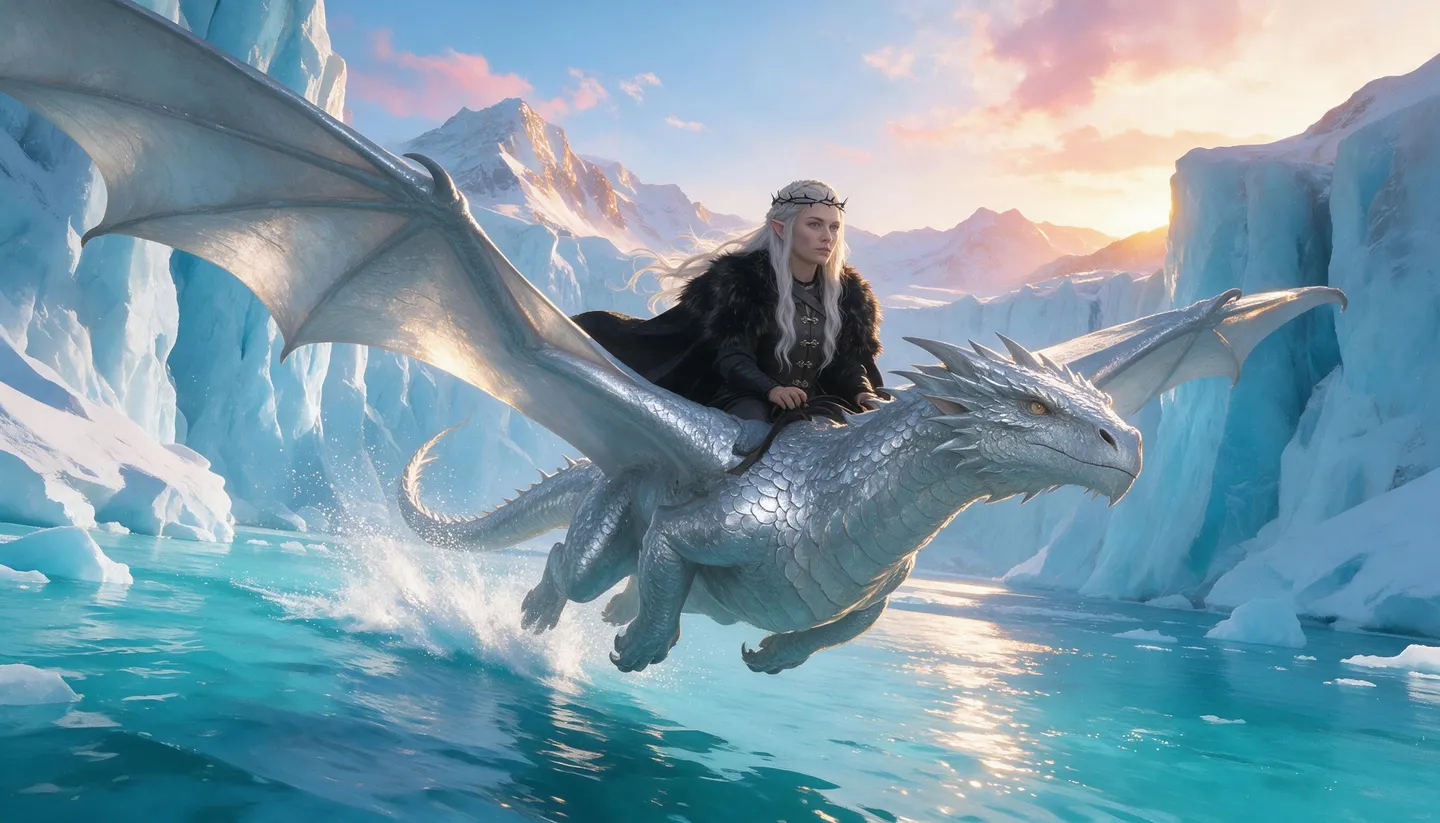
A rider in silver armor on a white dragon skimming a glacier fjord at sunrise, spray from the wingtips, epic painted fantasy, 21:9
An elven court
An elven queen on a throne of living birch trees, golden light through the leaves, embroidered moss-green gown, painterly, 4:5
A ruined castle
A ruined castle on a sea cliff in a thunderstorm, waves breaking below, one window lit, oil painting style
A tavern scene
A cozy tavern with adventurers around a map, candlelight, a laughing dwarf, warm wood and pipe smoke, detailed illustration
Room to experiment
Fantasy art with characters that stay consistent
Making one great fantasy image is easy now. Making twenty with the same hero, the same armor and the same world is the hard part, and it is where the Characters system earns its keep.
Mainstream tools
- A new face for your hero every time
- Costumes that drift between images
- Stills only
- Small sizes for prints
Mage
- Saved characters called by @handle
- References that pin down costumes and creatures
- Image to video with the same hero
- Up to 4K, then upscale to 6K
Follow your imagination
Who uses an AI fantasy art generator?
Tabletop campaigns
Show players the villain, the city and the ruins before the session starts.
Novels and serials
See your cast and settings, and make art for chapters, a newsletter or a pitch.
Game development
Sketch heroes, monsters and levels while the design is still moving.
Gifts and personal art
Turn a friend into a paladin, with their permission, or your cat into a dragon-slayer.
Start small. Dream big.
Is the fantasy art generator free?
Start free with 300 bonus Gems. Mango and character creation are unlimited on Pro.
Free
$0
One-time 300 Gems for new members. No watermark.
Pro
$30/mo
Unlimited Mango, unlimited character creation, unlimited video on Wan, LTX, Melon and Lemon at 480p, 1,500 monthly Gems.
Pro Plus
$60/mo
Adds Mango at 3K and 4K, premium video models including Cherry, Enhance at 4K and 3,500 monthly Gems.
A little more clarity
Frequently asked questions
What is the best AI for fantasy art?
How do I keep my fantasy character consistent?
Can I make fantasy maps?
Can my fantasy art move?
Can I sell fantasy art made on Mage?
Is my art private?

Ready to paint your world?
Free to start, private by design. Have fun creating!
Start your fantasy artRelated generators & guides
Mage is for adults, 18+ only. Nothing illegal is allowed; any content involving minors or non-consensual depictions of real people is strictly prohibited.