
Free to start · Short loops from 2 seconds
AI GIF Generator
Make the short, looping animations people use as GIFs: reactions, memes, product loops and stickers in motion. Write the moment or animate a photo, and get a crisp clip back in seconds.
No installation. No credit card. Private by default.
- 2 sShortest Lemon clip
- MP4File format Mage saves
- First + lastFrames for seamless loops
- $0Free to start
The basics
What is an AI GIF generator?
An AI GIF generator makes the short, looping animations that live in chats, comments and social posts: a slow clap, an eye roll, a cat knocking something off a table, a product spinning forever. Instead of hunting for the right reaction clip, you describe the moment and the model animates it.
Mage makes those clips with its video models. Lemon renders clips from 2 seconds, and because it takes a first and a last frame, setting both to the same image gives you a loop that returns exactly to where it began. Cherry 2 Pro adds the most expressive motion for reactions with characters.
One honest note before you start: Mage saves video as MP4, not as a .gif file. MP4 is sharper and far smaller than GIF and plays everywhere GIFs do on modern platforms. When you need an actual .gif, any GIF converter turns the MP4 into one in a few seconds.
A little more possibility
Why people make their loops on Mage
Seamless loops
Set the same image as Lemon’s first and last frame, and the clip ends exactly where it began.
Short by design
Lemon renders clips from 2 seconds, the right length for a reaction or a loop.
Animate any photo
Turn a picture you already have into a moving loop by using it as the first frame.
Reactions starring your characters
Cast a saved @character and build a set of reaction loops with the same face.
Square, vertical or wide
Lemon renders 1:1, 9:16, 16:9, 4:3 and 3:4, so loops fit a chat, a story or a banner.
Private by default
Your clips stay in your account until you share them.
From idea to creation
How do you make a GIF with AI?
It takes three steps, and it is free to start.
Open the generator
Open the Lemon generator from this page, or pick Cherry 2 Pro in the model menu for character reactions.
Set up the loop
For a seamless loop, upload one image as both the first and the last frame. Otherwise, write the moment.
Keep it short
Choose a short duration, 2 to 4 seconds, and a square or vertical aspect ratio for chats and stories.
Download and convert if needed
Download the MP4. Use it as is, or run it through any GIF converter for a .gif file.
Tips and techniques
How to make a loop that does not jump
The giveaway of a bad loop is the jump at the end, where the last frame snaps back to the first. The cleanest way to avoid it on Mage is Lemon’s first and last frame: upload the same image to both, and describe a motion that leaves and returns, such as steam rising from a cup, a flag rippling, or a character blinking and smiling. The model fills the motion in between and lands back on your image.
Motions that are naturally cyclical loop best: breathing, swaying, spinning, waves, flickering light, a bouncing ball. One-way actions such as a door opening or someone walking out of frame are better as reaction clips than as loops, because their end can never match their beginning.
For a two-image transition, such as a sketch turning into a finished painting, use two different frames instead, and the clip becomes a morph. Blueberry 2 also fills the motion between a first and a last frame. To design the still first, start on the AI meme generator or the AI sticker generator.
- Same image as first and last frame for a seamless loop.
- Choose cyclical motion: sway, spin, breathe, ripple, flicker.
- Keep it to 2 to 4 seconds.
- Use 1:1 for chats and comments, 9:16 for stories.
- Turn generated audio off when the loop will play silently.
Tips and techniques
Reaction clips, MP4 and turning them into GIFs
Reaction clips work differently from loops: they are one beat of emotion, played once or on repeat. Describe the reaction in physical terms, such as a slow, sarcastic clap, an exaggerated eye roll with a sigh, or a jaw drop and a double take, and keep the framing tight on the face and hands. Cherry 2 Pro gives the most expressive faces, and a saved @character turns a single good reaction into a whole set with the same face.
Every clip downloads as an MP4. Most messaging and social apps accept MP4 directly and many show it just like a GIF, with better quality at a fraction of the size. When a platform truly needs a .gif, convert the MP4 with any GIF converter or video editor that exports GIF; a short, square clip converts to a small file.
Mage does not export .gif files itself, and it does not make transparent backgrounds. If you need a cut-out sticker, design it on a plain background and remove the background with a separate tool.
The right model for the job
The best models for GIF-style loops
Pick by whether you need a seamless loop, a morph, or an expressive reaction.
Lemon
First and last frames for seamless loops, clips from 2 seconds, five aspect ratios, and audio you can switch off. One request uses frames or references, not both.
Cherry 2 Pro
The most expressive motion for reaction clips with characters. Clips start at 4 seconds and it takes no first or last frame.
Blueberry 2
Fills the motion between a first and a last frame, from 2 seconds, at 720p or 1080p. Good for morphs.
Cherry Mini
The cheapest Cherry, for drafting reactions before a final render.
Try these prompts
Loop and reaction prompts to try
Short, physical and easy to repeat.
Seamless loop
Same image as first and last frame. Steam curls up from the coffee cup, the window light flickers softly, the cat on the sill slowly blinks.
Slow clap
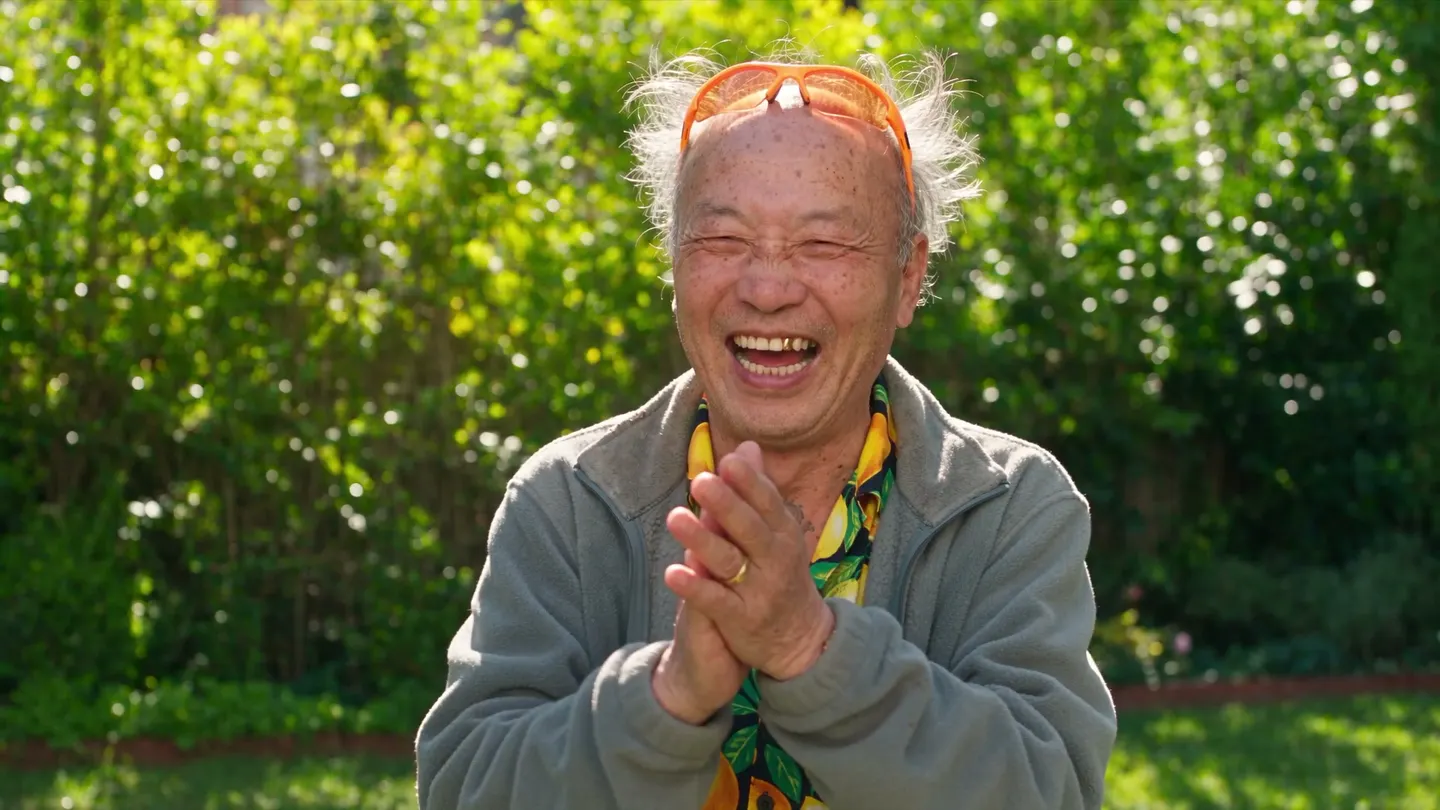
Close-up of an old man in orange sunglasses giving a slow, sarcastic clap, eyebrows raised, then a single nod. Tight framing, plain background.
Jaw drop
A black cat’s eyes go wide and its jaw drops in shock, then it looks straight at the camera. Square frame, bright kitchen.
Product spin
A sneaker rotates slowly on a pastel pedestal, soft studio light, seamless 360-degree turn, no camera movement.
Room to experiment
Making loops on Mage vs a GIF search
A GIF search gives you what someone else made, and the perfect reaction is rarely there. Making it yourself means it fits the moment, stars whoever you want and looks sharp.
GIF search
- Only clips someone already made
- Low resolution and heavy compression
- Reused by everyone else
- No control over the moment
Mage
- Describe the exact reaction or loop
- Sharp MP4 output, convertible to GIF
- Your own characters and photos
- Seamless loops with first and last frames
Follow your imagination
What people make with an AI GIF generator
Reactions for chats and comments
A personal set of reaction loops for the moments that keep coming up.
Memes in motion
Animate a meme still into a short loop that plays on repeat.
Product and brand loops
Spinning products, rippling logos you own, and looping banners for sites and stores.
Living wallpapers and stickers
Subtle looping motion for backgrounds, profile pictures and animated stickers.
Start small. Dream big.
Is the AI GIF generator free?
Mage is free to start with 300 sign-up Gems. Short Lemon clips are unlimited from Pro, and every model can run on Gems.
Free
$0
One-time 300 Gems for new members. No watermark.
Pro
$30/mo
Unlimited Lemon at 3 s and 480p, plus Melon, Wan, LTX and MiniMax-H3 Turbo, and 1,500 monthly Gems.
Pro Plus
$60/mo
Unlimited Lemon up to 7 s at 480p and 3 s at 720p, Cherry, Blueberry 2 and more, plus 3,500 monthly Gems.
A little more clarity
Frequently asked questions
Does Mage export GIF files?
How do I make a seamless looping GIF with AI?
How short can a clip be?
Can I turn a photo into a GIF?
Can I make a transparent GIF?
Is it free?

Related generators & guides
Mage is for adults, 18+ only. Nothing illegal is allowed; any content involving minors or non-consensual depictions of real people is strictly prohibited.