
Free to start · Every medium, one prompt box
AI Art Generator
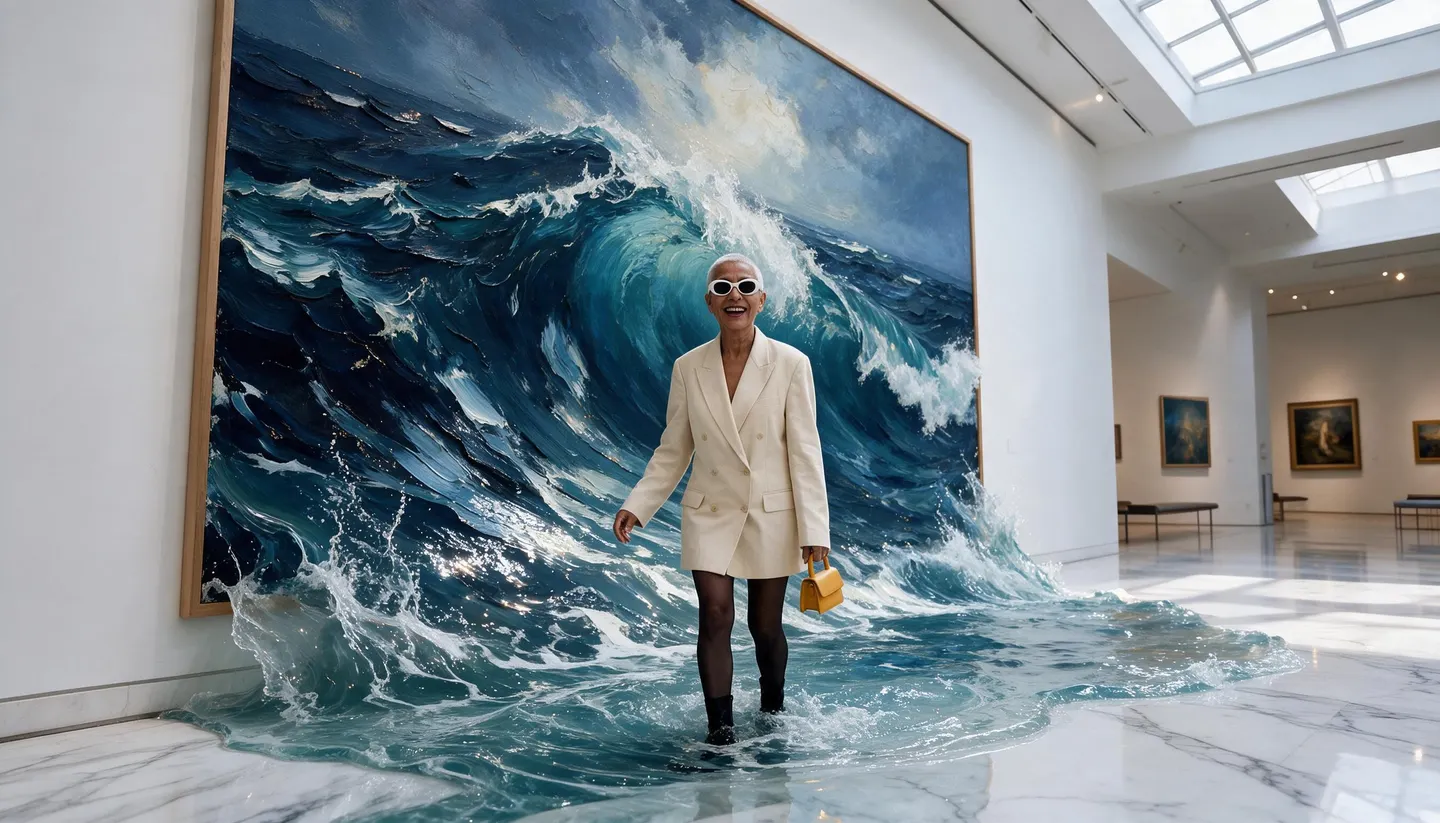
Paint with words. Describe a scene and a medium, oil, watercolor, ink, gouache or 3D, and Mage renders it as finished artwork you can print, post or keep developing.
No installation. No credit card. Private by default.
- Up to 4KFor prints
- Up to 6KWith the Image Enhancer
- $0Free to start
- ZeroWatermarks
The basics
What is an AI art generator?
An AI art generator creates artwork from a description. Instead of a brush or a stylus, you describe the subject and the medium, and an image model renders it: a still life in thick oil paint, a city in loose watercolor, a portrait in pen and ink. It is a fast way to see an idea, explore a style you do not paint in yourself, or make finished art for a wall, a cover or a feed.
Mage is an AI art generator with many models behind one prompt box, each with its own eye. Mango 3 is the default for most art: it follows exact instructions about composition and color. Anima is built for anime and illustration with clean lines and flat color. Krea 2 has a strong built-in aesthetic, and Flux 2 handles long, detailed prompts. Run the same idea on several and keep the one that feels right.
Artwork on Mage is private by default and carries no watermark, and a commercial license comes with every paid plan. Start free, then go unlimited when you are making art every day.
A little more possibility
Why artists and hobbyists use Mage
Any medium you can name
Oil, watercolor, gouache, charcoal, linocut, ink, pixel art or 3D: name the medium and the model renders its texture.
Models with different eyes
Run one idea on Mango 3, Krea 2, Flux 2 and Anima and compare four honest interpretations.
Start from a sketch
Upload a rough drawing as a reference and let the model paint it in the style you describe.
Print-ready sizes
Generate at up to 4K on Mango 2 or Nano Banana 2.1, then enlarge to 6K with the Image Enhancer.
A private studio
Experiments stay in your account. Share only the pieces you are proud of.
Unlimited practice
Unlimited generation from Basic at $10 a month, with Mango and Anima unlimited on Pro.
From idea to creation
How do you make AI art?
It takes three steps, and it is free to start.
Describe the subject
Start with what is in the picture and what is happening in it.
Name the medium and the mood
Add the technique, the palette and the light: "loose watercolor, cool blues, morning fog".
Pick a model
Choose Mango 3 in the model menu for most art, Anima for anime-style illustration, or Krea 2 for a polished look.
Refine and finish
Rerun with one change at a time, fix details with inpainting, and upscale the final for print.
Tips and techniques
How to describe an art style
Style words work best when they describe how the art is made. "Thick impasto oil paint with visible palette-knife strokes" tells the model exactly what to render, and describing technique rather than borrowing a name keeps the result your own. Cover the medium, the surface, the edges and the palette, and the picture lands closer to what you imagined.
Composition is the other half. Say where the subject sits ("small, in the lower third"), how much empty space there is, and where the light comes from. Art directors think in these terms, and image models respond to them just as well. A strong composition survives any style you put on top of it.
For anime and manga looks, Anima reads Danbooru-style tags and prompt weighting, and the anime image generator guide covers those prompts in depth.
- Name the medium and the surface: "watercolor on cold-press paper".
- Give a palette of two or three colors.
- Describe the brushwork: loose, tight, textured or flat.
- Say where the light comes from.
- Keep a prompt that works and swap only the subject.
Tips and techniques
From a rough sketch to finished art
You do not have to start from words alone. Upload a sketch, a photo or a color study as a reference and describe the finished piece: Mango 3 takes up to 10 reference images and Flux 2 up to three. The model keeps the layout of your sketch while rendering it in the style you name, which is the quickest way to get the composition you planned rather than one the model invented.
For a full restyle of an existing picture, use the AI image to image generator. For a specific genre, the fantasy art, concept art and cartoon guides go deeper.
The right model for the job
The best models for AI art
Same prompt, different hands. Try a few and keep what you like.
Mango 3
The best default for art: exact composition, color and character instructions, and up to 10 reference images for sketches and palettes.
Krea 2
Fast, with a strong built-in aesthetic that flatters loose prompts, at 1K or 2K.
Anima
Built for anime and illustration: clean lines, flat color, Danbooru-style tags and prompt weighting. It takes text prompts only.
Mango 2
The Mango that reaches 4K, for art you plan to print large.
Try these prompts
AI art prompts to try
Each names a medium and a palette. Change the subject and keep the rest.
An oil still life
Three pears and a copper jug on a linen cloth, thick impasto oil paint with palette-knife strokes, warm candlelight, dark umber background
A watercolor city
Lisbon rooftops at sunrise, loose watercolor on cold-press paper, granulating blues and peach, white paper left for highlights
Ink and wash
A heron standing in reeds, Japanese ink wash, sparse brushstrokes, lots of empty space, a single red seal in the corner
A linocut print
A fox in a winter forest, two-color linocut print, deep blue and orange, bold carved lines
Room to experiment
An AI art generator with a choice of styles
A single-model art tool gives every picture the same fingerprint. Mage gives you several models with distinct looks, so the style is a choice you make rather than a default you live with.
Mainstream tools
- One model and one recognizable look
- Styles limited to a few presets
- Small sizes that blur in print
- Credits spent on every experiment
Mage
- Mango 3, Krea 2, Flux 2, Anima and more
- Any medium you can describe
- Up to 4K, then upscale to 6K
- Private by default, with no watermark
Follow your imagination
What can you make with an AI art generator?
Wall art and prints
Make a piece in the exact colors of the room, at a size that holds up on the wall.
Book and album covers
Explore cover directions quickly, then develop the strongest one into a final.
Tabletop and game art
Illustrate cards, scenes and handouts in one consistent style.
Daily creative practice
Try a new medium every day and learn what each one does to an idea.
Start small. Dream big.
Is the AI art generator free?
Start free with 300 bonus Gems, then choose unlimited once you are making art regularly.
Free
$0
One-time 300 Gems for new members. No watermark.
Basic
$10/mo
Unlimited Flux 2, Krea 2, Chroma and Stable Diffusion with LoRAs, plus 500 monthly Gems.
Pro
$30/mo
Adds unlimited Mango, Anima and Guava, Enhance at 2K and 1,500 monthly Gems.
A little more clarity
Frequently asked questions
What is the best free AI art generator?
Can AI art be printed?
Can I turn my sketch into AI art?
Can I sell AI art I make on Mage?
Can I copy a famous artist’s style?
Is my AI art private?

Related generators & guides
Mage is for adults, 18+ only. Nothing illegal is allowed; any content involving minors or non-consensual depictions of real people is strictly prohibited.