
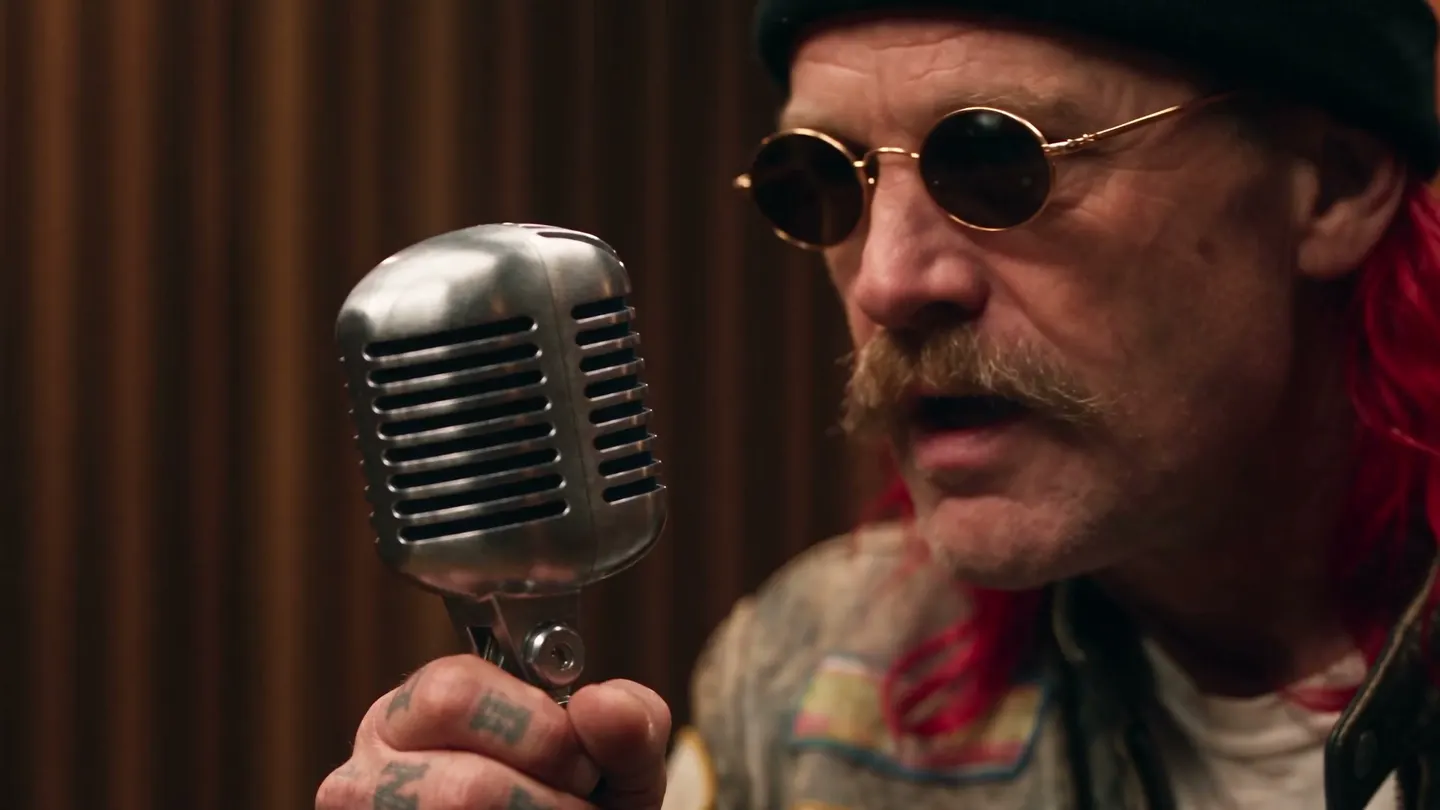
Free to start · Voices for your videos
AI Voice Generator
Write the line and describe the voice, and Seed Audio speaks it: a narrator, a character, a two-person exchange. Then give that voice to a character and let your videos use it.
No installation. No credit card. Private by default.
- 5 to 120 sClip lengths
- MP3Download format
- 3Audio references per clip
- $0Free to start
The basics
What is an AI voice generator?
An AI voice generator turns written words into spoken audio. You type what should be said and describe how it should sound, such as the age, the accent, the pace and the emotion, and the model performs it. The result is an audio file you can drop into a video, a game, a podcast intro or a presentation.
On Mage the voice model is Seed Audio. It makes voices, dialogue, music and sound effects from one prompt, and returns an MP3 of exactly the length you choose: 5, 10, 30, 60 or 120 seconds. It can take one image reference, or up to three audio references to guide the sound, but not both in the same clip.
What makes it useful on Mage is what happens next. A saved character can carry a voice, and the video models that read character voices, Cherry, Raspberry, Plum, Lemon and MiniMax-H3, use it automatically, so the person you designed sounds the same in every clip. The Lipsync app can also take a voice line you made and sync a face to it.
A little more possibility
Why creators make voices on Mage
Voices and dialogue from text
Describe the speaker and write the line. Seed Audio performs a narrator, a character or an exchange between two people.
The exact length you need
Pick 5, 10, 30, 60 or 120 seconds, and the MP3 comes back at exactly that duration.
A voice for every character
Attach a voice to a saved character, and supported video models use it whenever that character appears.
Straight into video
Use a voice line in Lipsync to make a portrait speak it, or upload it on the Audio page as a reference for video.
Private by default
Your scripts, voices and clips stay in your account unless you decide to share them.
Unlimited on paid plans
Short clips are unlimited from Basic, and longer ones from Pro, Pro Plus and Max. Gems cover the rest on any plan.
From idea to creation
How do you generate an AI voice?
It takes three steps, and it is free to start.
Open Seed Audio
Use the button on this page to open Seed Audio in the Mage app, right in your browser.
Write the line and the voice
Type the words to be spoken, then describe the speaker: age, accent, tone, pace and the room they are in.
Pick a length and generate
Choose 5, 10, 30, 60 or 120 seconds, add an audio reference if you have one, and generate.
Use it
Download the MP3, use it in Lipsync, or attach it to a character as their voice for video.
Tips and techniques
Describe a voice the way a casting director would
A voice prompt has two parts: what is said and how it sounds. Put the spoken words in quotation marks so they are clearly the script, then describe the performance around them. "A warm, gravelly man in his seventies, slow and amused, close to the microphone in a quiet room, says: “Every story starts with somebody who should have stayed home.”" gives Seed Audio a speaker, a delivery and a space.
The details that change a voice the most are age, energy, pace and distance. A whisper close to the microphone, a stage voice in a large hall and a tired voice on a phone line are three different performances of the same words. Name the emotion with a verb, such as teasing, pleading or announcing, rather than an adjective alone.
- Put the exact words in quotation marks
- Give an age range and an energy level
- Name the pace: unhurried, brisk, halting
- Describe the room: booth, street, cathedral, phone
- Keep a 5- or 10-second line for testing a voice before a long read
Tips and techniques
Pick the right length
Seed Audio returns exactly the duration you pick, so match the length to the script. A single line or a reaction fits in 5 or 10 seconds. A short voiceover or a product read fits in 30. A scene of dialogue or a narration fits in 60 or 120. A script that is too long for the clip gets rushed; one that is too short leaves silence or room tone at the end.
Plan for where the audio is going. Lipsync and Music Video take audio up to 15 seconds, so for a talking portrait, write a line that fits in 10 seconds and generate at that length.
Tips and techniques
Give the voice to a character
A character on Mage can carry a voice: upload an MP3 or WAV, or generate a short sample with Seed Audio when you create the character. From then on, Cherry, Raspberry, Plum, Lemon and MiniMax-H3 use that voice automatically whenever the character speaks. The AI character generator covers characters, and the AI talking photo guide shows how to make a portrait say a line.
Use reference audio only of your own voice, or of a voice you have permission to use. Imitating a real person without their consent is not allowed on Mage.
The right model for the job
The models behind voices on Mage
Seed Audio makes the voice. These video models speak it in a clip.
Seed Audio
Voices, dialogue, music and sound effects from a prompt, as an MP3 at exactly 5, 10, 30, 60 or 120 seconds. One image reference or up to three audio references.
Cherry 2 Pro
Mage's flagship video model: characters speak with their own voices, it takes audio references, and clips run up to 30 seconds at up to 1080p.
Lemon
An all-round video model at a friendlier price, with character voices, generated audio and clips from 2 to 30 seconds.
Plum Max
The faster Plum, with generated audio on every clip, character voices and audio references. Plum is the default in Lipsync.
Try these prompts
Voice prompts to start from
Paste one into Seed Audio, pick the length, and change the words and the speaker.
Documentary narrator, 10 s
A calm, low female narrator in her forties, measured pace, studio booth, says: "Far below the ice, something has been waiting for a very long time."
Game character bark, 5 s
A young, breathless squire, excited and slightly panicked, outdoors in wind, shouts: "They are over the wall! Ring the bell!"
Two-person exchange, 30 s
Two friends in a busy café: an upbeat woman tries to convince a skeptical, dry-humored man to try skydiving; natural overlaps and laughter, café ambience
Room to experiment
Voices on Mage compared with a separate voice tool
A standalone voice tool makes great audio and then hands you a file to carry somewhere else. On Mage the voice, the character it belongs to and the video it appears in live in one account.
A separate voice tool
- Audio in one app, video in another
- Voices are not tied to your characters
- Another account and another plan
Seed Audio on Mage
- Voices, music and sound effects in one model
- A saved character keeps its voice in every clip
- Lipsync and video in the same account
- Private by default
Follow your imagination
What people make with an AI voice generator
Character voices for video
Give each character in a series a voice of its own, used every time they speak.
Voiceovers and narration
Narration for explainers, trailers and short films, at the exact length of the cut.
Talking portraits
A line for Lipsync to put in the mouth of a portrait, a mascot or a character.
Games and prototypes
Placeholder barks, announcements and dialogue while a game or an app is in development.
Start small. Dream big.
Is the AI voice generator free?
Mage is free to start, and Seed Audio runs on Gems on any plan. Unlimited clips start on Basic at 5 and 10 seconds, with longer clips unlimited on higher plans.
Free
$0
One-time 300 Gems for new members. No watermark.
Basic
$10/mo
Unlimited Seed Audio clips of 5 and 10 seconds, 500 monthly Gems.
Pro
$30/mo
Unlimited Seed Audio clips up to 30 seconds, unlimited character creation and video, 1,500 monthly Gems.
A little more clarity
Frequently asked questions
How does the AI voice generator work?
Can I give a voice to my character?
Can it copy a voice from a recording?
Is the AI voice generator free?
How long can a voice clip be?
Can I use the voices commercially?

Ready to give your story a voice?
Free to start, private by design. Have fun creating!
Open Seed AudioRelated generators & guides
Mage is for adults, 18+ only. Nothing illegal is allowed; any content involving minors or non-consensual depictions of real people is strictly prohibited.