
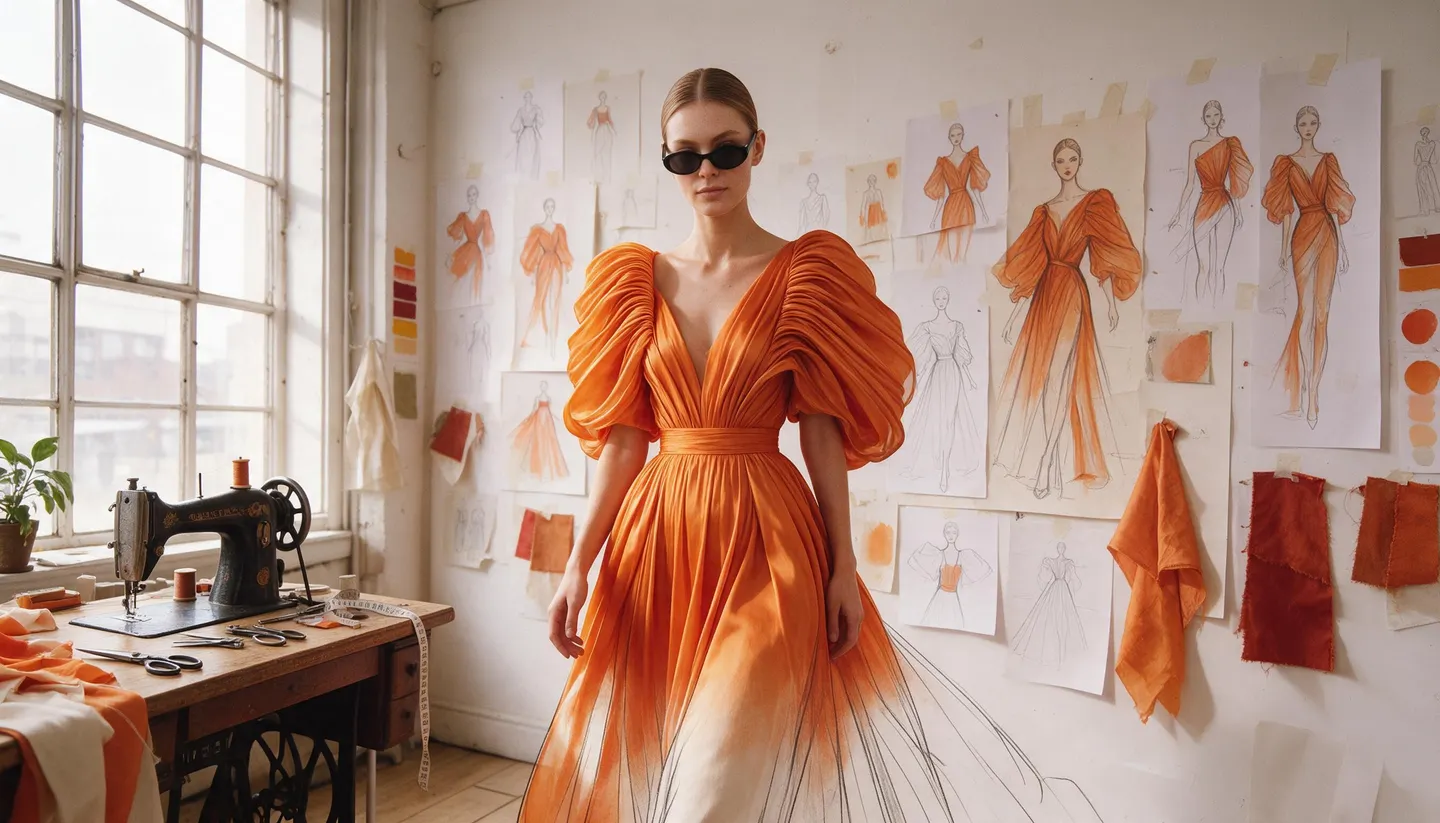
Free to start · From sketch to lookbook
AI Fashion Design Generator
Sketch a garment in words, see it as a flat, a runway look or an editorial photo, and keep the same model across a whole lookbook. Free to start, private by default.
No installation. No credit card. Private by default.
- Up to 10Reference images on Mango 3
- Front to backTurnarounds with Character Sheet
- 2KPhotoreal on Guava 2 Pro
- $0Free to start
The basics
What is an AI fashion design generator?
An AI fashion design generator turns a garment idea into images you can judge: a flat, a sketch, the piece on a model, or a finished editorial shot. Designers use it to explore silhouettes, fabrics and colorways quickly, before a pattern is cut or a sample is sewn.
Mage covers each stage. Guava 2 Pro is Mage's photorealism model for fashion and editorial images, with close-up fabric and hair texture. Mango 3 keeps the same model across a whole set and combines up to 10 references, so a lookbook reads as one shoot. Outfit Swap puts a garment from a reference photo onto a person, and Character Sheet turns one look into front, side and back views.
It is a design and presentation tool, not a pattern maker. The images help you decide and pitch; construction, sizing and how a fabric actually hangs still come from a real sample.
A little more possibility
Why designers sketch collections on Mage
Explore silhouettes fast
Change one line of the prompt to try a new cut, length, fabric or colorway.
Editorial-grade photoreal
Guava 2 Pro renders fabric, skin and hair texture for shots that read as photographs.
One model, a whole lookbook
Save a model as a character and use @handle in every shot, so the collection feels like one shoot.
Try it on a real photo
Outfit Swap moves clothing, footwear and accessories from a reference image onto a person.
Turnarounds in one step
Character Sheet turns one look into a face close-up and front, side and back views with outfit details.
Unreleased work stays private
A collection is private until you share it. Nothing goes to a public feed by default.
From idea to creation
How do you design clothes with AI?
It takes three steps, and it is free to start.
Describe the garment
Open Guava, pick Guava 2 Pro in the model menu, and describe the piece: silhouette, fabric, color, details and styling.
Put it on a consistent model
Save a character from one portrait and mention them by @handle on Mango 3 or Guava for every look.
Show it from every side
Run the best look through Character Sheet for front, side and back views, or Angles for a new camera position.
Refine and present
Fix details with Inpaint, try the piece on a real photo with Outfit Swap, and upscale with Image Enhancer.
Tips and techniques
Describing clothes so a model can draw them
Fashion vocabulary is precise, and the models know it. "Oversized double-breasted wool coat, dropped shoulders, mid-calf length, horn buttons, camel" draws a specific garment; "nice coat" does not. Name the silhouette, the fabric and its weight, the length, the closures and the finish.
Separate the garment from the photograph. Describe the clothes first, then the shot: "full-length on a concrete runway, side light, 85mm" for a show look, "flat lay on white, top-down, even light" for a flat, "pencil and marker fashion illustration, elongated figure" for a sketch. The same garment in three treatments tells you more than three random images.
Change one variable per run while you develop a piece. Keep the prompt identical, swap only the fabric or only the color, and lay the results side by side.
- Name the silhouette, fabric, length, closures and finish.
- Describe the garment first, then the shot.
- Ask for a flat, a sketch and an editorial of the same piece.
- Change one variable per run.
- Use a saved character as your fit model.
Tips and techniques
From one look to a lookbook
A collection needs the same model and the same light in every look. Save your model once in Characters and mention them by handle on Mango 3, which keeps a character across a set. Keep a fixed style line, such as "white cyclorama, soft key light, 85mm, full length," at the end of every prompt.
When the design exists as a real photo, whether a sample on a hanger or a mood image, Outfit Swap puts it onto a person while keeping their face, pose and background. The virtual try-on and AI outfit generator guides go further.
To put a look in motion, animate the best image with a video model for a short runway walk or a turn on the spot. Saved characters carry into video on Cherry, Lemon, Plum and others.
The right model for the job
The best models for fashion design
Guava for the final photo, Mango for consistency, and two quick options for exploring.
Guava 2 Pro
Photoreal portraits, fashion and editorial images, with close-up fabric, skin and hair texture. Up to three references and 2K at most. Name the light and the lens. Unlimited on Pro.
Mango 3
Keeps the same model across a lookbook, follows exact instructions, and combines up to 10 references, such as a fabric swatch and a pose. Unlimited on Pro.
Mango 3 Turbo
The fastest, lowest-cost Mango, for exploring dozens of silhouettes before you commit to one.
Nano Banana 2.1
Google's model edits from up to 14 reference images at up to 4K, which suits work driven by a mood board. Google's safety filter applies.
Try these prompts
Fashion prompts to start from
Swap in your own garment details and @handles.
Runway look
Full-length runway photo, concrete floor, side light, 85mm: @elsarunway in an oversized double-breasted camel wool coat with dropped shoulders, mid-calf length and horn buttons, over black wide-leg trousers.
Flat
Flat lay on white, top-down, even light: a cropped denim jacket with contrast orange stitching, patch pockets and a corduroy collar.
Fashion illustration
Pencil and marker fashion illustration, elongated figure, loose lines: a pleated silver evening gown with a high neck and long sleeves.
Colorway grid
Grid of four identical knit cardigans on a white background, in cream, forest green, burgundy and navy, with the same lighting on each.
Room to experiment
How Mage compares for fashion design
Generic image apps can draw a dress. Designing a collection needs a consistent fit model, photoreal fabric, try-ons on real photos and turnarounds, ideally without switching tools.
Mainstream tools
- A new face in every image
- Generic texture on close-ups
- Try-ons from a preset wardrobe
- One tool for each step
Mage
- Your fit model, saved by @handle
- Guava 2 Pro fabric and texture
- Outfit Swap from your own reference photo
- Sketch, photo, try-on and turnaround in one account
Follow your imagination
Who uses an AI fashion design generator?
Independent designers
Explore a capsule collection before paying for samples.
Fashion students
Build a portfolio of concepts with consistent presentation.
Brands and merchandisers
Preview colorways and styling ahead of a line review.
Costume and character design
Design outfits for film, games or cosplay, with turnaround views.
Start small. Dream big.
Is the AI fashion design generator free?
Mage is free to start with a one-time 300-Gem bonus, and every model runs on Gems. Unlimited Guava, Mango and character creation start on Pro.
Free
$0
One-time 300 Gems for new members. No watermark.
Pro
$30/mo
Unlimited Guava and Mango, unlimited character creation, Outfit Swap on Mango, and Enhance to 2K. 1,500 monthly Gems.
Pro Plus
$60/mo
Mango at 3K and 4K, Nano Banana 2.1 at 1K, and Enhance to 4K. 3,500 monthly Gems.
A little more clarity
Frequently asked questions
Can AI design clothes?
What is the best AI for fashion design?
Can I keep the same model across a lookbook?
Can I try my design on a real photo?
Can I get front, side and back views?
Can I use the images commercially, and are they private?

Ready to design your next collection?
Free to start, private by design. Have fun creating!
Design with GuavaRelated generators & guides
Mage is for adults, 18+ only. Nothing illegal is allowed; any content involving minors or non-consensual depictions of real people is strictly prohibited.