
Free to start · From your own photos
AI Headshot Generator
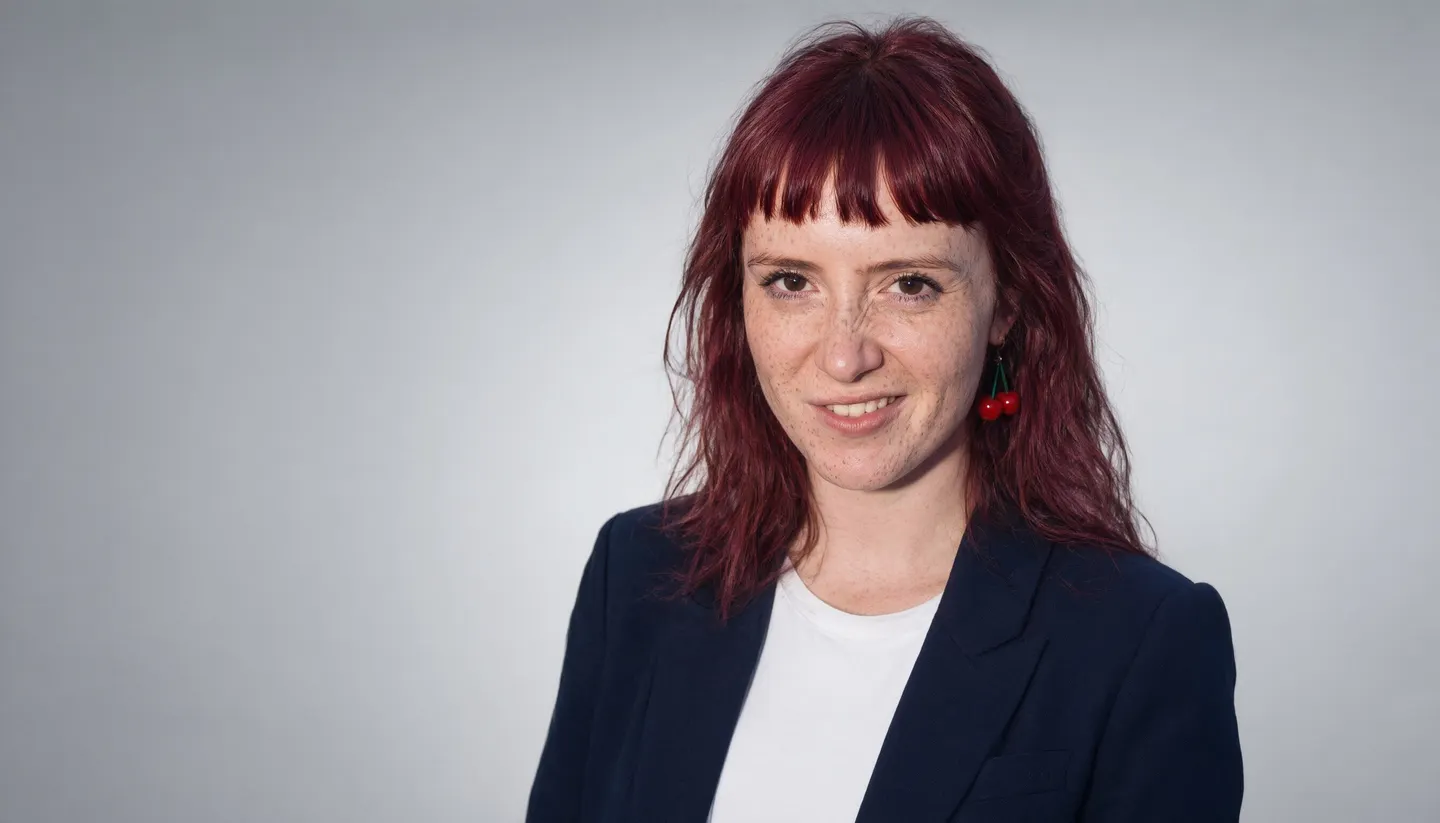
Upload a few photos of yourself, describe the headshot you need, and get studio-lit portraits with a clean backdrop and the outfit you choose. No photographer, no booking, and the photos stay private.
No installation. No credit card. Private by default.
- 3Reference photos on Guava 2 Pro
- 2KHeadshot resolution
- 6KWith the Image Enhancer
- $0Free to start
The basics
What is an AI headshot generator?
An AI headshot generator makes a professional-looking head-and-shoulders portrait of you from ordinary photos you already have. Instead of booking a studio, you upload a few clear pictures of your face, describe the headshot you want, and the model generates new portraits with studio lighting, a clean backdrop and the clothes you choose.
It is worth being clear about what that means. The result is a new AI portrait based on your likeness, not a retouched version of your original photo. Most generations look like you; some will not, and you should pick only the ones that do before you put them on a profile, a team page or a speaker bio.
On Mage the photoreal workhorse is Guava 2 Pro, which takes up to three reference images and is built for skin, fabric and hair texture. If you plan to make many headshots over time, save yourself as a character once and Mango 3 or Guava will reuse your face from a single @handle.
A little more possibility
Why people make headshots on Mage
Photoreal skin and fabric
Guava 2 Pro is built for photoreal portraits, so skin, hair and the weave of a blazer read like a photograph.
Starts from your photos
Attach up to three photos of yourself as references, or save yourself as a character from one clear portrait.
Change the outfit and backdrop
Ask for a navy blazer, a knit sweater or a crisp white shirt, on grey, white or an office blurred behind you.
Fix the light afterwards
Relight changes the direction and color of the light on a finished headshot. Skin Enhancer restores natural texture.
Your face stays private
Uploads and headshots are private to your account. Nothing is posted unless you decide to share it.
No watermark
Download the original file with no watermark, ready for a profile, a badge or a bio.
From idea to creation
How do you make an AI headshot?
It takes three steps, and it is free to start.
Open Guava
Use the button on this page to open the Guava generator, then pick Guava 2 Pro in the model menu.
Attach your photos
Add up to three clear photos of your face: front-facing, good light, no sunglasses, nothing covering the face.
Describe the headshot
Write the outfit, the backdrop, the light and the framing, choose a 4:5 or 1:1 aspect ratio, and generate.
Pick, polish and download
Keep the shots that look like you, then relight, enhance skin texture or upscale before you download.
Tips and techniques
Choose reference photos that work
The reference photos decide how much the headshots look like you. Pick recent photos where your face is sharp, evenly lit and unobstructed: no sunglasses, no hats pulled low, no hands near the face, and no heavy filters. Different angles help, a straight-on photo and two slight turns being a good set. Group photos and low-resolution crops tend to blur the likeness.
Use only photos of yourself, or of a colleague who has asked you to make their headshot. Mage does not allow non-consensual imagery of real people, and a headshot is about as personal as an image gets.
- Three sharp photos beat ten blurry ones
- Even, soft light on the face, no harsh shadows
- Your usual hairstyle, so the result looks like you today
- No sunglasses, masks or hands covering the face
- Plain clothes in the references, so the prompt can change them
Tips and techniques
Write the headshot you would brief a photographer on
A strong headshot prompt names five things: the framing, the wardrobe, the backdrop, the light and the lens. "Head-and-shoulders headshot, navy blazer over a white shirt, soft grey seamless backdrop, large soft key light from the front left, subtle fill, 85mm lens, relaxed confident smile" reads exactly like a studio brief, and Guava 2 Pro answers it like one. Without a light and a lens, Guava tends toward a generic studio look.
Match the setting to where the photo will live. A corporate profile wants a neutral backdrop and business clothes. A creative portfolio can carry a colored backdrop or an environmental setting, such as a studio, a workshop or a café, blurred behind you. Actors and speakers often want two versions, one warm and one serious.
Tips and techniques
Polish the keeper
Once you have a headshot you like, the finishing apps are one click away. Relight changes the direction, brightness and color of the light on the finished headshot. Skin Enhancer restores natural texture, with Realistic, Soft and Imperfect modes, so the skin never looks airbrushed. The AI image upscaler takes the file to 2K, 4K or 6K for print.
Need a different jacket on a headshot you already love? Outfit Swap changes the clothes and keeps you and the backdrop as they are.
The right model for the job
The best AI models for headshots
Photoreal work wants a photoreal model. These are the ones to try, in order.
Guava 2 Pro
Mage's photorealism model for portraits and editorial work, with close-up skin, fabric and hair texture. It takes up to three reference images and renders up to 2K. Name the light and the lens.
Mango 3
The best pick once you have saved yourself as a character: it keeps the same face across a whole set and follows exact wardrobe and backdrop instructions, at 1K or 2K.
Nano Banana 2.1
Google's model, for headshots up to 4K and edits guided by many references. Google's safety filter applies.
Try these prompts
Headshot prompts to start from
Attach your reference photos, paste a prompt, and change the details to suit you.
Corporate profile
Professional head-and-shoulders headshot, charcoal blazer over a white shirt, soft grey seamless backdrop, large soft key light, 85mm lens, relaxed smile
Creative portfolio
Headshot in a bright design studio, olive knit sweater, shelves softly blurred behind, window light from the right, 50mm lens, warm natural expression
Actor or speaker
Tight headshot, black t-shirt, deep blue backdrop, single soft key light with gentle falloff, 85mm lens, serious direct gaze
Room to experiment
AI headshots compared with a studio shoot
A studio shoot gives you a real photograph and a photographer who directs you. An AI headshot gives you speed, privacy and as many outfits and backdrops as you like. Use the one that fits the job, and be honest with yourself about which result looks like you.
A studio shoot
- A real photograph of you
- Booking, travel and a session fee
- One outfit and backdrop per setup
- Retakes mean another session
AI headshots on Mage
- New AI portraits based on your likeness
- From your own photos, in your browser
- Any outfit, backdrop and light you describe
- Run it again until you have the keeper
Follow your imagination
Who uses an AI headshot generator?
Profiles and bios
A clean, current headshot for a professional profile, a résumé, a conference bio or an author page.
Small teams
Matching backdrops and light for a team page, made from photos each person supplies themselves.
Creators and freelancers
Several looks for different platforms, from a formal portrait to a relaxed creative one.
Planning a real shoot
Try wardrobe, backdrop and lighting ideas before you book a photographer.
Start small. Dream big.
Is the AI headshot generator free?
Mage is free to start, and Guava runs on Gems on any plan. Unlimited Guava headshots begin on Pro.
Free
$0
One-time 300 Gems for new members. No watermark.
Pro
$30/mo
Unlimited Guava and Mango at 1K and 2K, unlimited character creation, 1,500 monthly Gems.
Pro Plus
$60/mo
Everything in Pro, Skin Enhancer and image enhance at 4K unlimited, 3,500 monthly Gems.
A little more clarity
Frequently asked questions
How does an AI headshot generator work?
Will the AI headshots look like me?
How many photos do I need?
Is the AI headshot generator free?
Can I make headshots of someone else?
Are my photos and headshots private?
Can I change the outfit or light after generating?

Ready for a new headshot?
Free to start, private by design. Have fun creating!
Open the Guava generatorRelated generators & guides
Mage is for adults, 18+ only. Nothing illegal is allowed; any content involving minors or non-consensual depictions of real people is strictly prohibited.