
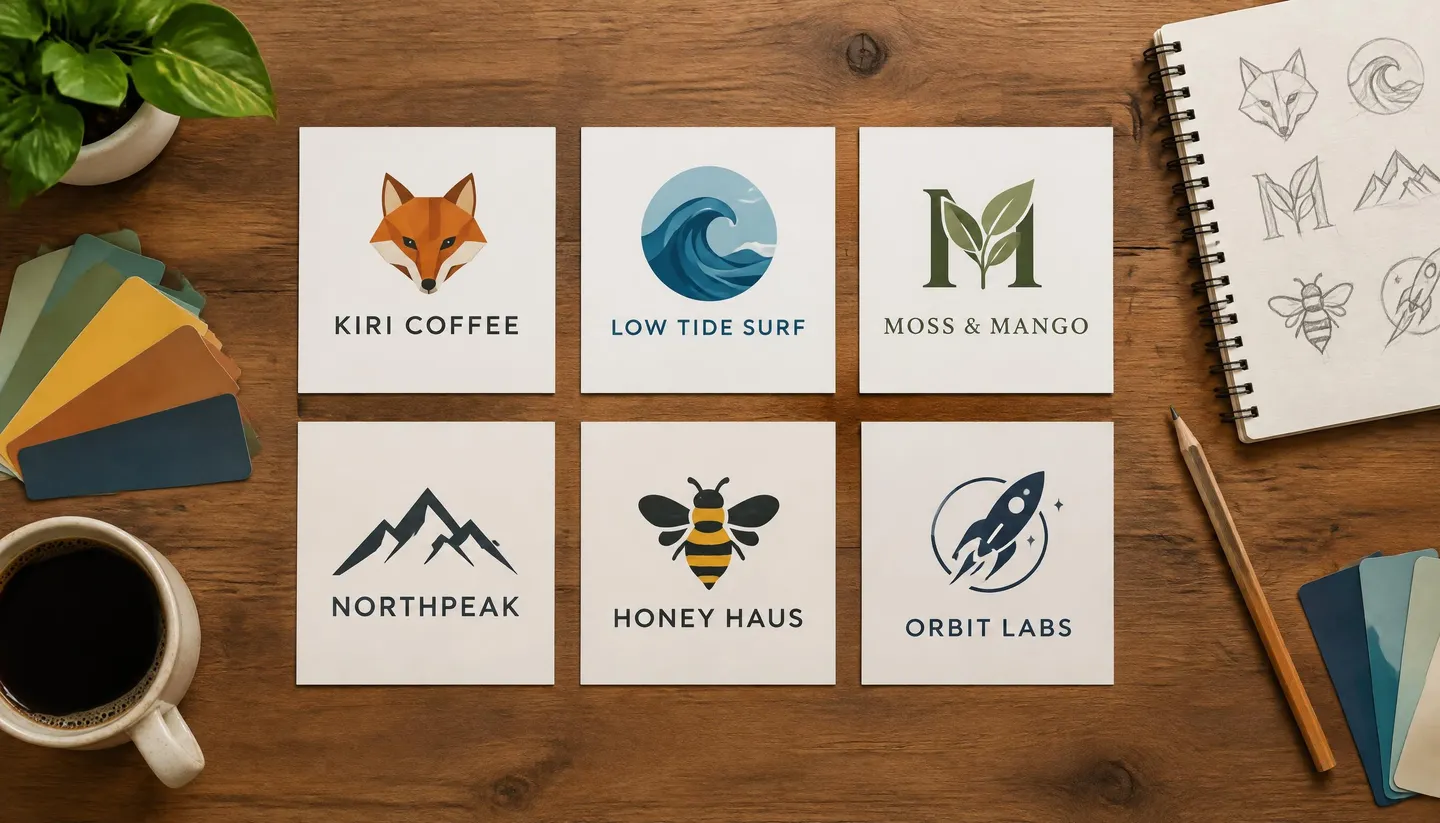
Free to start · Lettering that reads
AI Logo Generator
Describe the business, the feeling and the shape, and get logo concepts with the name spelled right. Run dozens of directions on two text-capable models, then refine the keeper. Free to start, in your browser.
No installation. No credit card. Private by default.
- 15Reference images on GPT Image 2.5 Flare
- 14Reference images on Nano Banana 2.1
- 0Watermarks on your output
- $0Free to start
The basics
What is an AI logo generator?
An AI logo generator turns a short brief into logo concepts: you describe the business, the mood and the kind of mark you want, and a model draws it. The hard part has always been the name. Image models used to mangle letters, which made them useless for logos. The models that render text cleanly changed that, and they are the ones this page is built around.
Mage gives you two of them behind one prompt box. GPT Image 2.5 Flare follows a detailed brief closely and spells brand names correctly, and Nano Banana 2.1 handles graphic layouts with readable text and takes up to 14 reference images. Run the same brief on both, compare, and keep going on whichever got closer.
What you get is a high-resolution image of a logo, not a vector file. That is the honest shape of the job: AI is fastest at the exploration stage, when you need fifty directions before you commit to one. Pick the winner, then rebuild it as a vector in your design tool or hand it to a designer as a precise reference.
A little more possibility
Why designers and founders use Mage for logos
Names spelled right
GPT Image 2.5 Flare and Nano Banana 2.1 render readable lettering, so a wordmark comes back with your name, not a near miss.
Two text models, one brief
Run the same prompt on GPT Image 2.5 Flare and Nano Banana 2.1 and keep the one that understood you better.
Explore without counting
GPT Image 2 and 2.5 at Low quality are unlimited from Basic at $10 a month, so the fortieth concept costs what the first did.
Start from a sketch
Attach a napkin sketch, a mood board or an old logo as a reference image and describe what should change.
Fix one letter, keep the rest
Inpaint masks a single glyph or icon and redraws only that area, so a near-perfect concept does not have to be thrown away.
Private by default
Unreleased brand work stays in your account. Nothing is shared unless you post it yourself.
From idea to creation
How do you make a logo with AI?
It takes three steps, and it is free to start.
Open GPT Image
The button on this page opens the GPT Image family in your browser. Pick GPT Image 2.5 Flare in the model menu.
Write the brief
Put the brand name in quotes, then describe the mark: a symbol, a monogram or a wordmark, the style, two or three colors, and what the business does.
Generate on a square
Set the aspect ratio to 1:1 and generate. Change one thing per run, or paste the same brief into Nano Banana 2.1 for a second opinion.
Refine and export
Fix a letter with Inpaint, sharpen the keeper with Image Enhancer at up to 6K, then download it and rebuild it as a vector.
Tips and techniques
How to write a logo prompt that works
Logo prompts work best as a brief, not a vibe. Say what the business is, who it is for and what the mark should feel like, then name the form: an icon with the name beside it, a monogram of the initials, a badge, or a plain wordmark. Models make better decisions when they know a bakery from a law firm.
Keep the design language small. Ask for a flat vector style, one or two colors, thick even strokes and no gradients if the logo has to work on a business card and a phone screen. Every extra adjective is something the model will try to draw.
- Put the exact name in quotes: "Kiri Coffee", not a coffee shop called Kiri.
- Name the form: wordmark, lettermark, emblem, or icon plus name.
- Ask for a plain white or solid background so the mark is easy to lift out later.
- Give two or three colors by name or by hex value.
- Say what to leave out: no mockups, no extra taglines, no 3D effects.
Tips and techniques
Getting the lettering right
Short names render most reliably. A one- or two-word name in a clean sans or serif comes back right most of the time on GPT Image 2.5 Flare and Nano Banana 2.1; long taglines and small print are where any model starts to slip. Save the tagline for the final vector version.
When a concept is right except for one letter, don't throw it away. Open it in Inpaint, paint over the letter, and describe the fix. For broader changes, such as a new color scheme or a thicker stroke, attach the logo to a new prompt and say what should change, the way the AI image editor works.
Tips and techniques
From concept to a file you can use
Mage exports images, not vectors, and it does not cut out transparent backgrounds. Ask for the logo on flat white, then trace it in your vector tool or remove the background there. If you need a larger raster version for a mockup, run it through Image Enhancer, which upscales to 2K, 4K or 6K.
Before you print a logo on anything, check that the mark is clear to use where you trade. A model can land on something close to an existing logo by chance, and a quick trademark search is cheaper than a rebrand.
The right model for the job
Best models for logo design
Text rendering decides most of this job. These are the models on Mage that handle it.
GPT Image 2.5 Flare
The first pick for wordmarks and detailed briefs: it follows instructions closely and spells names correctly. Low quality is unlimited from Basic; higher quality settings cost more Gems. OpenAI's safety filter applies.
Nano Banana 2.1
Strong graphic layouts with readable text, up to 14 reference images and output up to 4K. Good for a badge or emblem with several elements. Google's safety filter applies.
Mango 3 Turbo
Mage's fast, low-cost Mango, with strong layouts and text. Use it to sweep through rough directions before you polish one on a text model.
Try these prompts
Logo prompts to start from
Swap in your own name, colors and business.
Coffee roaster icon and name
A flat vector logo for "Kiri Coffee": a minimal fox head formed from a coffee bean, the name in a rounded sans serif below, two colors, burnt orange and charcoal, on a plain white background.
Monogram for a surf shop
A lettermark of the initials "LT" for a surf shop called "Low Tide", the letters linked by a single wave line, thick even strokes, navy on white, no gradients.
Badge for a food truck
A circular badge logo for "Mango Street Tacos", a mango and a taco crossed in the center, the name around the rim in bold block letters, warm yellow and deep green, flat style.
Clean wordmark
A wordmark reading "Northwind" in a geometric sans serif with a small arrow cut into the letter N, black on white, generous letter spacing.
Room to experiment
Template logo makers vs. a prompt-based generator
Template makers assemble a logo from a library of icons and fonts. A prompt-based generator draws from your description instead, which is better for range and worse for anything you need as a finished vector. Mage is built for the exploring.
Template logo makers
- Icons and fonts picked from a shared library
- Edits happen in menus and sliders
- Usually a vector file at the end
- A fixed set of styles
Mage
- Every concept drawn from your own brief
- Change anything by describing it
- High-resolution images to rebuild as vectors
- Any style you can describe, on several models
Follow your imagination
Who uses an AI logo generator?
New businesses and side projects
Find a direction for a shop, an app or a podcast before you pay for a final identity.
Designers in discovery
Generate dozens of starting points for a client mood board, then refine the chosen route by hand.
Events, clubs and teams
A crest for a league, a mark for a meetup or a badge for a club, in an afternoon.
Rebrands
Attach the old logo and explore modern takes that keep what people already recognize.
Start small. Dream big.
Is the AI logo generator free?
Mage is free to start: new members get 300 Gems once, and every model runs on Gems. For logo work, Basic is the plan that matters, because GPT Image 2 and 2.5 at Low quality are unlimited there.
Free
$0
One-time 300 Gems for new members. No watermark.
Basic
$10/mo
Unlimited GPT Image 2 and 2.5 at Low quality, plus Flux 2 and Z-Image Turbo, Inpaint and Refine, 500 monthly Gems.
Pro Plus
$60/mo
Everything in Pro, plus unlimited Nano Banana 2.1 at 1K, Enhance to 4K, and 3,500 monthly Gems.
A little more clarity
Frequently asked questions
Can AI make a logo with my business name in it?
Is the AI logo generator free?
Can I get a vector file or a transparent PNG?
Can I use the logo commercially?
Can I upload a sketch or an old logo?
Why does my logo come out with mockups or extra text?
Are my logo designs private?

Related generators & guides
Mage is for adults, 18+ only. Nothing illegal is allowed; any content involving minors or non-consensual depictions of real people is strictly prohibited.