
Free to start · Looks from a description
AI Outfit Generator
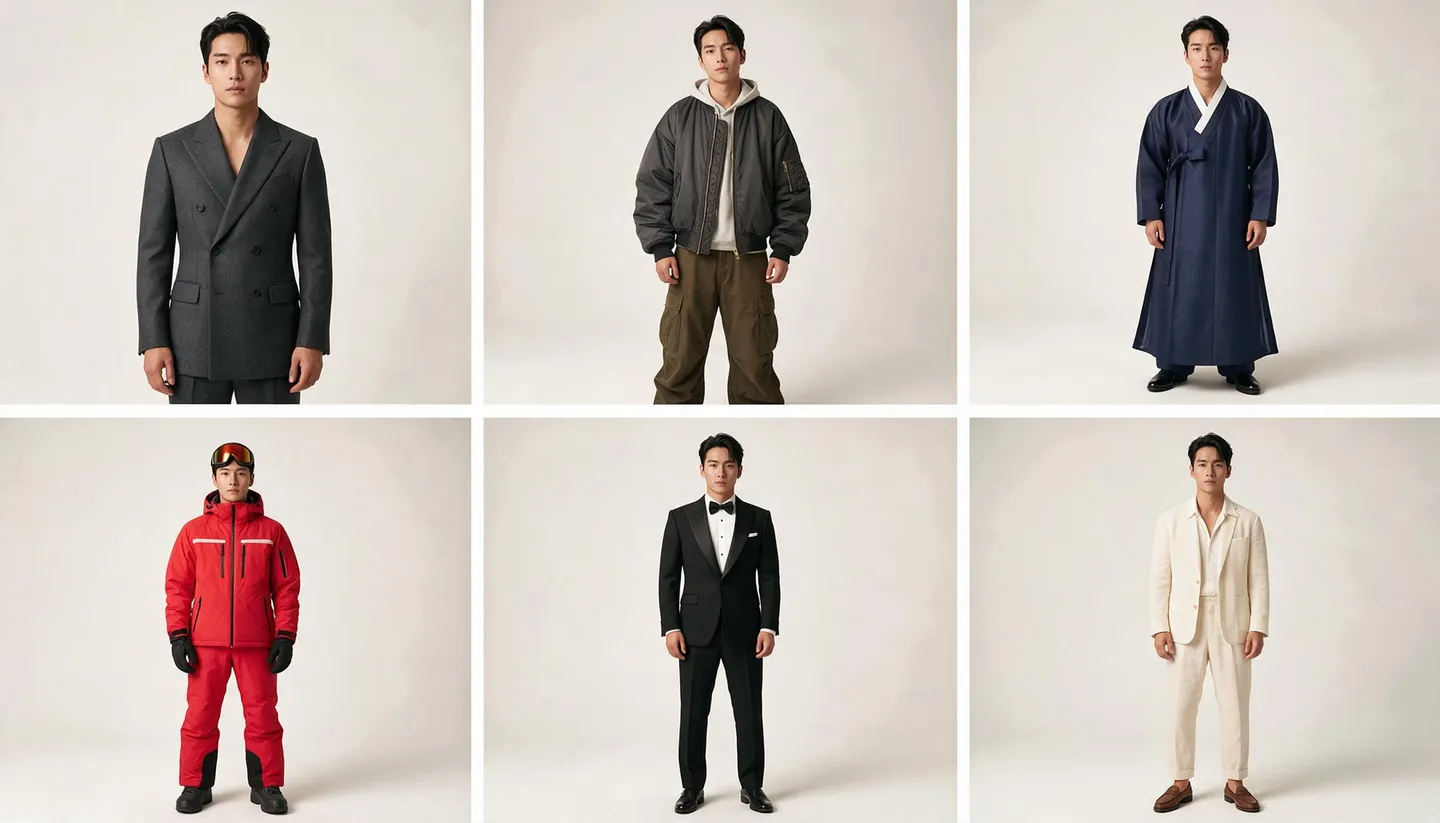
Describe a style, an occasion or a season and see the whole look, head to toe. Keep the same model across a lookbook with a saved character, then try the favorite on your own photo.
No installation. No credit card. Private by default.
- Up to 10Reference images on Mango 3
- Up to 4KOn Mango 2
- 0Watermarks
- $0Free to start
The basics
What is an AI outfit generator?
An AI outfit generator turns a description of a look into a picture of it. You say what the occasion is, what mood you want, which pieces and colors you have in mind, and the model shows you a complete outfit on a person, styled and lit the way a lookbook would be.
On Mage, outfit generation happens in the prompt bar with an image model such as Mango 3. Write the look, pick an aspect ratio, and generate as many variations as you like. Because Mango 3 works with saved characters and references, you can keep the same model in every look of a series instead of meeting a new stranger in each picture.
A generated look is a starting point. When you find one you like, you can put it on a real photo of yourself with Outfit Swap, see it from another angle, or turn it into a character sheet. To change the outfit on a photo you already have, see the AI clothes changer.
A little more possibility
Why stylists and creators design outfits on Mage
Whole looks from words
Describe the garments, fabrics, colors and occasion, and get a complete, styled outfit back.
The same model every time
Save a character from one portrait and mention it as @handle, so every look in a lookbook shows the same person.
Garments as references
Attach photos of pieces you own or love; Mango 3 takes up to 10 images and Nano Banana 2.1 up to 14.
From idea to your photo
Try the favorite look on yourself with Outfit Swap, or see it from a new angle with Angles.
Iterate without counting
Generation on the Mango models is unlimited from Pro at $30 a month.
Commercial license
Paid plans come with a commercial license, so looks can go into a pitch, a post or a client deck.
From idea to creation
How do you generate outfit ideas with AI?
It takes three steps, and it is free to start.
Open the generator
Open Mango from this page and pick Mango 3 in the model menu.
Describe the look
Name the occasion, each piece top to bottom, fabrics, colors and footwear. Mention a saved character to keep the same model.
Generate a lookbook
Run variations, keep the best, and change one piece at a time until the outfit is right.
Take it further
Try the look on your own photo with Outfit Swap, or build a front, side and back view with Character Sheet.
Tips and techniques
Writing an outfit prompt
Describe an outfit the way a stylist would read it out: from the top down, piece by piece, with the fabric and the fit. "An oversized camel wool coat over a cream turtleneck, wide-leg charcoal trousers, chunky black loafers, a small gold hoop in each ear" gives the model far more to work with than "a smart winter outfit".
Then set the scene. The occasion, the setting and the light change how a look reads: the same suit says something different on a rainy street at night and on a sunlit terrace. Ask for a full-length shot and a plain backdrop when you want to judge the outfit itself, and a styled location when you want a mood board image.
- List pieces top to bottom: outerwear, top, bottom, shoes, accessories
- Name fabric and fit: wool, linen, denim; oversized, tailored, cropped
- Give colors as shades: camel, charcoal, sage, oxblood
- Ask for a full-length shot on a plain backdrop to judge the outfit
- Use a 4:5 or 9:16 aspect ratio for full-body looks
Tips and techniques
Keeping the same model across a lookbook
A lookbook works when the person stays the same and only the clothes change. Save a character on Mage from one clear portrait, then mention it in the prompt as @handle. Mango 3, Mango 3 Turbo, Guava and Nano Banana 2.1 all accept characters, so the face and build carry from one look to the next.
You can save garments too: an outfit reference is mentioned by @handle in the same way, so a signature jacket can appear in every look of a series. For a full turnaround of one look, front, side and back, run the result through the Character Sheet app. For consistent people in general, see the AI character generator.
Tips and techniques
From a generated look to a real photo
Once a look works, you can see it on yourself. Save the generated outfit image, open Outfit Swap with a photo of you, and use the generated look as the outfit reference. The AI virtual try-on guide covers how to take a photo that swaps cleanly.
To finish a look for a deck or a post, Relight can move the light to match a brand mood, Angles can show the outfit from another side, and Image Enhancer can upscale the final image to 2K, 4K or 6K.
The right model for the job
The best models for outfit ideas
Pick the model by what the look is for: fast exploration, a consistent lookbook, or a photoreal editorial image.
Mango 3
Mage's flagship, and the best at keeping the same character across a set and following a detailed outfit description. It stops at 2K.
Mango 3 Turbo
Fast, inexpensive drafts with characters and references: the one for running dozens of variations.
Guava 2 Pro
Photoreal fashion and editorial images with close-up fabric texture. It takes up to 3 reference images; name the lighting and the lens.
Nano Banana 2.1
Google's model, with up to 14 reference images and output up to 4K. Google's safety filter applies.
Try these prompts
Outfit prompts to start from
Swap in your own pieces, colors and character.
Winter city
Full-length photo of @handle on a snowy city street, oversized camel wool coat, cream turtleneck, charcoal wide-leg trousers, black loafers, soft overcast light
Summer wedding guest
Full-length photo of a woman at a garden wedding, sage linen slip dress, woven sandals, gold cuff, straw clutch, late afternoon sun
Streetwear capsule
Lookbook photo on a plain grey backdrop, cropped black puffer, white tee, baggy indigo jeans, white high-top sneakers, silver chain
Smart casual office
Full-length photo of a man in a navy unstructured blazer, white oxford shirt, stone chinos, brown suede loafers, bright office lobby
Room to experiment
Outfit inspiration feeds vs an AI outfit generator
Inspiration feeds show you what other people wore. An outfit generator shows you the exact look you described, on the same model every time, and lets you change one piece and see the difference.
Inspiration feeds
- Looks someone else put together
- A different person in every picture
- No way to swap a single piece
Mage
- The exact look you describe
- The same model across a lookbook with Characters
- Change one garment and generate again
- Try the result on your own photo
Follow your imagination
Who uses an AI outfit generator?
Personal style planning
Plan a trip wardrobe or a week of outfits and see them before you pack.
Stylists and creators
Sketch options for a client or a shoot, and share a consistent lookbook in minutes.
Small brands
Mock up a capsule collection on one model before you sample anything.
Character wardrobes
Dress a comic, game or story character for every scene and keep them recognizable.
Start small. Dream big.
Is the AI outfit generator free?
Mage is free to start, and every model can be run with Gems on any plan. Unlimited Mango and Guava generation begins on Pro at $30 a month.
Free
$0
One-time 300 Gems for new members. No watermark.
Pro
$30/mo
Unlimited Mango and Guava at 1K and 2K, unlimited character creation, 1,500 monthly Gems.
Pro Plus
$60/mo
Everything in Pro, Mango at 3K and 4K, Nano Banana 2.1 at 1K, 3,500 monthly Gems.
A little more clarity
Frequently asked questions
Can AI generate outfit ideas for me?
Can I see the outfit on my own photo?
How do I keep the same model in every look?
Can I use photos of my own clothes?
What resolution are the images?
Can I use the looks commercially?

Ready to design the look?
Free to start, private by design. Have fun creating!
Design an outfit with MangoRelated generators & guides
Mage is for adults, 18+ only. Nothing illegal is allowed; any content involving minors or non-consensual depictions of real people is strictly prohibited.