
Free to start · Screentone to full color
AI Manga Generator
Describe the page, name your cast, and get black-and-white manga panels with screentone and speed lines, or full-color pages when you want them. Free to start, in your browser.
No installation. No credit card. Private by default.
- Up to 10Reference images on Mango 3
- 1 portraitTo save a character
- Up to 4KMax resolution
- $0Free to start
The basics
What is an AI manga generator?
An AI manga generator draws pages in the visual language of Japanese comics: clean ink lines, screentone shading, speed lines, dramatic panel shapes and expressive faces. The good ones also keep a cast consistent, because a manga lives or dies on recognizing the lead in every panel, from a tiny figure in the background to a full-page close-up.
Mage covers both sides. Anima is an anime and illustration model with clean lines and flat color that reads Danbooru-style tags and prompt weighting. Mango 3 keeps the same character across a set and takes up to 10 reference images. GPT Image 2.5 Flare letters the page when you want sound effects or dialogue drawn in.
Generate a full page at once or one panel at a time, in black and white or in color, and keep everything private until the chapter is ready to show.
A little more possibility
Why artists draw manga on Mage
Screentone and ink
Ask for screentone, crosshatching, speed lines and impact frames by name, and the models draw them the way manga artists do.
A cast that holds
Save each character from one portrait and use @handle in every prompt, so the lead looks like the lead on every page.
An anime specialist
Anima is built for anime and illustration, with clean lines, flat color and tag-style prompting. It is unlimited on Pro.
Sound effects and dialogue
GPT Image 2.5 Flare and Nano Banana 2.1 render text in the image for bubbles and sound effects.
Panels into anime shots
Melon, Mage's anime video model, and the other video models turn a finished color panel into a moving shot.
Private by default
Drafts never land in a public feed. Share a chapter on Mage Social only when you choose to.
From idea to creation
How do you make manga with AI?
It takes three steps, and it is free to start.
Save your characters
Create each recurring character in Characters from one clear portrait, or from an image you generated.
Open Mango and describe the page
Pick Mango 3 in the model menu. List the panels with the shot, the action and the shading: "black and white, screentone, speed lines."
Generate, compare, switch
Try the same page on Anima for a cleaner anime line, or on GPT Image 2.5 Flare when it needs lettering.
Fix and export
Repaint one panel with Inpaint, upscale with Image Enhancer, and download the page with no watermark.
Tips and techniques
Prompting the manga look
Manga style is a set of specific techniques, and naming them works better than the word "manga" alone. Ask for "black and white ink, screentone shading, speed lines, a dramatic diagonal panel" and the model has something concrete to draw. For a romance page, ask for sparkle tones, flower backgrounds and soft lines; for action, ask for impact frames, heavy blacks and motion lines.
Panel order matters more in manga than in western comics, because traditional manga reads right to left. The models draw what you describe, not a reading order, so describe each panel by its position on the page: "top right, wide: the school gate in the rain; top left, close-up: her eyes." If you publish left to right, describe it that way instead.
Anima reads Danbooru-style tags and prompt weighting, so a tag list like "1girl, school uniform, rain, screentone, monochrome" works there. Mango 3 and GPT Image respond better to full sentences. Write for the model you picked.
- Say "black and white" or "monochrome" for a classic page.
- Name techniques: screentone, crosshatching, speed lines, impact frames.
- Give every panel a position, a shot size and one action.
- Use tags on Anima and full sentences on Mango 3 and GPT Image.
- Keep sound effects to one or two words.
Tips and techniques
Building a cast for a series
Save each recurring character in Characters and the model draws from the saved image instead of guessing from a description. For a lead who appears from every angle, the Character Sheet app turns one image into a front, side and back turnaround with outfit details. The anime image generator guide covers the anime models in depth.
Anima takes no reference images or saved characters, so use it for covers, one-off illustrations and backgrounds, and use Mango 3, Nano Banana 2.1 or GPT Image for panels where the cast has to match from page to page.
Tips and techniques
From manga panel to anime shot
A finished color panel can become a moving shot. Melon is Mage's anime video model, and it is unlimited on Pro; Lemon and Cherry 2 Pro animate panels too, with your saved characters. The anime video generator guide walks through it step by step.
The right model for the job
The best models for manga
Pick by the job: a consistent cast, the cleanest anime line, or a lettered page.
Mango 3
Mage's flagship keeps the same character across a set and follows exact panel instructions, with up to 10 reference images. The pick for a series. It stops at 2K and is unlimited on Pro.
Anima
An anime and illustration model with clean lines and flat color, prompted with Danbooru-style tags and weighting. It takes no reference images, so it suits covers, one-offs and backgrounds. Unlimited on Pro.
GPT Image 2.5 Flare
For pages that need sound effects and dialogue drawn in: precise prompt adherence, text in the image, and up to 15 references. OpenAI's safety filter applies.
Melon
Mage's anime video model, for turning a color panel into a short clip. Unlimited on Pro.
Try these prompts
Manga prompts to start from
Each one names the shading, the panels and the cast.
Action page
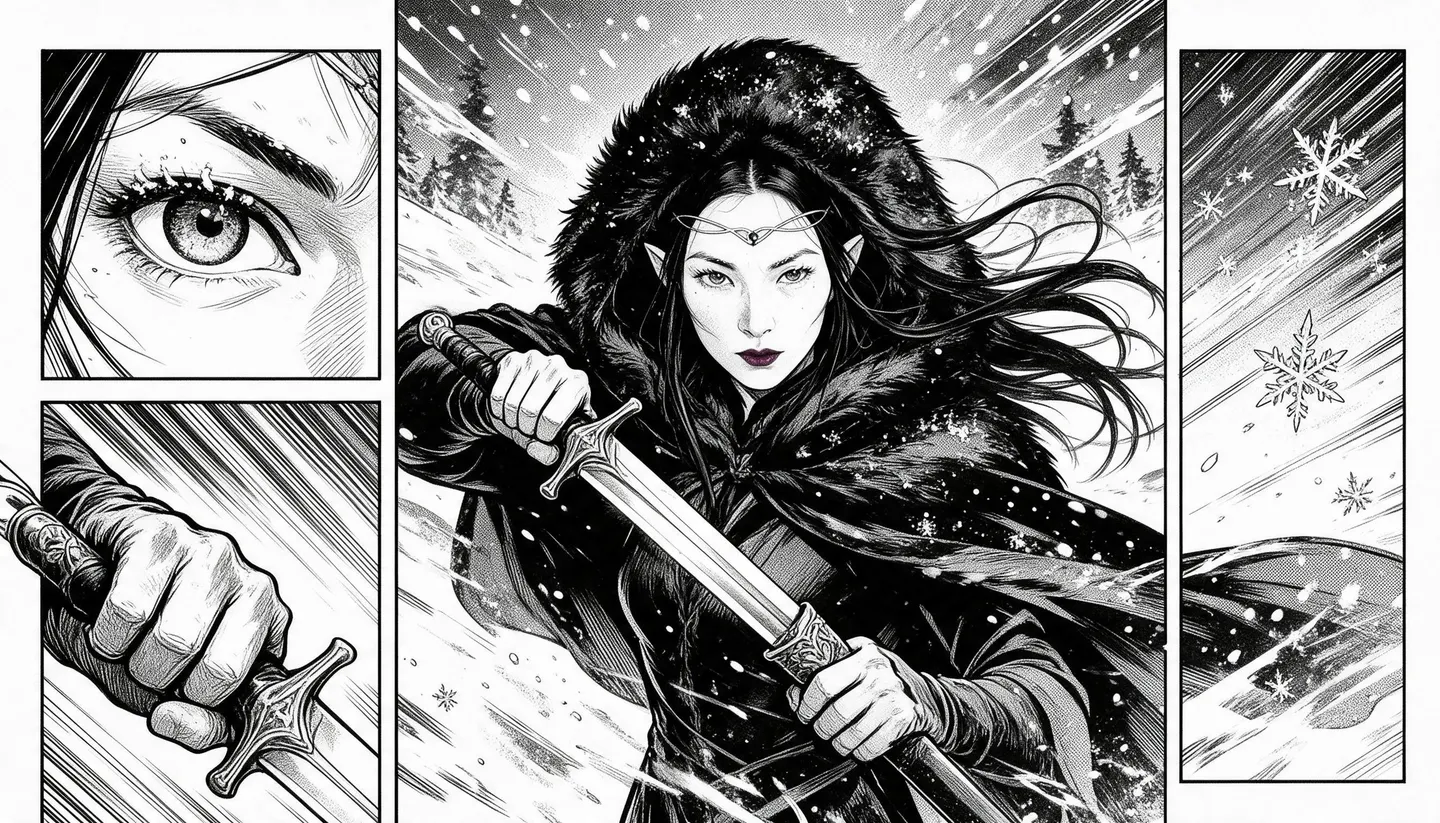
Black and white manga page, screentone and heavy blacks. Top right, wide: @mirafrost stands in a snowstorm, cloak whipping. Bottom, full width: she draws her sword in one motion, speed lines, impact frame, sound effect "SHING".
Quiet moment
Monochrome manga panel, soft screentone: two friends sit on a train platform bench at dusk with a gap between them, one small speech bubble: "Same train tomorrow?"
Anima tag prompt
1girl, silver hair, school uniform, rooftop, wind, cherry blossoms, monochrome, screentone, manga panel, dramatic angle
Color cover
Full-color manga volume cover, clean line art: @doyunk in a black leather jacket on a neon Seoul street in the rain, empty space at the top for the title.
Room to experiment
How Mage compares for making manga
Most tools give you one anime model and a style dropdown. A manga needs more than a style: a cast that holds across chapters, pages with lettering, and the freedom to redraw a panel without counting credits.
Mainstream tools
- One anime model, one look
- No saved characters across chapters
- Lettering left to you every time
- Per-image credits on every redraw
Mage
- Anima, Mango 3 and GPT Image in one place
- Saved characters by @handle
- Models that render sound effects and dialogue
- Unlimited plans, fewer filters, private by default
Follow your imagination
Who uses an AI manga generator?
Original series
Draft chapters with a cast that stays recognizable from the first page to the last.
Light novel art
Make covers and chapter illustrations for a story you are writing.
Anime pre-production
Plan shots as manga panels, then animate the strongest ones.
Your own characters, new scenes
Put the characters you invented into new settings, outfits and genres.
Start small. Dream big.
Is the AI manga generator free?
Mage is free to start with a one-time 300-Gem bonus, and every model runs on Gems. Unlimited Anima, Mango and character creation start on Pro.
Free
$0
One-time 300 Gems for new members. No watermark.
Pro
$30/mo
Unlimited Anima, Mango and Guava, unlimited character creation, and unlimited anime video with Melon. 1,500 monthly Gems.
Pro Plus
$60/mo
Mango at 3K and 4K, premium video models, Enhance to 4K. 3,500 monthly Gems.
A little more clarity
Frequently asked questions
What is the best AI manga generator?
Can AI make black-and-white manga with screentone?
Will my characters look the same on every page?
Does it follow right-to-left reading order?
Can I turn manga panels into anime?
Is it free, and can I sell my manga?

Related generators & guides
Mage is for adults, 18+ only. Nothing illegal is allowed; any content involving minors or non-consensual depictions of real people is strictly prohibited.