
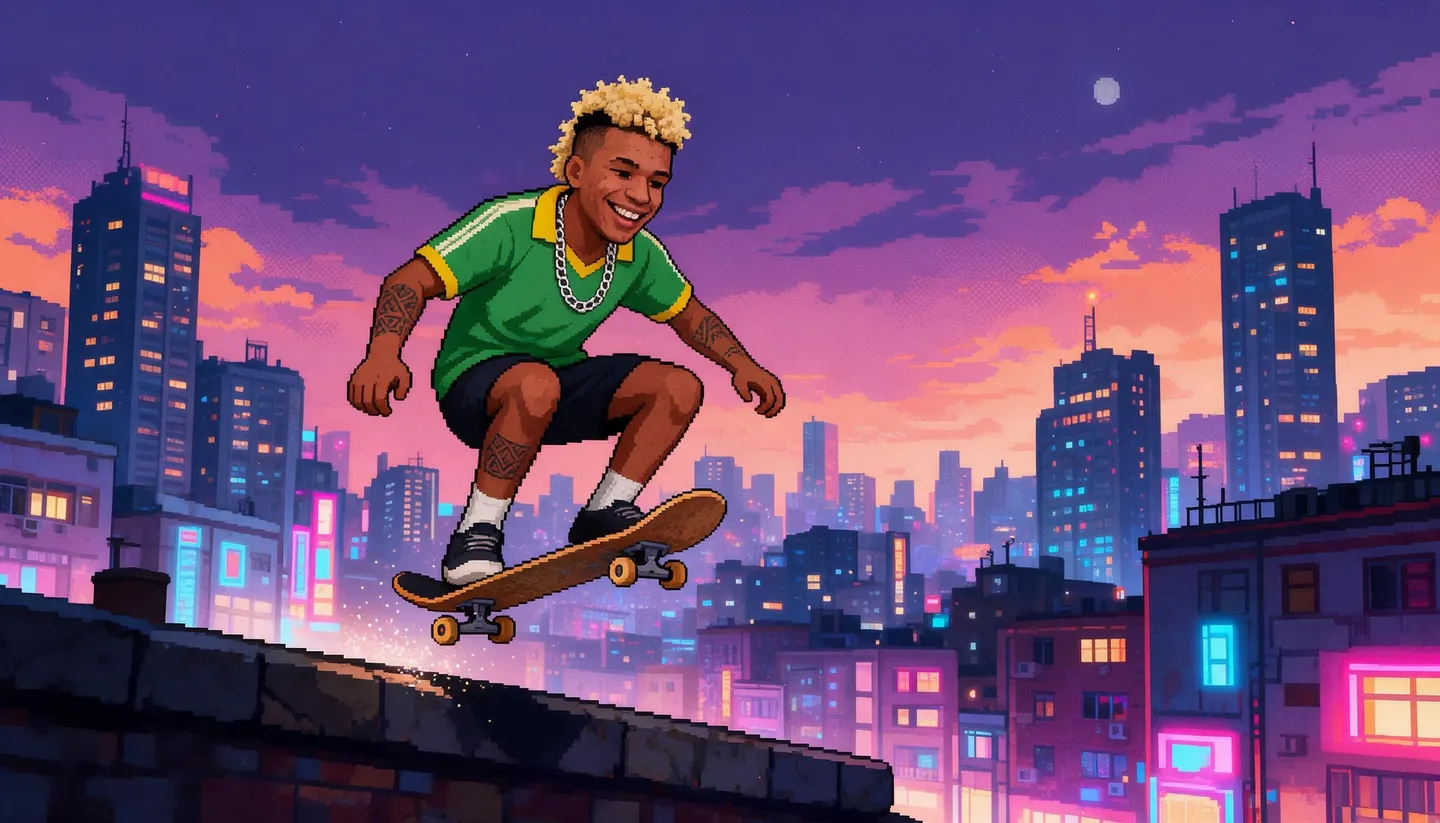
Free to start · 8-bit to 16-bit looks
AI Pixel Art Generator
Crisp squares, limited palettes and that cartridge glow. Describe a scene, a hero or an item, and Mage renders it as retro pixel art for games, avatars and wallpapers.
No installation. No credit card. Private by default.
- 8-bitTo 16-bit looks
- 1:1For icons and avatars
- 21:9For wide scenes
- $0Free to start
The basics
What is an AI pixel art generator?
Pixel art is the visual language of early video games: images built from a visible grid of square pixels with a deliberately limited palette. It survives because it is charming, readable at small sizes and instantly nostalgic. Today it is a style for indie games, avatars, stickers and wallpapers as much as a technical limit.
An AI pixel art generator renders that look from a description. Mango 3 follows style instructions such as "16-bit pixel art, limited palette, no anti-aliasing" closely, and can turn a photo or a saved character into pixel art while keeping who it is. GPT Image 2.5 Flare is useful when you want a pixel-style title screen with readable words.
One honest note: image models paint pixel art; they do not export a true low-resolution sprite file with one color per grid cell. For a game, treat the result as a high-quality reference that you downscale and clean up in a pixel editor. For posts, avatars and wallpapers, it is ready as it comes.
A little more possibility
Why make pixel art on Mage
A convincing pixel style
Ask for 8-bit or 16-bit, a palette size and hard edges, and the model keeps to the rules.
Photos to pixels
Upload a photo or a character as a reference and turn it into a pixel portrait.
Your hero as a sprite
Use a saved character in pixel scenes so your hero stays recognizable across a set.
Every format
Square for icons and avatars, 16:9 or 21:9 for scenes and wallpapers.
Retro title screens
GPT Image 2.5 Flare and Nano Banana 2.1 render readable pixel-style text.
Private by default
Game assets stay private until you are ready to show them off.
From idea to creation
How do you make pixel art with AI?
It takes three steps, and it is free to start.
Describe the scene or the sprite
Say what it is and what it is doing, in plain words.
Specify the pixel style
Add "16-bit pixel art, limited palette, crisp pixels, no blur", plus the view: side, top-down or isometric.
Pick Mango 3
Choose it in the model menu and generate a few variations.
Clean up for games
Downscale in a pixel editor and tidy the palette when you need a game-ready sprite.
Tips and techniques
How to prompt pixel art
Tell the model the rules of the style. "Pixel art" alone can come back soft. Add "crisp square pixels, no anti-aliasing, limited 16-color palette, hard edges" and the picture snaps into place. Name the era for a specific feel: 8-bit is chunky and sparse, 16-bit allows more color and detail, and modern pixel art adds light effects and parallax depth.
Pick the camera that players expect. Side view suits platformers, top-down suits role-playing and strategy games, and isometric suits builders and dioramas. For a character, ask for a plain background and a full-body view, so the silhouette is easy to read and to cut out.
- Add "crisp pixels, no anti-aliasing".
- Give a palette size: 8, 16 or 32 colors.
- Name the view: side, top-down or isometric.
- Use a plain background for sprites and items.
- Generate at 1:1 for icons and avatars.
Tips and techniques
Pixel art for games, avatars and wallpapers
For game work, generate a reference sheet for a character or an item set on a plain background, then downscale it to your target size in a pixel editor and fix the palette by hand. Image models do not guarantee one color per grid cell, so a cleanup pass is what turns a beautiful image into a usable sprite.
For avatars, a square pixel portrait reads well at tiny sizes; see the AI avatar generator. For screens, describe a wide scene with parallax layers and generate at 16:9 or 21:9; the AI wallpaper generator has tips on sizes and resolution.
Pixel scenes animate nicely too: turn one into a short clip with the AI animation generator.
The right model for the job
The best models for pixel art
Style control matters most, then text and shape.
Mango 3
The most reliable at holding a pixel style, including photo and character conversions.
Mango 3 Turbo
Fast and cheap, for big batches of sprites, items and tiles.
GPT Image 2.5 Flare
Readable pixel-style text for title screens and interface mockups. OpenAI's safety filter applies.
Nano Banana 2.1
Extra-wide shapes such as 4:1 and 8:1 for banners and level strips, up to 4K. Google's safety filter applies.
Try these prompts
Pixel art prompts to try
Each sets the era, the view and the palette. Change the subject freely.
A platformer level
A side-view 16-bit pixel art forest level at sunset, a fox hero mid-jump, mushroom platforms, parallax trees, crisp pixels, limited palette, 16:9
A role-playing town
Top-down 16-bit pixel art of a cozy harbor town, market stalls, boats, cobblestones, warm palette, no anti-aliasing
An item set
Pixel art icon sheet of eight fantasy items: sword, potion, shield, key, map, gem, boot, scroll, plain dark background, 1:1
A pixel portrait
A 32-color pixel art portrait of a smiling astronaut with a cracked helmet visor, starry background, crisp pixels, 1:1
Room to experiment
Pixel art the AI way, honestly
A hand-pixeled sprite is still the gold standard for a shipping game. AI pixel art is how you get dozens of ideas, references and finished illustrations in the style in minutes.
Pixeling by hand
- Every pixel placed by hand
- Hours per scene
- Hard to explore many ideas
- Exact control over every palette slot
Pixel art on Mage
- A finished illustration from a prompt
- Many variations in minutes
- Photos and characters as input
- Downscale and clean up when you need a sprite
Follow your imagination
What can you make with AI pixel art?
Indie game prototypes
Mock up a level, a hero and a title screen before committing to final art.
Avatars and profile pictures
A pixel portrait that reads clearly at tiny sizes.
Desktop and phone wallpapers
Wide retro scenes in the exact shape of your screen.
Stickers, emotes and merch
Bold, simple pixel characters that print and scale well.
Start small. Dream big.
Is the pixel art generator free?
Start free with 300 bonus Gems; Mango is unlimited on Pro.
Free
$0
One-time 300 Gems for new members. No watermark.
Basic
$10/mo
Unlimited GPT Image 2 and 2.5 at Low quality, Flux 2 and the Stable Diffusion models, plus 500 monthly Gems.
Pro
$30/mo
Adds unlimited Mango and Anima, unlimited character creation and 1,500 monthly Gems.
A little more clarity
Frequently asked questions
Can AI make real pixel art?
Can I turn a photo into pixel art?
How do I get sharp pixels?
Can I make sprite sheets?
Can I use AI pixel art in my game?
Are my creations private?

Related generators & guides
Mage is for adults, 18+ only. Nothing illegal is allowed; any content involving minors or non-consensual depictions of real people is strictly prohibited.