
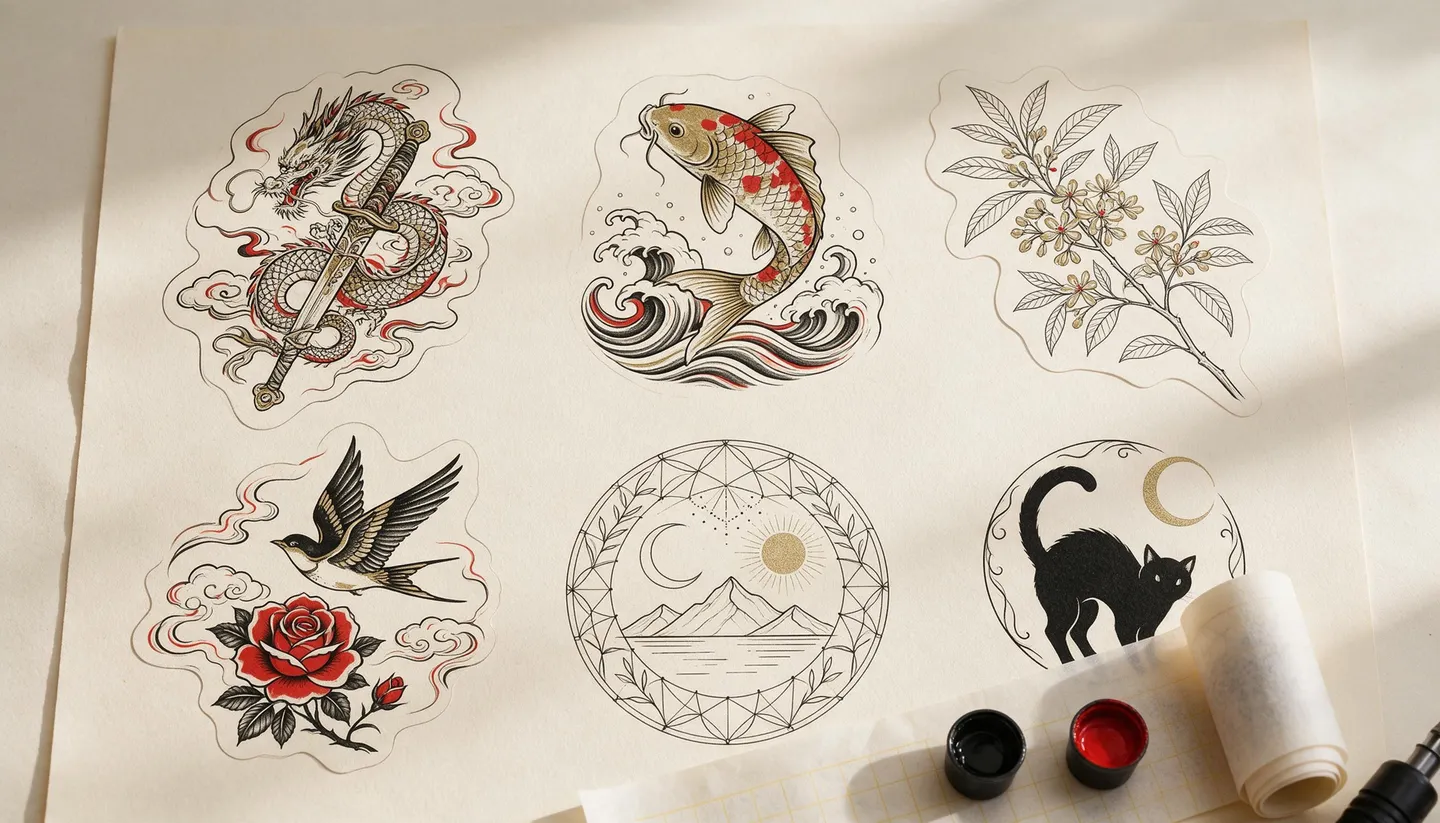
Free to start · Any style, previewed on you
AI Tattoo Generator
Describe the idea, the style and the placement, and get flash-sheet designs you can take to your artist. Preview a design on a photo of your own arm before anyone picks up a needle. Free to start, in your browser.
No installation. No credit card. Private by default.
- 10Reference images on Mango 3
- 2KDesign resolution on Mango 3
- 6KWith Image Enhancer
- $0Free to start
The basics
What is an AI tattoo generator?
An AI tattoo generator turns an idea into tattoo designs: line art, flash sheets and stencil-style drawings in the style you want. It is a way to see ten versions of an idea in the time it takes to describe one, and to walk into a consultation with something concrete.
On Mage you design with Mango 3 and preview with the same model. Attach a photo of the spot you want inked and ask Mango 3 or Nano Banana 2.1 to place the design on it, or paint the area in Inpaint and describe the tattoo. Seeing it on your own skin, at a believable size, answers questions a drawing on white paper cannot.
A generated design is a starting point, not a stencil. A tattoo artist redraws linework so it heals and ages well on skin, and a good one will improve it. Bring the design as a reference, and expect them to make it theirs.
A little more possibility
Why people design tattoos on Mage
Every style
Fine line, blackwork, American traditional, Japanese, neo-traditional, dotwork or watercolor: name it and the model draws it.
Preview on your skin
Attach a photo of your arm, back or ankle and see the design in place before you book.
Change one detail
Inpaint redraws just the part you mark, so a sleeve idea can keep its koi and swap the waves.
Start from your own sketch
Attach a rough drawing or a reference photo and ask for it as clean line art.
Explore without a meter
Mango is unlimited at 1K and 2K from Pro at $30 a month, so you can try every variation of an idea.
Private by default
Personal designs and photos of your skin stay in your account. Nothing is shared unless you post it.
From idea to creation
How do you design a tattoo with AI?
It takes three steps, and it is free to start.
Open Mango
Use the button on this page, then pick Mango 3 in the model menu.
Describe the tattoo
Name the subject, the style, the placement and whether you want color or black and gray. Add "tattoo flash, clean line art on white paper".
Refine the design
Generate variations, then fix single details with Inpaint, or attach the best one to a new prompt and ask for changes.
Preview it on you
Attach a photo of the placement and ask the model to apply the design to the skin, then take both to your artist.
Tips and techniques
How to describe a tattoo design
Start with the style, because it decides everything else. 'American traditional' means bold outlines and a limited palette; 'fine line' means delicate single-needle work; 'Japanese' brings waves, wind bars and large-scale composition. Then the subject, then the placement: a forearm piece is long and narrow, a chest piece is wide, an ankle piece is small and simple.
Ask for the format a tattooer works from: 'tattoo flash on white paper', 'clean line art, no shading' or 'stencil-style outline'. Those words keep the model from painting a photographic scene that no needle could reproduce.
- Name the style first: fine line, blackwork, traditional, Japanese, dotwork or watercolor.
- Say black and gray or color, and name the colors.
- Describe the placement so the shape fits: long and narrow, round, or wraparound.
- Ask for clean line art on white for anything you will take to an artist.
- Keep lettering short, and check every letter, especially names and dates.
Tips and techniques
Previewing a tattoo on your skin
Take a well-lit photo of the placement, straight on, with nothing covering the skin you want inked. Attach it with the design and describe the placement: 'apply this tattoo design to the outer forearm in the photo, following the curve of the arm, about a hand's length'. Mango 3 keeps the rest of the photo in place while it adds the design.
For more control, open Inpaint, paint the exact area, and describe the tattoo there. Running the same preview on Nano Banana 2.1 gives you a second interpretation. Either way, treat it as a mockup: it shows size and placement, not how healed ink will look.
Tips and techniques
Taking the design to an artist
Bring the clean line art, the preview and a few notes about what you love in the design. A good artist will adjust line weight, spacing and detail so the tattoo still reads years from now. Fine detail packed into a small area tends to soften over time, so expect them to simplify.
If your idea includes lettering, generate it separately with GPT Image 2.5 Flare, which handles text better, and check every letter. The AI logo generator page has more on getting lettering right.
The right model for the job
Best models for tattoo design
Line quality, style range and a convincing preview on a photo.
Mango 3
Mage's flagship: clean line art in any style, edits that keep the rest of the image in place, and up to 10 reference images for your sketch and your skin photo.
Nano Banana 2.1
A second take on designs and previews, with up to 14 references and output up to 4K. Google's safety filter applies.
GPT Image 2.5 Flare
For script and lettering tattoos, where every letter has to be right. OpenAI's safety filter applies.
Mango 3 Turbo
Fast, low-cost drafts when you want to see many ideas before committing to one.
Try these prompts
Tattoo prompts to try
Change the subject and placement to your own idea.
Fine-line botanical
Fine-line tattoo flash of a sprig of jasmine wrapped around a crescent moon, single-needle linework, black ink only, on white paper, vertical forearm placement.
Japanese koi
A Japanese-style tattoo design of a koi swimming up through waves and falling cherry blossoms, bold outlines, red and orange koi, black waves, composed for a half sleeve.
Traditional dagger
An American traditional tattoo of a dagger through a rose with a banner reading "Mom", bold black outlines, red, green and yellow, tattoo flash on cream paper.
Geometric animal
A geometric blackwork tattoo of a fox head built from triangles with dotwork shading, symmetrical, clean line art on white, chest placement.
Room to experiment
How Mage compares for tattoo ideas
Many tattoo apps either show you a library of existing flash or paste a design flat onto a photo. Mage draws new designs from your idea and previews them on your own photo with a model that places them in the scene.
Mainstream tools
- A library of existing designs
- Designs pasted flat onto a photo
- One fixed style per app
- Little control over single details
Mage
- New designs drawn from your description
- Previews placed on your own photo by a model
- Any style, on several models
- Inpaint to change one detail
Follow your imagination
Who uses an AI tattoo generator?
First tattoos
See an idea on your own skin before you book a consultation.
Cover-ups and additions
Attach a photo of an existing tattoo and explore designs that build on it.
Tattoo artists
Sketch client concepts quickly, then redraw the chosen one by hand.
Matching tattoos
Try variations of one design for a group, each with a small personal detail.
Start small. Dream big.
Is the AI tattoo generator free?
Mage is free to start with 300 one-time Gems, and every model runs on Gems on any plan. Pro makes Mango unlimited at 1K and 2K, which covers both designing and previewing.
Free
$0
One-time 300 Gems for new members. No watermark.
Pro
$30/mo
Unlimited Mango at 1K and 2K for designs and previews, unlimited character creation, Enhance to 2K, 1,500 monthly Gems.
Pro Plus
$60/mo
Everything in Pro, plus unlimited Nano Banana 2.1 at 1K, Enhance to 4K, and 3,500 monthly Gems.
A little more clarity
Frequently asked questions
Can AI design a tattoo for me?
Can I see a tattoo on my body before getting it?
What tattoo styles can it do?
Can my tattoo artist use the design?
Can it do lettering tattoos?
Is the tattoo generator free?
Are my tattoo designs private?

Related generators & guides
Mage is for adults, 18+ only. Nothing illegal is allowed; any content involving minors or non-consensual depictions of real people is strictly prohibited.