
Free to start · Up to 4K, upscale to 6K
AI Wallpaper Generator
Design the wallpaper you actually want: your colors, your mood, shaped for your screen. Generate in 9:16 for phones or 21:9 for ultrawide monitors, at up to 4K.
No installation. No credit card. Private by default.
- Up to 4KGenerated
- 6KWith the Image Enhancer
- 8:1Widest shape
- $0Free to start
The basics
What is an AI wallpaper generator?
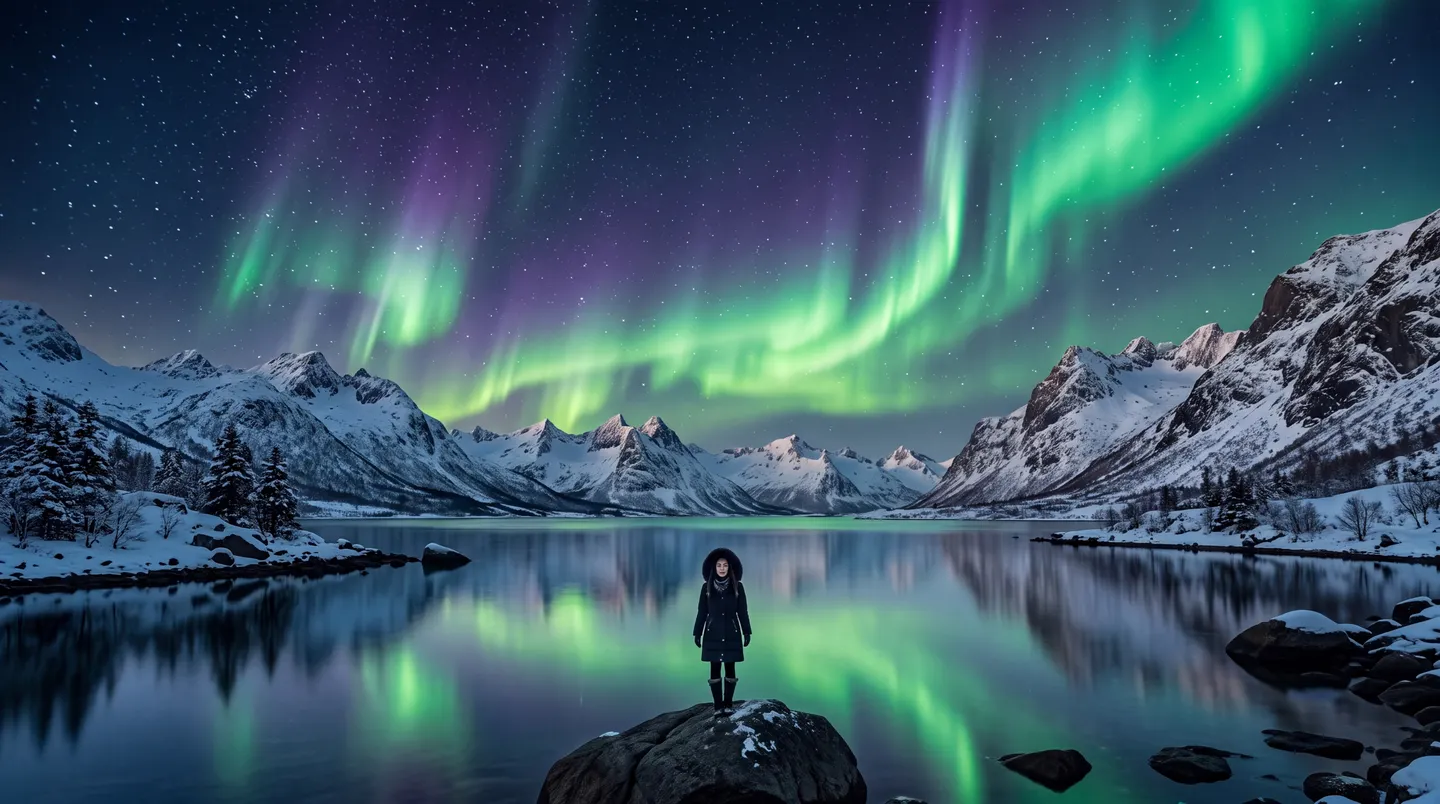
An AI wallpaper generator makes background images for your phone, tablet or computer from a description. Instead of scrolling through wallpaper sites for something close enough, you describe exactly what you want, an aurora over a still lake, a minimal gradient with a single moon, your cat as a knight, and get it in the shape of your screen.
The two things that matter for a wallpaper are shape and sharpness. On Mage you pick the aspect ratio before you generate: 9:16 for phones, 16:9 for most monitors and 21:9 for ultrawides, and Nano Banana 2.1 adds extreme shapes such as 4:1 and 8:1 for banners and very wide spans. Nano Banana 2.1 and Mango 2 render at up to 4K, and the Image Enhancer takes any image to 6K.
Wallpapers are personal, and on Mage they stay that way: everything is private by default, nothing carries a watermark, and you can start free.
A little more possibility
Why make wallpapers on Mage
Shaped for your screen
Pick 9:16, 16:9, 21:9 or wider before you generate, so nothing important gets cropped away.
4K out of the box
Nano Banana 2.1 and Mango 2 render at up to 4K, and Mango 3S reaches 3K.
Upscale to 6K
Run a favorite through the Image Enhancer for 2K, 4K or 6K output with added detail.
Room for your icons
Ask for empty space where the icons and the clock sit, and the composition leaves it clear.
Make it yours
Put a saved character, or your pet, into the scene by its @handle.
Private by default
Personal wallpapers stay in your account unless you decide to share them.
From idea to creation
How do you make an AI wallpaper?
It takes three steps, and it is free to start.
Choose the shape
9:16 for phones, 16:9 for monitors, 21:9 for ultrawides, or wider on Nano Banana 2.1.
Describe the scene
Subject, colors and mood, plus where to leave empty space for icons and widgets.
Pick a 4K model
Choose Nano Banana 2.1 or Mango 2 in the model menu and set the resolution to 4K.
Upscale and set it
Download it, or upscale the keeper to 6K with the Image Enhancer first.
Tips and techniques
Wallpaper shapes and resolutions
Match the ratio to the screen. Most phones are close to 9:16 (some are taller, but 9:16 crops cleanly), most laptops and monitors are 16:9, and ultrawide monitors are about 21:9. For two monitors side by side, Nano Banana 2.1’s 4:1 comes close. Generating in the right shape means the composition is built for the screen rather than cropped out of a square.
Resolution decides how sharp it looks. Nano Banana 2.1 and Mango 2 render at 4K directly. Other models top out lower: Mango 3 at 2K and Mango 3S at 3K. If you love an image from one of them, the Image Enhancer upscales it to 4K or 6K with added detail, so a favorite never has to stay soft.
- Phones: 9:16. Monitors: 16:9. Ultrawides: 21:9.
- Ask for empty space where icons and widgets sit.
- Keep busy detail away from the lock-screen clock.
- Darker images are calmer behind desktop icons.
- Upscale before you set it if the model stopped at 2K.
Tips and techniques
Ideas that make good wallpapers
The best wallpapers are calm in the middle and interesting at the edges. Landscapes with a low horizon, abstract gradients, macro textures such as frost or ink in water, and space scenes all leave room for icons. If you want a character in it, put them off to one side and small, so the screen still breathes.
Matching sets are easy: keep the prompt and change one thing, the time of day, the season or the color, to make a light and dark pair or a week of rotating wallpapers. For pixel or anime looks, start from the AI pixel art generator or the anime image generator, and to enlarge an existing favorite, use the AI image upscaler.
The right model for the job
The best models for wallpapers
Pick for resolution first, then for style.
Nano Banana 2.1
Renders at up to 4K, with extra-wide shapes such as 4:1 and 8:1 and up to 14 reference images. 4K runs on Gems, and Google's safety filter applies.
Mango 2
The Mango that reaches 4K, for crisp painted and photographic scenes.
Mango 3S
Mango output at up to 3K, with saved characters and references.
Mango 3
The flagship for exact compositions and characters, at up to 2K. Upscale its keepers with the Image Enhancer.
Try these prompts
Wallpaper prompts to try
Each names its shape. Keep the ratio and change the scene.
An aurora lake (16:9)
Green aurora over a mirror-still glacier lake, a tiny figure on a rock in the lower third, deep blue sky, calm and wide, 16:9, 4K
A minimal phone wallpaper (9:16)
A single crescent moon over soft peach and lilac dunes, minimal, lots of empty sky at the top, 9:16
An ultrawide skyline (21:9)
A neon city skyline at dusk reflected in a river, low horizon, purple and teal palette, cinematic, 21:9
A macro texture
Macro photo of frost crystals on a window, backlit gold and blue, shallow depth of field, abstract
Room to experiment
Your own wallpaper vs a wallpaper site
Wallpaper sites are full of beautiful images in someone else’s taste, often in the wrong shape. Generating your own means the colors, the mood and the fit are exactly right.
Wallpaper sites
- Searching for something close enough
- Common sizes only
- The same images everyone else has
- Cropping to make it fit
Wallpapers on Mage
- Exactly the scene you describe
- 9:16 to 21:9, and up to 8:1 on Nano Banana 2.1
- One of a kind, and private
- Up to 4K, then upscale to 6K
Follow your imagination
What can you make with an AI wallpaper generator?
Phone lock and home screens
A tall 9:16 image with space for the clock and your apps.
Desktop and ultrawide monitors
Wide scenes in 16:9 or 21:9 at up to 4K, sharp on large screens.
Matching light and dark sets
The same scene at noon and at midnight for light and dark modes.
Stream and video backgrounds
A backdrop for a stream scene or a video call in your own style.
Start small. Dream big.
Is the AI wallpaper generator free?
Start free with 300 bonus Gems. Nano Banana 2.1 at 4K runs on Gems on every plan; Mango at 3K and 4K is unlimited on Pro Plus.
Free
$0
One-time 300 Gems for new members. No watermark.
Pro
$30/mo
Unlimited Mango at 1K and 2K, Enhance at 2K and 1,500 monthly Gems.
Pro Plus
$60/mo
Unlimited Mango at 3K and 4K, Enhance at 4K, Nano Banana 2.1 at 1K and 3,500 monthly Gems.
A little more clarity
Frequently asked questions
Can AI make 4K wallpapers?
What size should a phone wallpaper be?
Can I make an ultrawide or dual-monitor wallpaper?
Can I put my pet in a wallpaper?
Can I share or sell wallpapers I make?
Is my wallpaper private?

Ready for a wallpaper nobody else has?
Free to start, private by design. Have fun creating!
Make a wallpaperRelated generators & guides
Mage is for adults, 18+ only. Nothing illegal is allowed; any content involving minors or non-consensual depictions of real people is strictly prohibited.