
Free to start · 2D, 3D, clay and anime
AI Animation Generator
Bring a sketch, a character or an idea to life in the style you want: hand-drawn 2D, glossy 3D, stop-motion clay or anime. Describe the motion, or hand Mage a drawing and let it move.
No installation. No credit card. Private by default.
- 2 to 30 sLemon clip length
- 5Aspect ratios on Lemon
- First + lastFrames you can set on Lemon
- $0Free to start
The basics
What is an AI animation generator?
An AI animation generator makes animated clips without keyframes, rigs or a timeline. You describe the motion and the style, or supply a drawing as the first frame, and the model draws every frame in between. A style that once took a studio, such as clay stop motion or a cel-shaded cartoon, becomes a word in the prompt.
The style is the part people underestimate. A video model will happily make your character move, but unless you name the look it drifts toward live action. Telling it hand-drawn 2D animation, flat colors, bold outlines, or claymation with visible fingerprints and a slightly choppy frame rate, is what turns a clip into animation.
Mage gives you three strong routes. Lemon animates a drawing you upload and can end on a second drawing you choose, which suits character turns and transformations. Cherry 2 Pro writes the whole scene from text, with sound and up to 30 seconds. Melon is Mage’s model for anime motion. All three run in your browser, with your clips private by default.
A little more possibility
Why animators sketch on Mage
Animate your own drawing
Upload a sketch or illustration as the first frame on Lemon, and the motion starts from your exact artwork.
Choose where it ends
Lemon also takes a last frame, so a character can turn, transform or pose and land exactly on the drawing you planned.
Any style in words
2D cel, watercolor, 3D animated film, claymation, paper cut-out, pixel art or anime: name it and the motion follows it.
Characters stay on model
Cast a saved @character so the same face and outfit carry through every shot of a series.
Sound with the picture
Cherry and Lemon generate audio with the clip, so footsteps, music and ambience arrive with the motion.
Private while you iterate
Drafts stay in your account. Share the finished piece when you choose, or never.
From idea to creation
How do you make an animation with AI?
It takes three steps, and it is free to start.
Open the generator
Open the Lemon generator from this page, or switch to Cherry 2 Pro or Melon in the model menu.
Add a drawing or skip it
Upload your artwork as the first frame, and optionally a last frame, or work from text alone.
Describe motion and style
Say what moves, how the camera behaves, and the animation style, for example claymation with a handmade feel.
Generate and refine
Watch the result, adjust the motion or the style words, and render the keeper at a higher resolution.
Tips and techniques
Style words that actually change the animation
Animation styles are recognizable by their motion as much as their look, so describe both. For 2D, ask for hand-drawn cel animation, bold outlines, flat colors and limited in-betweens. For 3D, say animated feature film, soft global illumination and squash and stretch. For claymation, mention plasticine texture, fingerprints, and a stop-motion frame rate. For paper cut-out, ask for layered paper shapes sliding on a flat background.
Anime has its own grammar: speed lines, dramatic held poses, wind in hair, sakura petals, a sudden smash zoom. Melon is the model to reach for when the whole clip is anime, and Lemon and Cherry handle anime styling well when you describe it. For a still to start from, the anime image generator makes the key art first.
Keep one style per clip. Mixing claymation and watercolor in one prompt usually gives neither. If you want the look to change mid-clip, make two clips and cut between them, or use Lemon’s first and last frames to morph from one drawing to another. The AI cartoon generator is the place to design the character before you animate it.
- Name the style and the motion: "claymation, choppy stop-motion movement".
- Upload clean artwork with a plain background as the first frame.
- Use a last frame for turns, transformations and landing poses.
- Keep one style per clip and cut between styles instead.
- Draft at 480p, then render the final at 720p or 1080p.
Tips and techniques
From a single drawing to a short animated series
Start by fixing the character. Draw it or generate it, then save it as a character from one clear image, so the same design can be cast with @handle in every later shot. A character that changes face from shot to shot is the fastest way to make a series look unfinished.
Then animate shot by shot. A short clip with one action, such as a wave, a jump or a turn to camera, comes out cleaner than a long clip with five things happening. On Lemon, set the drawing as the first frame and the end pose as the last frame for the most control. On Cherry 2 Pro, write multi-shot prompts with timings when you want a little sequence in one clip.
Finally, assemble. Storyboard joins up to six clips into one MP4 in 9:16 or 16:9. To have the whole story written and filmed scene by scene, use Story Studio, covered on the AI movie generator page.
The right model for the job
The best models for AI animation
Pick by how much control you need over the first and last frame, and by style.
Lemon
Animates from a first frame and can end on a last frame you choose, with generated audio and clips from 2 to 30 seconds. One request uses frames or reference images, not both.
Cherry 2 Pro
The most cinematic motion and sound, up to 30 seconds at 1080p, with characters and many reference images. It takes no first or last frame, so it is for scenes written in text.
Melon
Mage’s anime video model, in Melon and Melon Pro, with optional audio and clips up to 16 seconds.
Blueberry 2
Fills the motion between a first and a last frame, with audio, at 720p or 1080p. Useful for in-betweening two drawings.
Try these prompts
Animation prompts to try
Each prompt names the style and the motion. Pair one with your own drawing as the first frame.
2D cel animation
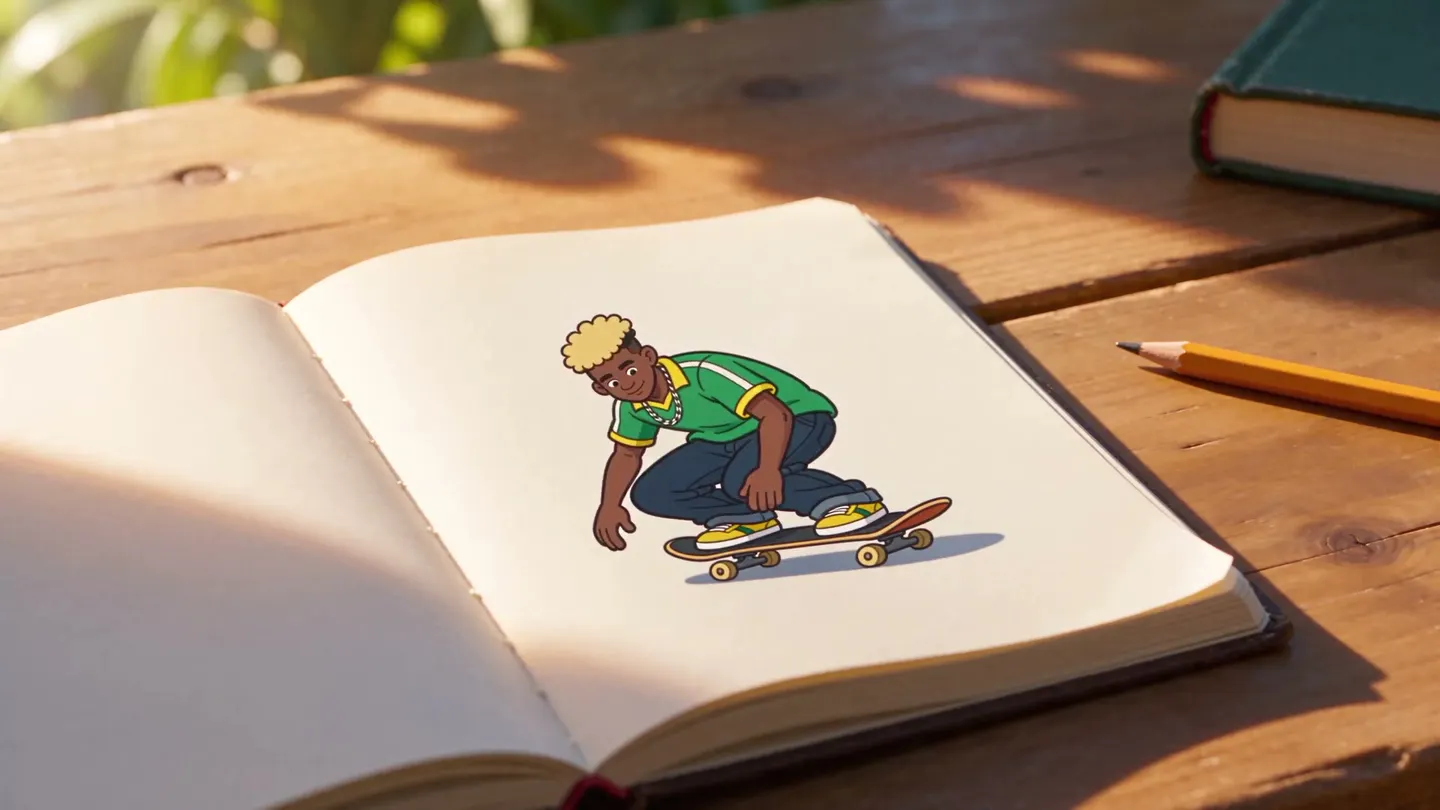
Hand-drawn 2D cel animation, bold outlines, flat colors. A skateboarder rolls off a sketchbook page into a watercolor city, camera tracking alongside.
Claymation
Claymation, plasticine texture with fingerprints, stop-motion frame rate. A small fox baker pulls a loaf from the oven and proudly lifts it to camera.
3D animated film
3D animated feature film style, soft light, squash and stretch. A black cat leaps onto a kitchen counter and knocks a mango off, slow motion as it falls.
Anime action
Anime style, speed lines, wind in hair. A swordswoman draws her blade in a snowstorm, smash zoom to her eyes, petals swirling.
Room to experiment
AI animation vs a traditional pipeline
Traditional animation means drawing or posing every key, then the in-betweens, then rendering. AI animation gets you a moving draft in minutes, which is ideal for pitching, testing ideas, and short pieces where speed matters more than frame-perfect control.
Keyframe software
- Rigs, keyframes and a timeline to learn
- Each style needs its own toolset
- Hours or days for a short shot
- Software licenses and a capable computer
Animating on Mage
- Describe the motion or upload a drawing
- 2D, 3D, clay and anime from the same prompt bar
- A draft clip in minutes, refined by rerunning
- Runs in your browser, nothing to install
Follow your imagination
What people animate with AI
Illustrators and comic artists
Animate a finished drawing for a portfolio, a post or a pitch without redrawing it frame by frame.
Kids’ stories and explainers
Turn a character and a simple script into short, friendly animated scenes.
Brand mascots
Give a mascot a wave, a jump or a reaction clip in the brand’s own style.
Anime fans and creators
Make anime-style scenes with your own characters, from key art to a moving shot.
Start small. Dream big.
Is the AI animation generator free?
Mage is free to start with 300 sign-up Gems, and every model can run on Gems. Unlimited video begins on Pro, including Melon and short Lemon clips.
Free
$0
One-time 300 Gems for new members. No watermark.
Pro
$30/mo
Unlimited Melon, Lemon at 3 s and 480p, Wan and LTX, plus unlimited character creation and 1,500 monthly Gems.
Pro Plus
$60/mo
Adds unlimited Cherry, Kiwi, Blueberry 2, Raspberry and Berry within the plan’s limits, Lemon up to 7 s at 480p, and 3,500 monthly Gems.
A little more clarity
Frequently asked questions
Can AI animate my own drawing?
What animation styles can I make?
Which model is best for anime animation?
How long can an animated clip be?
Do I need animation software or a powerful computer?
Is it free, and is there a watermark?

Related generators & guides
Mage is for adults, 18+ only. Nothing illegal is allowed; any content involving minors or non-consensual depictions of real people is strictly prohibited.