
Prompting guide
How to prompt GPT Image 2
GPT Image 2 prompt guide: how to prompt GPT Image 2.5 Flare and Sunburst for exact text, precise edits, and consistent characters, with examples.
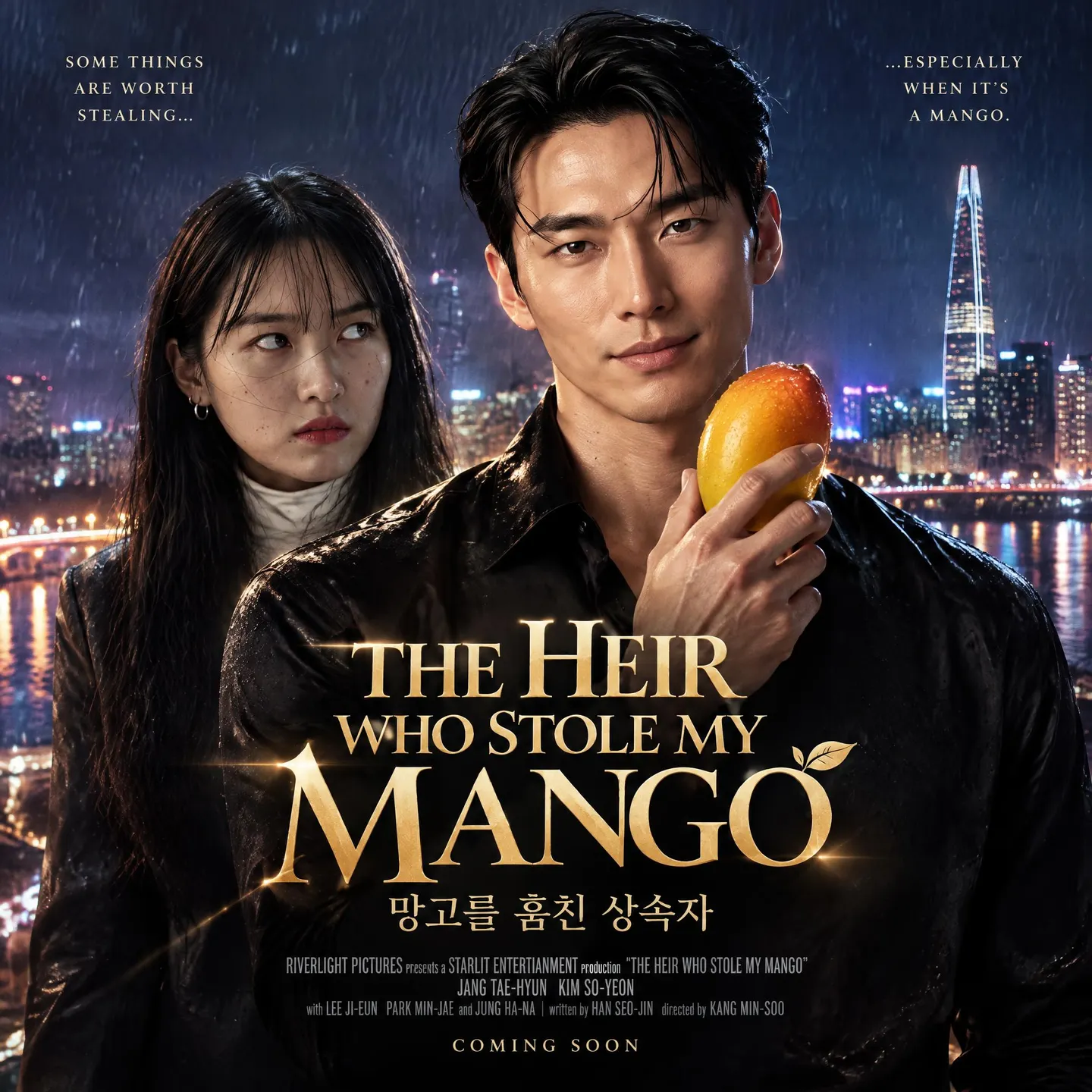
Quick start
Your first great GPT Image 2 prompt
Everything a beginner needs in one minute: what to know first, the rules that matter most, a template to fill in, and prompts to copy.
What to know first
GPT Image follows instructions closely and gets your prompt exactly as you write it: nothing rewrites it. Start with what the image is for (a poster, an ad, a diagram, a product photo), then describe the scene, the subject, and the details, and put every word that should appear in quotes. Upload an image and the prompt becomes an edit. Draft on GPT Image 2.5 Flare at Low quality, and raise the quality only when something specific fails.
The rules that matter most
Say what the image is for
Open with its use: "A polished campaign image for a streetwear brand", "A simple biology diagram for high school students". The use sets the layout and the level of polish.
Quote the words, and say how many times
Put every word in double quotes with its typography and its place, then add "Render the tagline exactly once." and "No extra text, no watermarks."
Break long prompts into labeled lines
Scene:, Subject:, Details:, Text:, Constraints:. Short labeled lines are easier for GPT Image to follow, and for you to change, than one long paragraph.
Edit one thing, and list what stays
"Replace only the white chairs with oak chairs. Keep the camera angle, the lighting, the floor shadows, and every other object unchanged."
Draft at Low, raise the quality for a reason
Flare at Low makes strong drafts. Go to Medium when small text or dense panels must be legible, and higher only when a named problem remains: a garbled label, a drifting face.
Fill in this template
Replace each part in square brackets with your own idea, and leave out a part you do not need.
[What it is and what it is for].
Scene: [setting, light, time of day]
Subject: [who or what, look, pose, action]
Details: [materials, props, framing, camera]
Text (EXACT, verbatim): "[the words]"
Typography: [weight, style, color, placement]
Constraints: [what must not appear or change]A poster for a small-batch coffee roaster's weekend tasting.
Scene: a sunlit roastery with burlap sacks and a copper drum roaster, late morning.
Subject: a barista in a denim apron pouring a slow spiral of water over a glass pour-over, steam rising.
Details: a warm wood counter, scattered coffee beans, a medium shot at eye level, a 35mm photograph look.
Text (EXACT, verbatim): "SATURDAY CUPPING"
Typography: bold condensed sans-serif in cream, across the top, centered.
Constraints: render the text exactly once. No other text, no watermarks, no logos.[What it is and what it is for]The kind of image and its use: a poster for a coffee tasting, a product photo for a shop page, a diagram for a lesson.[setting, light, time of day]Where it happens and how it is lit: a sunlit roastery, late morning.[who or what, look, pose, action]The subject, as you would point it out: a barista in a denim apron pouring water over a glass pour-over.[materials, props, framing, camera]The details that make it specific: a warm wood counter, scattered beans, a medium shot at eye level.[the words]The exact text, spelled as it must appear. Leave out the Text and Typography lines when the image has no words.[weight, style, color, placement]How the words look and where they go: bold condensed sans-serif, cream, across the top, centered.[what must not appear or change]Two or three specific exclusions: render the text once, no other text, no watermarks.
Prompts to start from
An honest photo
Create a photorealistic candid photograph of an elderly sailor on a small fishing boat, calmly mending a net while his dog sits on the deck. Weathered skin with visible pores and sun texture, a few faded tattoos on his forearms. 35mm film look, medium close-up at eye level, 50mm lens. Soft coastal daylight, shallow depth of field, subtle film grain, natural color balance. Honest and unposed, real skin texture, worn materials. No glamorization, no heavy retouching.Why it works: The word "photorealistic", real skin and worn materials, a lens used as a look, and "no glamorization" keep it from looking like an ad. Run it on Flare at Medium.
An ad with its tagline
A polished campaign image for Thread, a young streetwear brand: four friends laughing on a concrete stoop at dusk, natural poses, premium fashion photography, strong color direction, clean composition.
Text (EXACT, verbatim): "Yours to Create." in a bold condensed sans-serif, white, lower third, centered.
Render the tagline exactly once, clearly and legibly. No extra text, no watermarks, no unrelated logos.
Why it works: Purpose first, then the copy in a verbatim line with its look and place, then a count and a short list of what to leave out.
A diagram that teaches
A simple biology diagram titled "Cellular Respiration at a Glance" for high school students: glucose turning into energy inside a cell through glycolysis, the Krebs cycle, and the electron transport chain. Arrows connect the steps; label glucose, pyruvate, ATP, NADH, FADH2, CO2, O2, and H2O. A clean classroom handout look: white background, simple icons, clear labels, easy-to-read text. Avoid tiny text and extra decoration.Why it works: It names the audience, every label, and the look of a handout. GPT Image does not check facts, so the real labels go in the prompt. Use High quality and a 3:2 aspect ratio.
A precise swap
In this room photo, replace ONLY the white chairs with chairs made of oak.
Preserve the camera angle, room lighting, floor shadows, and surrounding objects.
Keep all other aspects of the image unchanged.
Photorealistic contact shadows and wood grain.
Why it works: Upload the photo and pick the aspect ratio closest to it. One change, a list of what stays, and the physical detail that makes the swap look real.
Your Character, next scene
Continue the children's book story with @fern-hero.
Scene: after a winter storm, the young forest hero kneels beside a fallen tree and gently helps a frightened squirrel out of a hollow.
Character consistency: same green hooded tunic, same facial features, proportions, and color palette.
Style: children's book watercolor illustration, soft light, snowy forest, warm and comforting mood.
Constraints: do not redesign the character. No text, no watermarks.
Why it works: The saved Character brings the look; the consistency line and "do not redesign" stop GPT Image from improving on it. Replace @fern-hero with your own handle.
Advanced
Advanced GPT Image 2 prompting
Techniques for more control once the basics work.
Flare, Sunburst, or GPT Image 2, and which Quality
GPT Image 2.5 Flare is the one to start with: fast, close to the prompt, and Mage's pick for text in images, layouts, comics, product shots, and everyday edits. GPT Image 2.5 Sunburst is the quality-first model, slower, for the hardest jobs: an exact likeness, a product's geometry, dense layouts with several fonts. GPT Image 2 stays for matching earlier work.
Quality is the setting that matters most. Draft at Low. Go to Medium when small text, dense panels, or several fonts must be legible. Go higher, or switch to Sunburst, only when a named requirement still fails, then try stepping back down: a higher level is not always a better image.
- Extra High and Max are on the 2.5 models only.
- When Sunburst gets a hard edit right, try the same uploads and words on Flare: it often holds.
- The same prompt works on all three. Change the model, not the words.
Structure: purpose, scene, subject, details, constraints
Write in a fixed order: what the image is for, the scene or background, the subject, the key details, then the constraints. For anything complex, use short labeled lines instead of one paragraph. Any format works (prose, labeled lines, or a JSON-like block), so pick the one that is easiest to read and to change.
State composition and placement outright: "logo top-right", "subject centered with empty space on the left for copy", "full body visible, feet included". Start from a clean base prompt and add ideas one at a time; a prompt that packs in everything at once is hard to debug.
- For people, give the body framing, the relative scale ("child-sized next to the table"), the gaze ("looking down at the open book, not at the camera"), and the hands ("hands naturally gripping the handlebars").
- Keep exclusions to two or three specific ones, such as "no watermark" and "no extra text". A long list of things to avoid spends the prompt on them.
Text in the image
Text is where GPT Image, and Flare above all, earns its place. Put the literal words in quotes, then say where they go and how they look: weight, style, size, color, contrast, letter spacing, alignment. Say how many times the text appears ("Render the headline exactly once") and close the door on extras ("No extra text, no watermarks, no unrelated logos").
For copy in several parts, use a verbatim block: a label such as Billboard text (EXACT, verbatim, no extra characters):, the words on their own line, then one Typography: line. Spell unusual names letter by letter when they must be right: the brand name KAIRO, spelled K-A-I-R-O.
- Small text, dense panels, and several fonts need Medium quality or higher. Avoid tiny text in diagrams.
- GPT Image draws what you give it and does not check facts: put the real labels, numbers, and prices in the prompt.
- Translate an image in place as an edit: "Translate all text into Spanish. Do not change any other aspect of the image."
- Read every word of the result. To fix a misspelling, upload it and ask for the corrected word, spelled out letter by letter, in the same font and place.
- Leave the @ out of a social handle: Mage reads @ followed by letters as a Character or Reference. Write the name alone, or as a web address.
A billboard with verbatim copy
Create a realistic billboard mockup of the shampoo from @image1 on a highway at sunset.
Billboard text (EXACT, verbatim, no extra characters):
"Fresh and clean"
Typography: bold sans-serif, high contrast, centered, clean kerning.
Ensure the text appears once and is perfectly legible.
No watermarks, no logos.
Why it works: Upload the product shot. The verbatim block and the Typography line keep the copy exact; this image is round one of the edit loop below.
A comic with speech bubbles
A four-panel comic strip in a single row about a houseplant that wants more sun.
Panel 1: a small potted fern on a dim bookshelf, with a speech bubble reading "It's so dark in here."
Panel 2: the fern leans hard toward a sunny window across the room.
Panel 3: a woman moves the pot to the windowsill, and the fern's leaves perk up.
Panel 4: the fern in full sun wearing tiny sunglasses, with a speech bubble reading "Much better."
Clean ink lines, flat pastel colors, the same fern in every panel. No other text.
Why it works: One line per panel keeps the story in order, and each bubble's words are quoted. Medium quality keeps small lettering legible.
A label spelled letter by letter
A product photo of a matte white skincare bottle on wet gray stone. The label reads the brand name KAIRO, spelled K-A-I-R-O, in a thin, widely spaced serif, with "Night Repair Serum" in small capitals below it. Soft daylight from the left, a gentle reflection on the stone. No other text.Why it works: Spelling an invented name letter by letter stops GPT Image from correcting it to a word it already knows.
The edit loop
Edits are where GPT Image is most precise, and the way to use them is a loop. Generate a clean base image. Upload the result you approve and change one thing. Restate the list of what stays every round, because each edit only knows the image and the words in front of it. Compare each result with the last before you add a new instruction.
Edits drift a little each round. After many rounds, or when part of the picture must stay identical down to the pixel, put the approved change over the original in an image editor rather than asking again.
- Write an edit in two parts: the change ("Replace ONLY the white chairs with oak chairs") and the list of what stays ("Keep the camera angle, room lighting, floor shadows, and every other object unchanged").
- For surgical edits, also protect what GPT Image might quietly improve: saturation, contrast, layout, labels, the camera angle.
- Re-stage a scene by changing only the conditions, such as "Make it a winter evening with snowfall." The geometry stays.
- Pick the aspect ratio closest to the uploaded image for every edit, or the result is reframed.
Round two of the billboard
Make it a winter evening with snowfall. Keep the billboard, its text "Fresh and clean", the shampoo bottle, the highway, and the camera angle exactly as they are.Why it works: Upload the round-one billboard. One change, and everything that matters named in the list of what stays, the copy included.
A surgical color change
Change only the delivery van's paint to deep forest green, keeping its logo and windows. Do not change the saturation, contrast, or light of anything else. Keep the street, the people, the shop signs, and the camera angle exactly as they are.Why it works: Naming what GPT Image tends to adjust on its own (color, contrast, light) keeps the edit to the one surface you asked about.
Several images in one prompt
Mention saved Characters and References (outfits, locations, poses, objects) by their @handle, and images you upload as @image1, @image2. GPT Image sees them as one numbered list: your uploads first, then Characters, then References. Mage swaps each mention for its number before GPT Image reads the prompt, so with two uploads, @ana becomes "character from image 3" and a saved outfit @red-coat "outfit from image 4".
Give each image one role, by number, and say how they combine: "Image 1: product photo. Image 2: style reference, palette and brushwork only. Apply the style of image 2 to image 1." Name what moves where, and ask for matching light, perspective, scale, and shadows so nothing looks pasted on.
- For an edit that touches a person, list what must not change: the face, facial features, skin tone, body shape, pose, expression, hairstyle, and proportions.
- Place someone into a scene: "Place the dog from image 2 into the setting of image 1, right next to the woman, using the same lighting, composition, and background. Do not change anything else."
- Never write "the reference" or "the attached photo": name the image by its number.
A virtual try-on
Edit @image1 to dress the woman in the jacket from @image2 and the trousers from @image3. Do not change her face, facial features, skin tone, body shape, pose, or identity in any way. Preserve her exact likeness, expression, hairstyle, and proportions. Replace only the clothing, fitting the garments naturally to her existing pose with realistic fabric behavior. Match the lighting, shadows, and color temperature of the original photo so the outfit does not look pasted on. Do not change the background, camera angle, or framing, and do not add accessories, text, or logos.Why it works: Upload the person first and the garments after. The long list of what stays is the point: it names everything GPT Image might otherwise fix.
Keep a character consistent
A recurring character drifts across fresh prompts and holds steady across edits from one approved image. So build every scene from the same picture, in three steps.
- Make a clean reference: the character alone, full body, on a plain background, with no text. Save it as a Character if it will come back.
- For each scene, mention the Character (or upload the reference), describe the new scene, then add a Character consistency line (same clothing, facial features, proportions, palette) and "Do not redesign the character."
- Check every scene against the reference before you build the next one on it. If a scene drifts, make it again from the reference, not from the drifted scene.
- Keep the Style line identical from scene to scene and change only the Scene line.
The reference to save
An original character reference for a children's picture book: a young forest hero with a round face, rosy cheeks, short messy chestnut hair, and big dark eyes, wearing a green hooded tunic with a leather belt, brown leggings, and soft boots. One character only, full body, standing and facing the viewer, arms relaxed. Plain off-white background, soft even light. Children's book watercolor illustration. No text, no props, no other characters.Why it works: Alone, full body, a plain background, no text: a clean image every later scene can be built from. Save it as a Character, then use it as in the last quick-start example.
Photorealism, style, and hard scenes
Name the medium first: photograph, watercolor, 3D render, pixel art, flat vector icon, children's book illustration, classroom handout. For photos, the word "photorealistic" switches on the photo look, and "real photograph", "taken on a real camera", and "iPhone photo" help too. Lens and film terms such as 35mm film or a 50mm lens are read as a look, not as physics.
For an honest, everyday photo, say so: "honest and unposed, real skin texture, worn materials, everyday detail. No glamorization, no heavy retouching." For a plain snapshot, add "Avoid cinematic lighting, dramatic color grading, or stylized composition."
Wide, low-light, rainy, and neon scenes need more than mood words. Give the light sources, the atmosphere, the scale, and the colors, or GPT Image trades realism for style.
- Add texture cues only when they are needed: film grain, textured brushstrokes, macro detail.
A night street that stays real
A photorealistic photograph of a narrow Tokyo side street at night in steady rain. Light comes from a vending machine glowing white on the left, a red paper lantern over a bar door, and a green convenience-store sign at the far end. The wet asphalt reflects each color in long streaks; a man in a dark raincoat walks away from the camera under a clear umbrella, small in the frame. Fine rain is visible in the lantern light. Eye level, 35mm lens, natural color balance.Why it works: Every light has a source and a color, the rain and reflections are physical, and the man's size sets the scale, so the mood comes from real things.
Common mistakes
Avoid this, do this instead
Avoid: "Transparent background" or "PNG cutout".
A white sneaker on a transparent background, PNG cutout.Instead: A plain, evenly lit backdrop, removed afterwards. Asked for transparency, GPT Image paints a checkerboard.
A white sneaker on a plain light-gray seamless backdrop, soft even light, no shadow on the backdrop.Avoid: A whole new prompt for an edit.
A cozy living room with oak chairs, warm light, plants, a rug, and a big window.Instead: The one change, then the list of what stays.
Replace ONLY the white chairs with oak chairs. Keep the camera angle, room lighting, floor shadows, and every other object unchanged.Avoid: Several changes in one edit round.
Instead: One change per round, with the list of what stays restated.
Avoid: "The reference" or "the attached photo".
Instead: The image by its number: "image 2".
Avoid: Mood words alone for night, rain, or neon.
A moody, cinematic, atmospheric rainy neon street at night.Instead: The light sources, the atmosphere, the scale, and the colors.
A narrow street at night in steady rain, lit by a pink neon sign on the left and a white shop window on the right, their colors streaking across the wet asphalt; a cyclist small in the distance.Avoid: Max quality on the first try.
Instead: A Low draft, then a higher level for a named failure.
Avoid: A long list of things to avoid.
Instead: Two or three specific exclusions: "no watermark", "no extra text".
Avoid: Fresh prompts for a recurring character or logo.
Instead: Edits from one approved image.
FAQ
GPT Image 2 prompting questions
Which GPT Image should I use?
How do I get GPT Image to spell text correctly?
How do I keep a character consistent in GPT Image?
Can GPT Image make a transparent background?
Does GPT Image support negative prompts?
How long should a GPT Image prompt be?
Which Quality setting should I use?
Why did my edit change things I did not ask for?
Prompting guide
More prompting guides
How to prompt Anima
How to prompt Anima on Mage: Danbooru tag order, rating tags, strong weights, escaped parentheses, and Anima prompt examples for characters and scenes.
How to prompt Chroma
Chroma prompt guide: how to prompt Chroma with one caption-style paragraph, use its negative prompt, tune steps and guidance, and copy Chroma prompt examples.
How to prompt Flux 2
Flux 2 prompt guide: how to prompt Flux 2 Dev with subject-first word order, JSON prompts, exact hex colors, and multi-image edits, with examples.
How to prompt Grok Image
Grok Imagine prompt guide: how to prompt Grok Image with xAI's subject-first order, a check-then-edit loop, and copyable photo prompt examples.
How to prompt Guava
How to prompt Guava, Mage's photorealism model: a quick start, a fill-in template, and expert tips for portraits, skin, light, lenses, edits, and text.
How to prompt HiDream
HiDream prompt guide: how to prompt HiDream with plain sentences, object attributes and relations, and quoted sign text, plus HiDream prompt examples.

Make your first image with GPT Image 2.5
New accounts get 300 free Gems, enough to try GPT Image 2.5 Flare. No install, no credit card.
Try GPT Image 2.5 Flare