
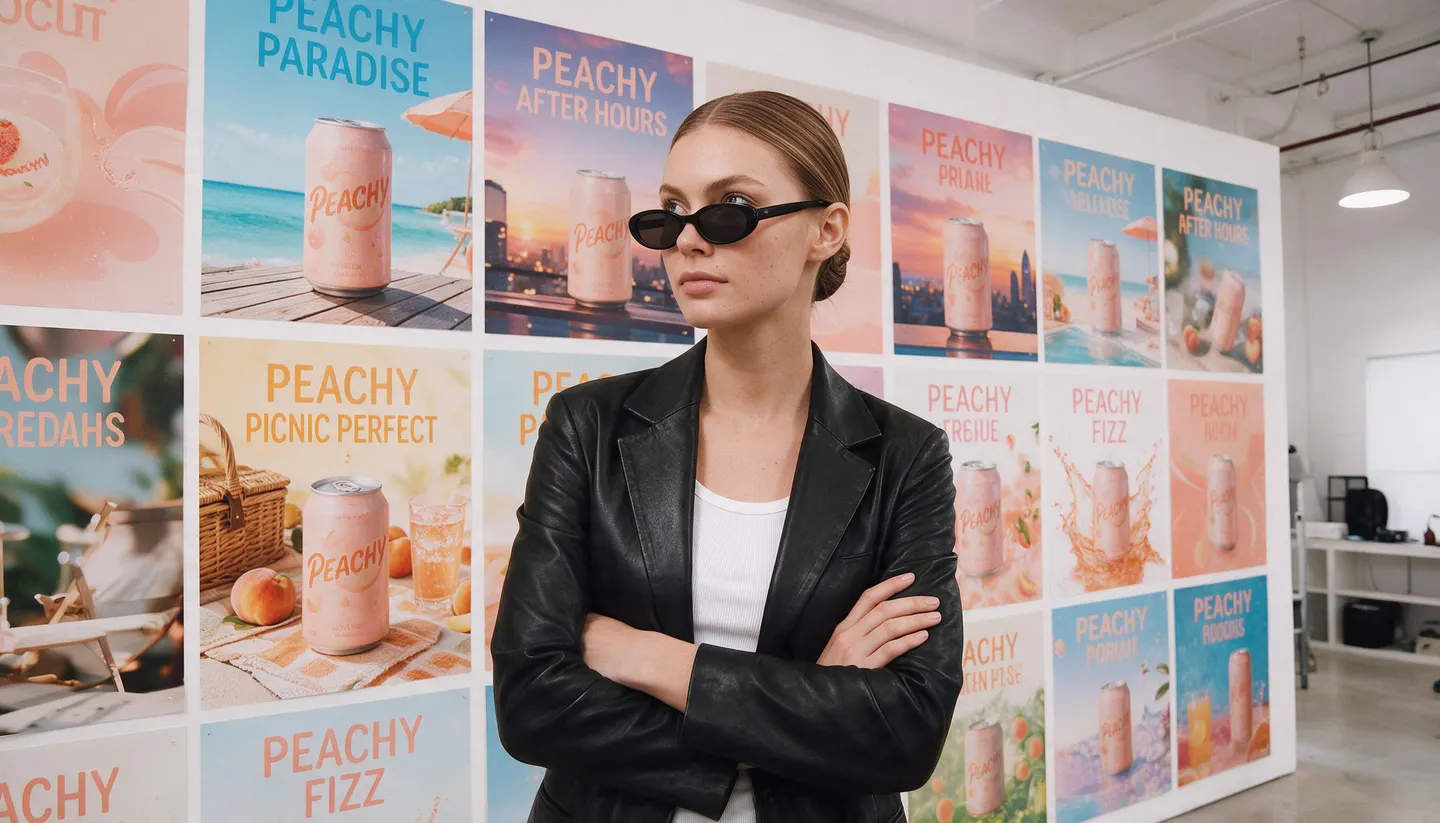
Free to start · Static and video ads
AI Ad Generator
Turn a product photo into a finished ad with a headline that reads, then make the variants, sizes and languages a campaign needs. Static and video ads, in the browser or in your AI assistant. Free to start.
No installation. No credit card. Private by default.
- 100Images per Autocreate run
- 15References on GPT Image 2.5 Flare
- 3Paid Ads skills for your assistant
- $0Free to start
The basics
What is an AI ad generator?
An AI ad generator makes advertising creative from a brief instead of a design file. You give it your product, the offer and the look, and an image or video model renders the ad: the product in a scene, the headline set in type, the button, the brand colors. The useful part is what comes after the first ad, because a campaign never runs on one creative. It needs versions to test, sizes for each placement and copy for each market.
Mage covers all three jobs with models rather than templates. GPT Image 2.5 Flare and Nano Banana 2.1 render readable headlines, Mango 3 keeps your product in place while it changes the scene around it, and Cherry 2 Pro makes and edits video ads with sound. In the browser, Autocreate runs a batch of 20 to 100 image variations from one prompt. In Claude, Cursor and other assistants connected to Mage, the free Paid Ads skills turn one ad into clean test variants, recompose it for every placement and translate its text.
Every creation is private by default, nothing carries a watermark, and a commercial license comes with every paid plan. You can start free: new members get a one-time bonus of 300 Gems to use in the Mage app.
A little more possibility
Why marketers make ads on Mage
Headlines that read
GPT Image 2.5 Flare and Nano Banana 2.1 set the words you quote in the prompt as real type, so the ad comes out with its copy in place.
Your product, from a photo
Attach a product photo as a reference and say what must not change: the shape, the label, the logo. GPT Image 2.5 Flare takes up to 15 references.
Batches with Autocreate
Start 20 to 100 image variations from one prompt, and tell Autocreate what to vary, such as only the background or only the season.
Clean test variants
The Ad Multiplier skill changes one thing per variant, the talent, the setting or the headline, and keeps the rest of the ad identical.
Every placement
The Ad Resizer skill rebuilds the layout for feed, Stories and banner sizes instead of cropping, and keeps every word.
Video ads too
Creator-style videos, product clips and edits of an existing video ad on Cherry 2 Pro, with the motion and timing kept.
From idea to creation
How do you make an ad with AI?
It takes three steps, and it is free to start.
Start from the product
Use a sharp photo of the product on a plain background. Open GPT Image from this page and attach it as a reference.
Write the ad as a brief
Describe the scene and the layout, put the headline and the button text in quotes, and name the brand colors.
Make the variants
Run it a few times, or start Autocreate for a batch. In your assistant, the Ad Multiplier skill makes one-change test variants.
Fit every placement
Make each size the campaign needs, check every word and the label, and download with no watermark.
Tips and techniques
How to prompt an ad that reads at a glance
An ad has a few seconds to land, so write the prompt the way an art director writes a brief: what the product is, where it sits in the frame, where the headline goes and how much empty space the layout needs. "A peach sparkling water can on the right third of a sunlit picnic blanket, headline top left in bold white sans serif" gives the model a layout to follow. "A nice ad for my drink" gives it nothing to work with.
Quote every word that should appear, spelled exactly as it should be printed: the headline, the subline, the button. Keep the headline short, five words or fewer, because short lines render more reliably and read faster on a phone. Name the brand colors in plain words or as hex codes, and say which element carries each one, such as an orange button or a cream background band.
Lock the product. End the prompt with what must not change: "keep the can, its label and the logo exactly as in the reference." The model redraws the product each time, so small print and fine patterns can drift; check every final ad against the real packaging. For the photos that feed your ads, the AI product photo generator covers studio and lifestyle shots, and the AI poster generator goes deeper on type-led layouts.
- Quote every word that should appear in the ad.
- Keep headlines to five words or fewer.
- Say where the product and the headline sit in the frame.
- Name brand colors and the element that carries each one.
- Check the label, the logo and every word before you publish.
Tips and techniques
Making variants you can test
A creative test only teaches you something when the variants differ in one way. If version B has a new model, a new background and a new headline, and it wins, you do not know why. So decide the variable first: the person, the setting, the background color, the season or the headline. Then change only that, and label each file by what changed.
In the browser, Autocreate turns one prompt into a batch. Set up the ad in the prompt bar or in Advanced, choose how many creations you want, from 20 to 100 for images, and write a custom instruction such as "only change the background color" or "only change the time of day." Autocreate varies the prompt before each generation and runs on Gems. It is the quickest way to explore many directions at once and pick the few worth testing.
For clean test cells, use the Ad Multiplier skill in an assistant connected to Mage. It makes every variant from the original ad rather than from another variant, so the product, the logo, the layout and every untouched word stay identical, and it labels each one by what changed. It can also propose short headlines with different angles, benefit, urgency, curiosity or offer, and waits for your approval before it generates. Connect Mage once, then add the skill from the Mage skills page.
- Change one element per variant.
- Name each file by what changed.
- Use Autocreate to explore and Ad Multiplier for test cells.
- Retire losing variants before you make new ones.
Tips and techniques
Video ads: three ways to make them
Creator-style ads, where a person talks to a phone camera about your product, are their own craft: a hook in the first two seconds, a scripted line, the product held up to the lens. The AI UGC video generator covers scripting and casting them on Cherry 2 Pro.
Product-led ads, where the product turns, pours or gets unboxed with no presenter, start from a product photo. The AI product video generator covers first frames, end cards and camera moves.
When you already have a video ad that works, change it instead of starting over. Video Editor applies one instruction to a 4 to 30 second clip on Cherry 2 Pro, such as a new setting or a different jacket, and keeps the motion and framing. Magejutsu swaps a person, an outfit or a product from a reference and keeps the rest of the shot, its cuts and its sound as filmed. The Ad Multiplier skill does the same kind of edit from your assistant, priced by the length of the clip.
Tips and techniques
Sizes and languages
Each placement has its own shape: 1:1 and 4:5 for feeds, 9:16 for Stories and Reels, 16:9 and wider for display banners. Cropping one master ad to fit them all cuts off headlines and squeezes products. Generate each size from the same brief instead, choosing the aspect ratio in the prompt bar, and keep the headline and the logo away from the top and bottom edges of a 9:16 ad, where the app’s own buttons and captions tend to sit.
The Ad Resizer skill does this from a finished ad: it transcribes every line of text for you to check, then recomposes the layout for each placement, extending the background instead of cropping. The Ad Localizer skill translates the copy for meaning and tone, shows you every line for approval, and replaces the text in the image while the product, the logo and the design stay put. Both run in your assistant through the Mage connector. For spoken video in another language, see the AI video translator.
The right model for the job
The best models for ads
Pick by what the ad needs most: readable copy, an exact product, a photoreal person, or motion.
GPT Image 2.5 Flare
Precise prompt following and readable text, with up to 15 reference images. The default for ads with a headline. OpenAI's safety filter applies.
Mango 3
Keeps the rest of an image in place when you change one thing, combines up to 10 references, and holds a saved character across a campaign. Unlimited at 1K and 2K from Pro.
Nano Banana 2.1
Readable text and edits from up to 14 references at up to 4K, useful when packaging text must stay legible. Google's safety filter applies.
Guava 2 Pro
Photoreal people and products for lifestyle ads, with up to three references. Name the lens and the light.
Cherry 2 Pro
Video ads with sound, up to 30 seconds at 1080p, and edits of a video ad you upload.
Try these prompts
Ad prompts to start from
Attach your product photo, then adapt one of these. Quote every word you want in the ad.
Product hero with a headline
Keep the can exactly as in the reference. The peach sparkling water can stands on the right third of a sunlit picnic blanket, condensation on the metal, soft shadows. Headline top left in bold white sans serif: "Taste the sunshine". Small orange button bottom left: "Shop now". Warm and bright, 4:5.
Seasonal variant of a finished ad
Keep everything in the reference ad exactly the same, including the product, the logo, the layout and all text. Change only the season: a snowy windowsill, warm string lights out of focus, cool blue daylight.
Lifestyle ad with a saved character
@yourcharacter laughs on a rooftop at golden hour, holding the bottle from the reference toward the camera, label facing out. Headline in bold black type on a cream band near the bottom: "Made for long days". 9:16, empty space at the top and bottom edges.
Offer card
Flat lay of the skincare set from the reference on pale pink paper, top-down, soft daylight. Large headline centered: "20% off this week". Subline: "Ends Sunday". 1:1, clean, plenty of empty space.
Room to experiment
Mage vs a manual ad production round
A designer and a photo shoot still make sense for a flagship campaign. For the weekly flow of test creative, sizes and markets in between, generating the variants is faster and lets you test more ideas before you commit budget to one.
A manual round
- A shoot or a stock image for every concept
- Each size rebuilt by hand
- Copy sent to translators, then back to design
- Days between test rounds
Mage
- One product photo feeds every concept
- Placements generated from the brief or recomposed by Ad Resizer
- Ad Localizer replaces the text after you approve it
- A batch of variants in one sitting
Follow your imagination
Who uses an AI ad generator?
Online stores
Seasonal and promo ads for every product in the catalog, from the photos you already have.
Performance marketers
A steady supply of one-change variants for creative testing, each labeled by what changed.
Agencies
Several directions for a pitch, rendered before anyone books a shoot.
Brands entering new markets
The same ad in each language, with the layout and the offer unchanged.
Start small. Dream big.
Is the AI ad generator free?
Mage is free to start: new members get 300 Gems to use in the app, and every model runs on Gems. Paid plans make generation unlimited on the models each one covers. The skills are free; what they generate from your assistant is always paid in Gems.
Free
$0
One-time 300 Gems for new members. No watermark.
Basic
$10/mo
Unlimited GPT Image 2 and 2.5 at Low quality, Flux 2, Z-Image and more, plus 500 monthly Gems.
Pro
$30/mo
Adds unlimited Mango and Guava at 1K and 2K for product and lifestyle ads, plus 1,500 monthly Gems.
A little more clarity
Frequently asked questions
What is the best AI ad generator?
Can AI make video ads?
How do I make ad variations for A/B testing?
Will the AI keep my product and logo exactly?
Can it write the ad copy?
How do I resize an ad for Stories, feeds and banners?
Is there a free AI ad generator?
Can I use the ads commercially?

Ready to make your first ad?
Free to start, private by design. Have fun creating!
Make an ad with GPT ImageRelated generators & guides
Mage is for adults, 18+ only. Nothing illegal is allowed; any content involving minors or non-consensual depictions of real people is strictly prohibited.