
Free to start · Voice, lips and on-image text
AI Video Translator
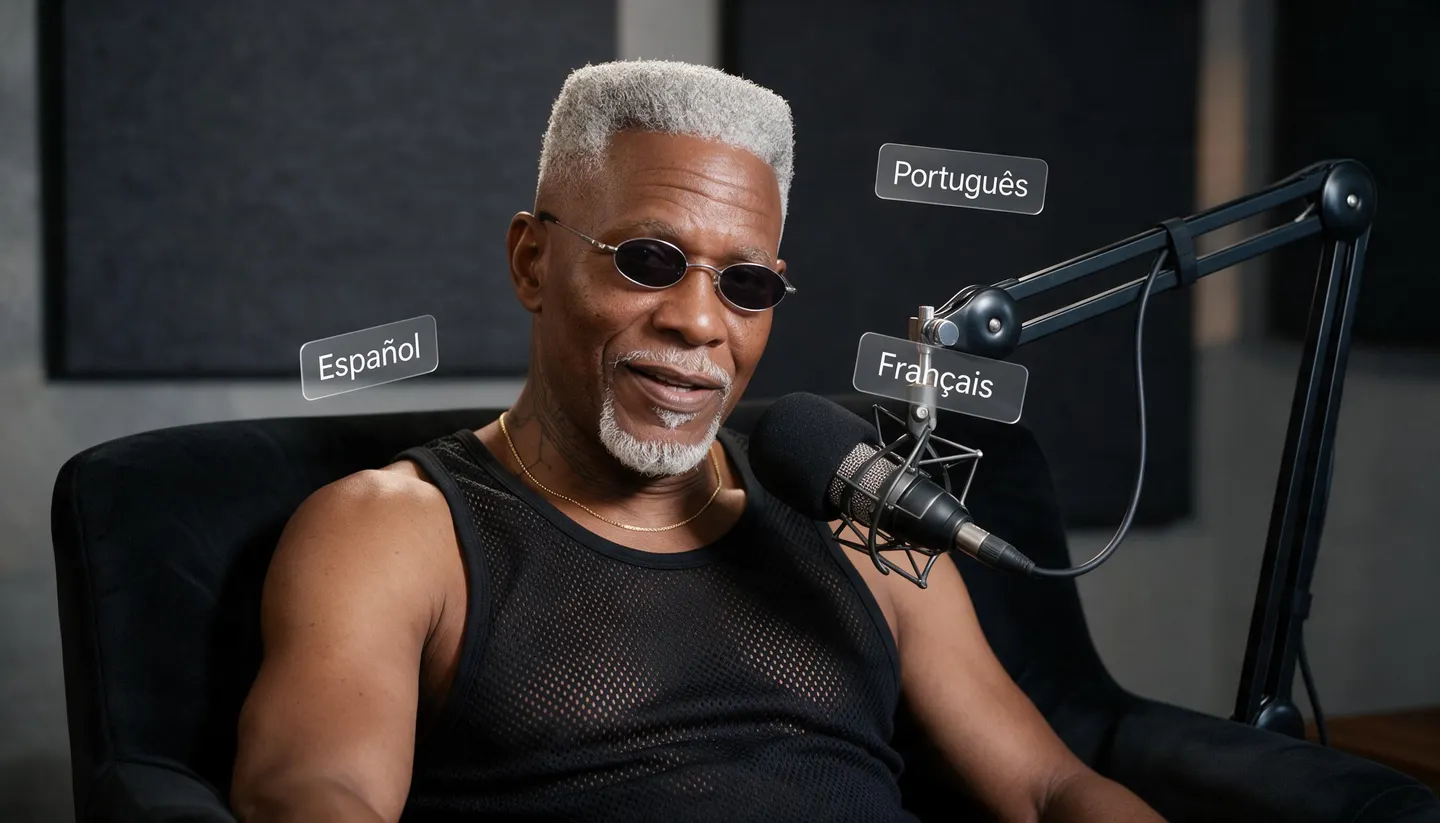
Give a short clip a new language: voice the translated script in more than 90 languages, make the speaker say it with lips that follow the new words, and localize the text in your ad images. Here is exactly what Mage does for you, and what you still do yourself.
No installation. No credit card. Private by default.
- 90+Languages in Eleven Speech
- 15 sAudio per Lipsync clip
- 6Clips joined in Storyboard
- $0Free to start
The basics
What is an AI video translator?
An AI video translator takes a video in one language and gives it another: the words translated, a new voice track in the target language, and ideally a speaker whose mouth matches the new words. Full dubbing services do all of that from one upload. Mage does the voice and the lips with separate tools you control, which suits short clips such as ads, intros and character videos better than hour-long recordings.
Here is the split. Mage does not transcribe your video or translate it on its own, and it does not add subtitles. You, a translator or your AI assistant write the script in the new language. Eleven Speech then reads it in more than 90 languages, and Lipsync animates a still of the speaker, a clear frame from your video or a saved character, so their lips follow the new audio, up to 15 seconds per clip.
The result is a new talking clip made from that frame, not your original footage with its mouth replaced, so the speaker’s gestures and the camera moves of the original are not kept. For narration with no visible speaker, you need no lip sync at all: lay the new voice over the original picture in your editor. For text inside ad images, the Ad Localizer skill replaces it in place.
A little more possibility
Why translate clips with Mage
More than 90 languages
Eleven Speech reads your translated script in its 16 voices, directed with audio tags, as an MP3 exactly as long as the text.
Lips that follow the new words
Lipsync animates the speaker from one image, so the mouth matches the translated audio rather than the original.
A speaker who comes back
Save the speaker as a character and they keep the same face in every language and every clip.
A matched voice, with permission
Seed Audio can guide a voice from up to three audio references you have the right to use.
Ad text in every market
The Ad Localizer skill translates the text in static ads and replaces it in the image, layout kept.
Private by default
Unreleased campaigns and drafts stay in your account until you choose to post them.
From idea to creation
How do you translate a video with AI?
It takes three steps, and it is free to start.
Write the new script
Transcribe the original and translate it, yourself, with a translator or with your AI assistant. Mage does not do this step.
Voice it in Eleven Speech
Paste the translated script, pick a voice that fits the speaker, and generate an MP3. Split long scripts into lines of 15 seconds or less.
Make the speaker say it
Open Lipsync, add a clear front-facing frame of the speaker or a saved character, add the audio, and generate.
Join and check
Line the clips up in Storyboard, then watch every one at full speed with a native speaker before you publish.
Tips and techniques
What is automatic, and what you do yourself
Automatic on Mage: Eleven Speech turns a written script into speech in the language you write it in, with pacing and emotion you can direct with tags such as [whispers] or [laughs]. Lipsync turns one image and up to 15 seconds of audio into a video of the subject speaking it, with natural expressions and subtle head movement. The Ad Localizer skill, in your assistant, transcribes the text in a static ad, has your assistant translate it, and replaces each line in its font, size and position after you approve the copy.
Not automatic: transcribing the original speech, translating spoken dialogue, matching the new line’s timing to the original, keeping the original speaker’s own voice, separating the music bed from the voice, and subtitles. Mage has no speech-to-text, no automatic dubbing and no caption tool. Lipsync also makes a new clip from a still, so it does not keep the original footage’s motion, cuts or other people in the shot.
- Automatic: the voice from your script, in more than 90 languages.
- Automatic: lips synced to the new audio, from one image.
- Automatic: on-image ad text replaced after you approve it.
- Yours: the transcript, the translation and the final review.
- Not available: subtitles, or new lips on the original footage.
Tips and techniques
Writing a script for dubbing
A dubbing script is not a subtitle file. It has to be spoken in roughly the time the original took, so translate for meaning and length together. German and French often run longer than English, and Japanese and Chinese often shorter; shorten a line rather than speed up the voice. Keep brand and product names as they are, and say numbers, dates and prices the way a local speaker would say them.
If you work in Claude, ChatGPT or another assistant with Mage connected, the assistant can draft the translation and show it to you line by line before anything is voiced. That translation is the assistant’s work, not a Mage feature, so have a native speaker read it for anything customer-facing. Then split the script at natural pauses into pieces of 15 seconds or less, the length of one Lipsync clip.
Tips and techniques
Voicing the new language
Use Eleven Speech for most translations. Pick one of its 16 voices that fits the speaker’s age and energy, write the script in the target language, and direct the read with audio tags in square brackets. The MP3 is exactly as long as the script, up to 5,000 characters per request, so there is no silence to trim. The AI text to speech guide covers voices and tags in depth.
Eleven Speech speaks only in its preset voices. When the new track should sound like the original speaker, Seed Audio can guide a voice from up to three audio references, using only recordings of a voice you have permission to use. It renders fixed lengths of 5, 10, 30, 60 or 120 seconds, so check the timing and the language on a short line before a full script. The AI voice cloning guide covers matching a voice in more detail.
Cloning your own voice for a dub is ordinary practice: YouTube, for one, lists it among the uses of AI that need no altered-content disclosure. Cloning someone else’s voice is a different matter, and Mage does not allow imitating a real person without their consent.
Tips and techniques
Putting the new voice on screen
When a person speaks to camera, take the clearest front-facing frame of them from the video, mouth visible and closed or relaxed, and use it as the subject in Lipsync. Add the translated audio, up to 15 seconds, and pick a model: Plum is the default, and Blueberry 2 animates the exact image you give it, which keeps the look of the original frame. Each clip is a new performance from that still, with the camera holding steady on the speaker.
For a speaker who appears across a series, save them as a character so the face stays identical in every language. Then line the clips up in Storyboard, which joins up to six into one MP4 with their sound. The AI talking photo guide covers choosing a frame that animates well.
When nobody speaks on camera, as in a narrated explainer, a product demo or a screen recording, skip lip sync. Generate the new narration and replace the audio track in your video editor. Mage does not mix a new voice into an existing video for you.
- Pick a front-facing frame with the mouth visible.
- Keep each audio piece to 15 seconds or less.
- Save a recurring speaker as a character.
- Replace the audio in an editor when no one is on camera.
Tips and techniques
Translating the text in ads and thumbnails
Static ads carry their message in text: the headline, the button, the offer. The Ad Localizer skill handles those in your assistant. It transcribes every line, translates for meaning and tone, adjusts line breaks, number formats and right-to-left layouts, and shows you the copy for approval. Then it replaces each line in the image with GPT Image 2.5 Flare, keeping the font style, the layout, the product and the logo, and leaves the brand name and packaging text as they are. It does not translate video voiceovers. Find it on the Mage skills page, and see the AI ad generator for the rest of the ad workflow.
The right model for the job
The models behind a translated clip
A voice model makes the new language, and a video model in Lipsync makes the speaker say it.
Eleven Speech
16 voices, more than 90 languages, audio tags, up to 5,000 characters per request. The MP3 is exactly as long as the script.
Seed Audio
A voice described in the prompt or guided by up to three audio references you have permission to use, at 5 to 120 seconds.
Plum Max
A fast Lipsync option at 480P or 768P for drafts. Plum, the app default, renders up to 2K.
Blueberry 2
Animates the exact frame you give it, at 720p or 1080p, which keeps the look of the original shot. It does not use saved characters.
Cherry 2 Pro
Mage’s flagship video model, for final-quality talking clips up to 1080p with a saved character. It costs the most per clip.
Try these prompts
Scripts and directions to start from
Eleven Speech scripts in the target language, with tags in square brackets, and a Lipsync scene direction to go with them.
Spanish ad line, Eleven Speech
[warm] Esta es la botella que te acompaña todo el día. [excited] Pruébala hoy.
German course intro, Eleven Speech
[calm] Willkommen zurück. Heute lernen wir, wie man in fünf Minuten einen Plan für die Woche schreibt.
Japanese product greeting, Eleven Speech
[cheerful] こんにちは!今日は新しい商品をご紹介します。
Lipsync scene direction
Same framing as the photo, calm and friendly delivery, soft daylight from a window.
Room to experiment
Automatic dubbing services vs Mage
If you need a long video with several speakers dubbed from one upload, a dedicated dubbing service is the better tool. Mage fits short clips where you want to approve every line, choose the voice, and give one speaker new lips.
Automatic dubbing services
- Upload a video, get it back translated
- Each speaker’s voice kept in the new language
- Background music and sound kept
- Several speakers detected automatically
Mage
- You approve every line of the script
- Voices in 90+ languages, or matched with permission
- Lips animated to the new words from one frame
- Ad images localized in the same account
Follow your imagination
Who translates clips this way?
Ads for new markets
A short spokesperson clip voiced and lip-synced for each market, with the ad images localized to match.
Course and product intros
A 15-second welcome in each language your customers speak.
Character series
A saved character who speaks every language your audience does.
Creators
A short clip in your own matched voice for an audience that speaks another language.
Start small. Dream big.
Is the AI video translator free?
New members get 300 Gems, and Eleven Speech, Seed Audio and Lipsync all run on Gems on any plan. Unlimited voice lines start on Basic, and unlimited lip sync starts with short Lemon clips on Pro.
Free
$0
One-time 300 Gems for new members. No watermark.
Basic
$10/mo
Unlimited Eleven Speech up to 750 characters per line and unlimited short Seed Audio clips, plus 500 monthly Gems.
Pro Plus
$60/mo
Premium video models unlimited at their listed settings, including Plum Max at 5 s and Lemon at 7 s, both at 480p. 3,500 monthly Gems.
A little more clarity
Frequently asked questions
Can Mage translate a video automatically?
How do I dub a video into another language?
Does it keep the original speaker’s voice?
Will the lips match the new language?
How long can a translated clip be?
Which languages are supported?
Can it translate the text in my ads?
Is the AI video translator free?

Ready to give your clip a new language?
Free to start, private by design. Have fun creating!
Open LipsyncRelated generators & guides
Mage is for adults, 18+ only. Nothing illegal is allowed; any content involving minors or non-consensual depictions of real people is strictly prohibited.