
Prompting guide
How to prompt Kiwi
How to prompt Kiwi, Mage's everyday video model: a one-minute quick start, a fill-in template, and tips for light, camera moves, start images, and sound.
Quick start
Your first great Kiwi prompt
Everything a beginner needs in one minute: what to know first, the rules that matter most, a template to fill in, and prompts to copy.
What to know first
Kiwi makes one continuous shot, with sound, from a prompt or a single start image. Most weak Kiwi clips come from prompts that name a subject and an action but not the look: with no light, shot size, or camera, you get a still camera in a vague place. So say how it is lit, how close we are, and what the camera does. With a start image, the picture already holds the look, and the prompt is only the motion.
The rules that matter most
Name the light, the shot, and the camera
Open with how it is filmed: "Medium shot, eye level, soft morning daylight, warm colors." Then end with one camera move.
Describe the motion: how big, how fast
"Rolls a snowball clumsily forward" beats "plays in the snow". Say what moves, in what order, and what it does to the scene.
One scene per clip
Kiwi makes a single shot, so a change of place inside one clip breaks it. Make each scene its own clip and join them in an editor.
Quote what is said
A quoted line is spoken word for word, in the voice you describe: The old fisherman says in a slow, gravelly voice: "Tide's turning." Without one, Kiwi may make up speech.
With a start image, write only the motion
The picture holds the subject, the place, and the style. Say what moves and how the camera behaves, and nothing about how things look.
Fill in this template
Replace each part in square brackets with your own idea, and leave out a part you do not need.
[Shot size, angle, and light]. [Subject] [does what, step by step] in [setting, with something moving]. The camera [one move]. [Style]. [Sound: a line, effects, music].Medium shot, eye level, soft morning daylight, warm colors. A fluffy ginger kitten rolls a snowball forward with its front paws, then jumps back in surprise when it breaks apart, in a snowy back yard with flakes drifting down. The camera tracks slowly at kitten height. Realistic. The crunch of paws on snow, the crack of the snowball, a tiny sneeze, and a light, warm piano melody.[Shot size, angle, and light]How we see it: medium shot, eye level, soft morning daylight, warm colors.[Subject]Who or what, with the looks that matter: a fluffy ginger kitten.[does what, step by step]The motion in order, with its size and speed: rolls a snowball forward with its front paws, then jumps back when it breaks.[setting, with something moving]The place, with one detail that moves: a snowy back yard, flakes drifting down.[one move]What the camera does: tracks slowly at kitten height. "Holds still" is a move too.[Style]The look: realistic, 3D cartoon, claymation, tilt-shift miniature.[Sound: a line, effects, music]What we hear: the crunch of paws on snow, a tiny sneeze, a light piano melody.
Prompts to start from
A playful moment with sound
Medium shot, eye level, soft morning daylight, warm colors, center composition. A fluffy ginger kitten in a snowy back yard rolls a snowball with its front paws and pushes it forward clumsily. The snowball breaks apart; the kitten jumps back in surprise, sneezes, then creeps closer and nudges the pieces with its head, tumbling over. The camera tracks slowly at kitten height. The crunch of paws on snow, the swish of the rolling snowball, the crack as it breaks, a tiny sneeze, and a light, warm piano melody.Why it works: The look comes first, the motion is a clear chain with a beginning and an end, and every sound has a source. Set the length to 10 seconds.
A character with one line
Low angle, medium close-up, warm tones, mixed light from a green desk lamp and grey window light. In a cluttered detective's office, a fox in a brown trench coat and grey fedora sits in a leather chair turning yellowed pages. Rain streaks the window behind him. He raises his head, ears twitching, looks straight at the camera and says in a smooth, cynical voice: "The case was cold. Colder than a fish in winter." Steady rain on glass, pages rustling. No background music.Why it works: Two light sources set the mood, the line is short and quoted with its voice, and "No background music." keeps the rain and the pages clear.
Bring a start image to life
The camera pulls back slowly as the two men climb the stairs; the man on the left steadies the man on the right with his hand, and both pause on the landing to catch their breath. Footsteps on stone, heavy breathing.Why it works: Add the picture as the start image. The prompt names the men the way the picture shows them and spends every word on motion, camera, and sound.
A water-level tracking shot
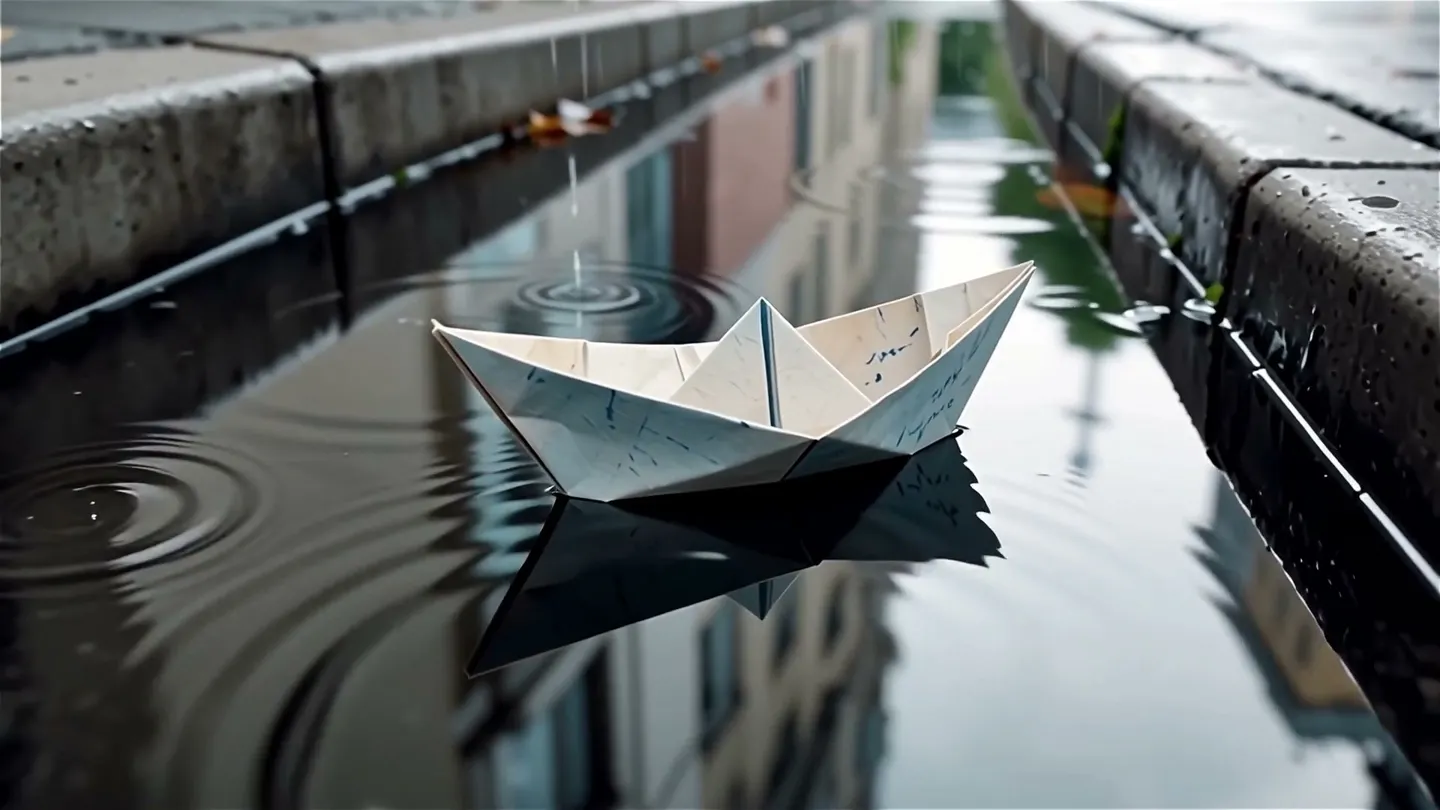
Low angle at water level, overcast daylight, muted greens. A folded paper boat drifts down a rain-filled gutter, spinning slowly as it bumps past leaves and pebbles, rain dimpling the water around it. The camera tracks alongside it at the same speed. Realistic. Rain pattering, water trickling into a drain.Why it works: An unusual camera height makes an everyday subject interesting, and a camera that moves with the subject keeps it in frame.
A stylized city
Tilt-shift miniature look, high angle over a busy city intersection at night. Cars and pedestrians stream through in toy-like motion as the traffic lights change and shop signs flicker along both sidewalks. The camera holds still. Soft city hum, distant horns.Why it works: A named style changes the whole look in two words, and a still camera lets the motion in the scene carry the clip.
Advanced
Advanced Kiwi prompting
Techniques for more control once the basics work.
Structure: the look, then the action
A full Kiwi prompt runs in this order: the look (shot size, angle, lens, light source and quality, color tone, composition), the subject and its looks, the action step by step, the setting with something that moves, the camera move, the style, and the sound.
Keep it to a short paragraph or two. A long chain of complex actions in one clip smears; one main action and one reaction read cleanly.
- Composition words work: center, left-heavy, right-heavy, balanced, symmetrical.
- Name the time of day: daytime, night, dawn, sunrise, sunset, dusk.
Light, shot size, and lens
Give the light a source and a quality. Sources: daylight, firelight, overcast light, clear-sky light, practical light (a lamp or a sign in the scene), moonlight, fluorescent, or mixed light. Qualities: soft, hard, side, rim, backlight, top light, high or low contrast.
Pick a shot size (close-up, close shot, medium close-up, medium, medium full, wide, establishing), an angle (eye level, over-the-shoulder, high, low, top-down, aerial), and, when it matters, a lens (telephoto, medium focal length, wide-angle, fisheye, tilt-shift).
Camera moves and what they say
Choose the move for what it does to the viewer, and give the clip one. Describe the subject's motion with its size and speed too: a near-static clip almost always comes from a prompt that never said how much things move.
- Put the camera at an unusual height, at water level, at ground level, or overhead, for instant interest.
- Styles that work: felt, 3D cartoon, pixel art, puppet animation, claymation, black-and-white animation, tilt-shift miniature, time-lapse.
| Write | What it does |
|---|---|
push in | The camera moves closer: intimacy or tension. |
pull back | The camera moves away: reveals scale or isolation. |
tracking | The camera travels with the subject. |
orbit | The camera circles the subject, for importance. Keep the arc under 45 degrees, or the space warps. |
fixed camera | The frame stays still while the subject moves. |
time-lapse | Time runs fast: clouds race, lights switch on. |
Starting from a picture
Add a start image and the clip opens on it, in its shape. Name the subject the way the picture shows it ("the man in the grey overcoat") and spend the rest of the prompt on what moves and how the camera behaves.
Kiwi takes no saved Characters. For a person who must recur across clips, make the start image with your Character on an image model such as Mango, then start each Kiwi clip from it.
Sound and dialogue
Kiwi makes voices, effects, and music to fit the picture. Write a line with its emotion, tone, speed, timbre, and accent, and quote it: quoted words are spoken as written. Name effects by their source, material, and action ("the crunch of paws on snow"), and music by its kind and mood ("a light, warm nursery-rhyme piano score").
- Two speakers: give each a fixed label and never switch to "he" or "she"; show each speaker's action before the line; describe each voice; and link lines with timing words ("Then the woman murmurs: …").
- Two or three short lines is the most a 5-second clip holds, and lip sync to a long, exact speech slips. Keep lines short.
- Write "No dialogue." and "No background music." when you want them gone, or turn off Enable Audio for a silent clip.
Prompt Extend and the negative prompt
Prompt Extend is on by default: Kiwi rewrites and enriches your prompt before it renders. Leave it on for a short idea. Turn it off when you wrote the full shot and want your wording, timing, and lines kept exactly.
Kiwi has a Negative Prompt setting. Use it for what keeps appearing, such as text, extra people, or a watermark, and keep the prompt for what you want.
Text on screen
Exact text renders only roughly. Keep it to one short quoted word on a sign or a balloon (a neon sign reading "OPEN" flickers) and do not depend on it. Add anything that must be readable as titles in an editor.
Common mistakes
Avoid this, do this instead
Avoid: A clip that barely moves.
A lighthouse on a cliff at sunset.Instead: A described motion with its size and speed, and a camera move.
Wide shot, low angle, warm sunset backlight. Waves surge against the cliff below a white lighthouse and burst into spray, and its beam begins to sweep across the darkening sea. The camera pushes in slowly. Crashing surf, gulls, wind.Avoid: Several scenes in one clip.
Instead: One scene per clip, joined in an editor.
Avoid: A long chain of complex actions.
Instead: One main action and one reaction.
Avoid: Restating a start image's looks.
Instead: The motion and the camera only.
Avoid: Lip sync to a long, exact speech.
Instead: One or two short quoted lines.
Avoid: A wide orbit around the subject.
Instead: An arc under 45 degrees, or a push in or a tracking shot.
FAQ
Kiwi prompting questions
How long should a Kiwi prompt be?
How do I keep a character consistent in Kiwi?
Can Kiwi do text?
Can Kiwi make several shots in one clip?
Should I turn Prompt Extend off on Kiwi?
Does Kiwi support negative prompts?
Why is my Kiwi clip so static?
Prompting guide
More prompting guides
How to prompt Berry
How to prompt Berry, Mage's reference-faithful video model: a one-minute quick start, a template, and expert tips for references, timing, dialogue, and edits.
How to prompt Blueberry
How to prompt Blueberry, Mage's first-and-last-frame video model: a quick start, a template, and expert tips for transitions, loops, camera moves, and sound.
How to prompt Cherry
How to prompt Cherry, Mage's video model: a one-minute quick start, a fill-in template, and expert tips for shots, camera, characters, sound, and edits.
How to prompt Grok Video
How to prompt Grok Video, xAI's Grok Imagine, on Mage: a quick start, a fill-in template, and expert tips for camera, references, edits, and sound.
How to prompt Lemon
How to prompt Lemon, Mage's all-round video model: a one-minute quick start, a template, and expert tips for frames, references, voices, shots, and edits.
How to prompt LTX Video
How to prompt LTX Video on Mage: a quick start, a fill-in template, and expert tips for the 120-word rule, start frames, camera moves, and fast drafts.

Make your first video with Kiwi
New accounts get 300 free Gems, enough to try Kiwi. No install, no credit card.
Try Kiwi