
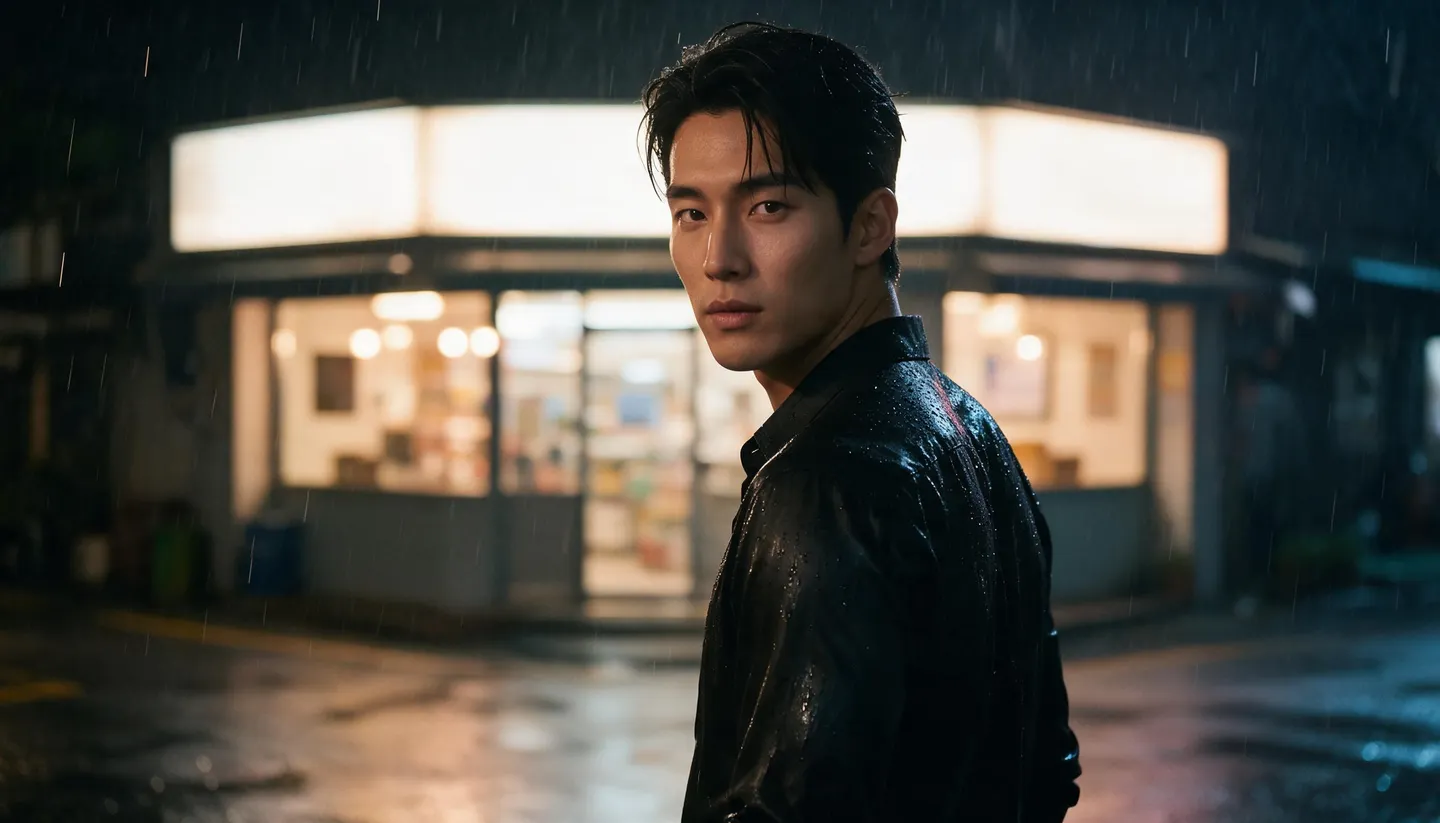
Vertical 9:16 · A recurring cast with voices
AI Short Drama Generator
Plan a vertical series, save your leads once with their voices, and film each episode as a run of scenes in Story Studio. Mage writes and films the scenes; you write the hooks, pick the takes and cut the episode.
No installation. No credit card. Private by default.
- 9:16Story Studio’s default shape
- 6Clips joined into one episode
- 3Leads cast per episode
- 10 sVoice sample per character
The basics
What is an AI short drama?
A short drama, also called a micro-drama or vertical drama, is a serialized story made for phones: vertical 9:16 video, episodes of about one to two minutes, and a cliffhanger at the end of nearly every one. A series can run from 20 to 100 episodes, about as long in total as one or two feature films. The format started in China and spread worldwide through dedicated apps.
What makes it hard to produce with AI is the cast. The same three or four people have to appear in every episode, look the same and sound the same. On Mage you save each lead once as a character, from one portrait, with a voice of up to 10 seconds. From then on, every episode casts them by @handle.
Each episode is a Story Studio run: an episode prompt of up to 1,000 characters, up to three leads, and 5 to 20 scenes filmed in order in 9:16. Scene Builder handles two-character confrontations, Lipsync puts an exact line in a character’s mouth, and Storyboard joins up to six clips into one vertical MP4.
A little more possibility
Why make short dramas on Mage
Leads who stay themselves
Saved characters keep the same face in every episode, and on Cherry, Raspberry and Lemon they speak in their saved voices.
Vertical from the start
Story Studio opens in 9:16, and every model it films with supports it, so nothing is cropped later.
Scripts you can rewrite
Read each scene before filming and change the action or the lines, keeping the @handles.
Two-hander scenes
Scene Builder stages two characters together, from presets like Dinner Date, Late Night Drive or Mafia Meeting, or your own idea.
Exact lines, lip-synced
Record or generate a line, and Lipsync makes the character say it, up to 15 seconds at a time.
One file per episode
Storyboard joins up to six clips in 9:16 into a single MP4, ready for captions and posting.
From idea to creation
How do you make a short drama with AI?
It takes three steps, and it is free to start.
Cast the series
Save each lead from one portrait in Characters, with a voice, and save recurring places and outfits as references.
Write the episode prompt
In Story Studio, recap the story in one line, list this episode’s beats and end on the cliffhanger. Add the leads and set six scenes.
Review, film and fix
Press Write Script, edit each scene, then Generate Scenes. Remix a weak scene, or redo a key exchange in Scene Builder or Lipsync.
Cut the episode
Join the six clips in Storyboard in 9:16, export the MP4, and add captions and music in your editor.
Tips and techniques
Episode structure: 60 to 90 seconds in six scenes
Micro-drama episodes usually run one to two minutes, so build each one from six scenes of 10 to 15 seconds. That is 60 to 90 seconds of story, and six is also the most clips Storyboard joins into one file, so a whole episode exports as a single vertical MP4. On Cherry, pick 10 or 15 seconds per scene; Cherry 2 Pro and Lemon go up to 30 seconds when a scene needs a longer speech.
Give the six scenes fixed jobs. Scene 1 is the hook: open on the most dramatic image of the episode, because viewers decide in the first seconds. Scene 2 reminds them who wants what. Scenes 3 and 4 escalate: a lie, a confrontation, a secret overheard. Scene 5 is the reversal. Scene 6 is the cliffhanger: cut on the question, never on the answer.
Story Studio writes the scenes so the story prompt is satisfied by the last one, so tell it where this episode stops. End the episode prompt with the cliffhanger itself, such as "It ends as she opens the envelope and freezes", then read the last scene’s script and cut anything that answers the question too early.
- Scene 1: the hook, the episode’s strongest image.
- Scene 2: who wants what.
- Scenes 3 and 4: escalation.
- Scene 5: the reversal.
- Scene 6: the cliffhanger, cut before the answer.
Tips and techniques
Keeping a recurring cast across a season
Every Story Studio run starts fresh: it has not seen your last episode. Continuity comes from three things you control. The cast: the same saved characters, by @handle, in every run. The world: the penthouse, the office, the car and the signature outfits saved as references, so they look the same in episode one and episode thirty. And the recap: one line at the top of every episode prompt that says where the story stands.
A run takes up to three leads, and cast and references share five slots, so plan each episode around the three people who matter most in it. Keep a series bible outside Mage with each lead’s @handle, what they want, what they hide, and the places and outfits tied to them, and paste the relevant lines into each episode prompt.
Voices are part of the cast. A character’s saved voice keeps up to 10 seconds of audio, and Cherry, Raspberry and Lemon in Story Studio use it whenever that character speaks. If a lead has no voice yet, upload a clip or generate one from their portrait when you create or edit the character, and keep it for the whole season.
- Open every episode prompt with a one-line recap.
- Save recurring places and outfits as references.
- Keep a series bible with each @handle.
- Never change a lead’s voice mid-season.
Tips and techniques
Big moments: Scene Builder and Lipsync
Short dramas live on two-person scenes: the proposal, the betrayal, the confrontation in the rain. Scene Builder is built for them. Add one image of each character, pick a preset such as Dinner Date, Wedding, Late Night Drive or Mafia Meeting, or press Custom and write a one-line idea, and it writes a full prompt you can edit. It runs on Cherry by default, or on Cherry Pro, Cherry 2 Pro, Raspberry or Lemon, from 2 to 30 seconds depending on the model.
When a line must land word for word, such as a vow or a reveal, make the audio first: AI text to speech with an audio tag like [whispers], or the lead’s own cloned voice in Seed Audio, covered on the AI voice cloning page. Then open Lipsync, add the character and up to 15 seconds of audio, and it syncs the lips to the line.
Tips and techniques
What Mage does, and what you do
Mage does the production. It writes a shot-by-shot script for every scene from your episode prompt, sizes the shots and dialogue to the clip length, films the scenes in order with your saved faces and voices, stages two-character scenes, syncs lips to recorded audio, and joins up to six clips into one file.
You do the showrunning: the premise and the series bible, the episode outlines and every cliffhanger, reading and fixing each script before you pay to film it, choosing the takes and rerunning the scenes that miss, and the finish in your editor, with captions, title cards, music and the cover. Mage does not add captions or subtitles, and publishing, platform deals and monetization are up to you.
Plan the pace of production too. You can run one Story Studio or Autocreate campaign at a time, so episodes film one after another, and Script History keeps every paid script with its settings, so an episode can be loaded again later instead of written again.
- Mage: scene scripts, filming, faces, voices, lip sync, the join.
- You: premise, outlines, cliffhangers, takes, captions, posting.
- Save the keepers: scenes are deleted after 30 days.
The right model for the job
The best models for short dramas
All four film in 9:16. Story Studio films with the first three, and Plum is the default in Lipsync.
Cherry 2 Pro
For finished episodes: scenes of up to 30 seconds at up to 1080p, cinematic motion and sound, and leads who speak in their saved voices.
Lemon
Scenes from 2 to 30 seconds with generated audio and character voices, at a lower price. Good for drafting a whole season.
Raspberry
Mage's character video model: carries a saved lead into video in their own voice, in scenes of 2 to 15 seconds.
Plum Max
For Lipsync lines: the faster Plum, with generated audio, character voices and audio references.
Try these prompts
Episode prompts to start from
The first two are Story Studio runs of six scenes each. Replace the handles with your saved leads.
Episode 1: the setup
@lena, a hotel housekeeper, finds a diamond ring in the penthouse trash and returns it to its owner, @adrian. He offers her a job she cannot refuse. It ends as she signs the contract and sees her late father’s signature already on it.
Episode 12: mid-season
Previously: @lena learned that @adrian bought her family’s hotel. Tonight she confronts him on the rooftop in the rain; he admits it, but says he did it to protect her from @victor. It ends as @victor steps out of the elevator behind them.
Scene Builder, Custom idea
In a dim parking garage at night, she throws the ring at his feet, hands him a key card and walks away without a word.
A Lipsync line, Eleven Speech
[whispers] You knew. You knew the whole time... [sighs] and you still let me walk in there.
Room to experiment
Making a short drama on Mage vs clip by clip
A clip generator makes a good moment. A series needs the same faces and voices in episode thirty as in episode one, in vertical, cut into episodes. That is the work Mage takes on.
Clip-by-clip tools
- One prompt, one clip, no episode script
- Leads drift between episodes
- Voices change from clip to clip
- Episodes cut together in another app
Short dramas on Mage
- An episode prompt becomes 5 to 20 scenes
- The same saved leads in every episode
- Saved voices on the models that read them
- Six clips joined into one 9:16 MP4
Follow your imagination
Who makes AI short dramas?
Micro-drama creators
Romance, revenge and family sagas told in one-minute vertical episodes.
Pilots and pitch reels
Film the first episodes of a series to pitch it to a studio or a drama app.
Character channels
A recurring cast with its own account, posting an episode a day.
Brand series
A serialized story with a brand’s mascot or spokesperson as the lead.
Start small. Dream big.
What does an AI short drama cost?
Story Studio always runs on Gems: each episode pays for its script, billed per scene, and for each scene at its video model’s price. A season is many runs, so Gem packs from $10 and monthly plan Gems both count. Lipsync and Scene Builder show their price in Gems before you start.
Free
$0
One-time 300 Gems for new members. No watermark.
Gem pack
$10
10,000 Gems on any account, for episodes, Lipsync and any model at any setting.
Pro Plus
$60/mo
3,500 monthly Gems for episodes, plus premium video models such as Cherry, Raspberry and Berry, and Lemon up to 7 s at 480p, for single clips.
A little more clarity
Frequently asked questions
Can AI make a short drama series?
How long is a short drama episode?
How do I keep the same actors in every episode?
Can the characters speak in their own voices?
Does Mage write the episodes for me?
Can I film several episodes at once?
Can I post the episodes on TikTok or a drama app?

Related generators & guides
Mage is for adults, 18+ only. Nothing illegal is allowed; any content involving minors or non-consensual depictions of real people is strictly prohibited.