
Prompting guide
How to prompt Anima
How to prompt Anima on Mage: Danbooru tag order, rating tags, strong weights, escaped parentheses, and Anima prompt examples for characters and scenes.
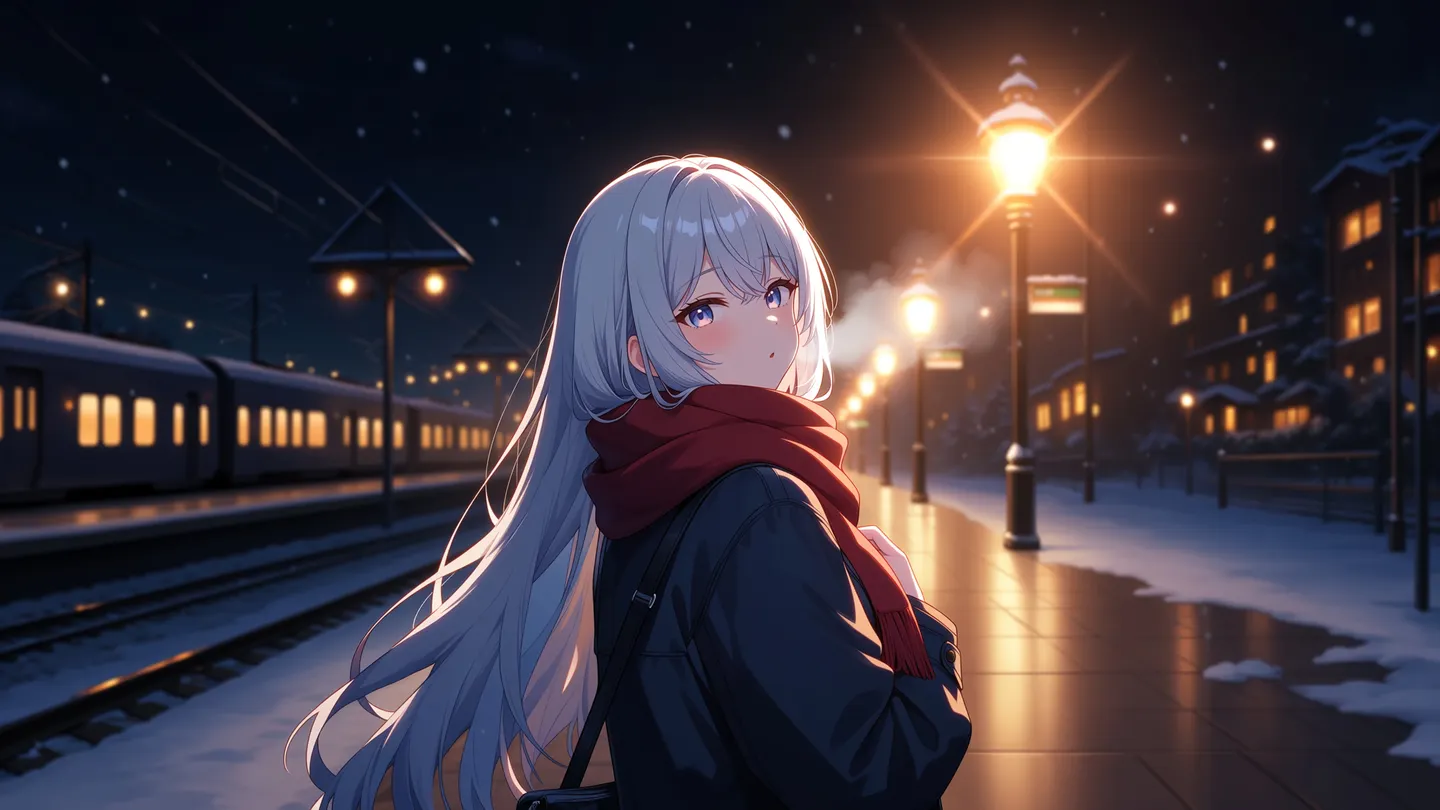
Quick start
Your first great Anima prompt
Everything a beginner needs in one minute: what to know first, the rules that matter most, a template to fill in, and prompts to copy.
What to know first
Anima is an anime and illustration model. It reads Danbooru-style tags (short keywords separated by commas, such as 1girl, long hair, school uniform), plain sentences, or both. On Mage the quality tags and a negative prompt are added for you, so start with a rating tag and spend the rest of the prompt on who is in the picture and what they look like. Anima does not do photorealism, and the aspect ratio and resolution are settings.
The rules that matter most
Start with the rating, skip the quality tags
Open with safe, or another rating tag. Mage already adds masterpiece, best quality, the score tags, and the year, so writing them again only stacks extra weight on them.
Put the tags in order
The count tag first (1girl, 2boys, solo), then the character, the series, the artist, and the rest: hair, eyes, outfit, expression, pose, framing, background, light. Lowercase, with spaces instead of underscores.
Name a character, then describe them
Anima knows many anime characters by name, but it draws them reliably only when you add their hair, eyes, and outfit, every time. With two or more people, it is what stops them swapping traits.
Weight hard, escape parentheses
Parentheses are weights: (chibi:1.8). Anima needs strong ones, 1.5 to 2, on one or two tags. A parenthesis that belongs to a tag is written \( and \), as in fate \(series\).
Never type @
On Mage, @ marks a saved Character, so an @artist tag stops the generation. Write the artist's name as a plain tag and back it with style tags.
Fill in this template
Replace each part in square brackets with your own idea, and leave out a part you do not need.
safe, [count tags], [character or original], [hair and eyes], [outfit], [expression and pose], [framing], [background and light]safe, 1girl, solo, original, short black hair, messy bangs, golden eyes, oversized gray hoodie, pleated skirt, headphones around neck, smile, waving, looking at viewer, upper body, train station, night, rain, neon lights, rim lighting[count tags]Who is in the picture: 1girl, 1boy, 2girls, solo. Use no humans for a scene with nobody in it.[character or original]A known character followed by their series tag, or original for someone you made up.[hair and eyes]short black hair, messy bangs, golden eyes.[outfit]oversized gray hoodie, pleated skirt, headphones around neck.[expression and pose]smile, waving, looking at viewer.[framing]One framing tag: upper body, cowboy shot, full body, from above.[background and light]train station, night, rain, neon lights, rim lighting.
Prompts to start from
An original character in tags
safe, 1boy, solo, original, messy red hair, green eyes, freckles, white shirt, rolled-up sleeves, apron, smile, holding a tray of bread, bakery, morning, sunlight through window, upper body, looking at viewerWhy it works: The rating, the count tag, original, then hair, outfit, action, place, and light, each group in order. Mage supplies the quality tags, so nothing else is needed.
A known character, named and described
safe, 1girl. Digital artwork of Fern from Sousou no Frieren, with long purple hair and purple eyes, wearing a black coat over a white dress with puffy sleeves. She stands in a sunlit autumn forest, holding her staff loosely at her side and glancing back over her shoulder with a calm expression. Falling orange leaves, soft backlighting, clean lineart and flat color.Why it works: Tags open it and sentences carry it. The name comes with hair, eyes, and outfit, so Anima draws the right person, and names are capitalized as in normal English.
Two characters who keep their own looks
safe, 2girls, artoria pendragon \(fate\), tohsaka rin, fate/stay night, fate \(series\), artoria with blonde hair in a bun, green eyes, blue dress with silver armor, rin with long black twin tails, aqua eyes, red sweater, black skirt, standing back to back, looking at viewer, night, city lights, wind, cowboy shotWhy it works: The count tag says two, each name is followed by its own hair, eyes, and clothes, and the series qualifiers are escaped so they stay part of their tags.
A chibi style from one weight
safe, 1girl, solo, (chibi:1.8), witch hat, oversized purple robe, long silver hair, holding a tiny broom, sparkles, pastel colors, simple background, full bodyWhy it works: One strong weight restyles the whole drawing. At 1.1, Anima would barely notice it.
Background art with nobody in it
safe, no humans, scenery, countryside, rice field, bus stop, vending machine, power lines, summer, blue sky, cumulonimbus cloud, puddle, reflection, wide shot. A quiet afternoon just after the rain, with the sky mirrored in the puddles and long soft shadows across the road.Why it works: no humans and scenery tell Anima there is no character to draw, and one sentence after the tags sets the mood.
Advanced
Advanced Anima prompting
Techniques for more control once the basics work.
What Mage adds to every prompt
Before your prompt, Mage adds Anima's recommended quality tags: masterpiece, best quality, score_9, score_8, score_7, year 2025, newest, highres, absurdres, very aesthetic. After your Negative Prompt, it adds a long list to avoid, among them worst quality, low quality, the low score tags, early, old, blurry, jpeg artifacts, artist name, text bubble, speech bubble, and the usual hand and anatomy mistakes.
That leaves only the rating for you to add from the usual prefix. Everything else you write should describe the picture.
- In the Negative Prompt, add only what Mage's list lacks, such as chromatic aberration, and any rating tag you want kept out.
- End your Negative Prompt with a comma, as in "chromatic aberration,". Mage joins its own list on after a single space, and the comma keeps your last tag separate.
- The added year 2025 and newest, with early and old in the negative, pull every image toward a modern look. See the section on artists, style, and era for how to push back.
- Steps and Guidance Scale already sit in the ranges Anima was tuned for. Change the prompt before you change them.
- Leave Prompt Enhance off. It appends random words to the prompt, which muddies a tag list.
Tags, sentences, or both
Anima learned from tag lists and from written captions, so a pure tag prompt, a pure prose prompt, and a mix of the two all work. Tags give the most control over details; sentences are better at mood, action, and how things relate to each other.
In a tag prompt, keep the groups in order: rating, count tag, character, series, artist, then the general tags. Inside each group, order is free. Anima was trained with tags randomly left out, so you only need the tags that change the picture, not every tag that could apply.
In prose, write at least two descriptive sentences: a one-line prompt gives unpredictable results. A hybrid opens with the rating and count tags and carries on in sentences.
- Tags are lowercase, with spaces instead of underscores: long hair, not long_hair. The score tags are the only ones that keep their underscores. Where Danbooru and Gelbooru spell a tag differently, use the Gelbooru spelling.
- Thin prompts drift toward things nobody asked for. More visual detail and a rating tag keep the image where you want it.
- Use original for a character you invented, and no humans for a scene without people.
Framing, pose, and light
Anima knows the standard Danbooru tags for the camera and the light. One framing tag, a gaze or pose, and one or two light tags make the picture read like a composed shot.
| Write | What it does |
|---|---|
cowboy shot | Framed from the head to the middle of the thighs. |
upper body | The head and torso. |
full body | The whole figure, head to feet. |
from above | The camera looks down on the subject; from below looks up. |
dutch angle | A tilted camera, for tension or energy. |
looking back | The character glances back over the shoulder. |
backlighting | Light from behind, outlining the hair and shoulders. |
rim lighting | A bright edge of light around the figure. |
light rays | Visible beams through windows, trees, or clouds. |
anime screenshot | The look of a frame from a TV anime. |
flat color | Even color fills without painted shading. |
Characters and consistency
Anima knows anime characters released up to about September 2025. Name the character with their series tag, then describe what they look like every time: hair, eyes, outfit. This matters most with two or more characters, together with the count tag (2girls, 1boy 1girl) and a separate description for each.
Saved Characters, References, and uploaded images do not work with Anima. To keep an original character the same across a set, reuse the same character tags word for word, keep the Seed fixed, and change only the tags that set the scene.
- In a mixed prompt, attach each detail to its owner: "rin with long black twin tails" leaves no doubt whose hair it is.
- Escape the qualifier in a character tag: artoria pendragon \(fate\), not artoria pendragon (fate). Unescaped, the parentheses are read as a weight and the tag breaks.
The same character in a new scene
safe, 1girl, solo, original, short black hair, messy bangs, golden eyes, oversized gray hoodie, pleated skirt, headphones around neck, sitting on a rooftop ledge, eating a sandwich, from side, city at sunset, light raysWhy it works: The character tags match the quick-start template word for word, and only the pose and place change. Keep the Seed fixed for a closer match.
Weights and parentheses
With the Prompt Weighting setting on, which is the default, parentheses set weights: (tag:1.8) makes a tag count for more, (tag:0.6) for less. Anima needs much stronger weights than older anime models. Use 1.5 to 2 for a visible change, and weight only one or two tags.
Every parenthesis that is part of a tag must be escaped as \( and \), or Anima reads it as a weight. That covers series qualifiers and style tags such as 1990s \(style\) and watercolor \(medium\).
- A prompt full of tags with literal parentheses and no weights is simpler with Prompt Weighting turned off: then parentheses are plain text and need no escaping.
- Weight a style tag to restyle the whole image, such as (sketch:1.6), or an object tag to make sure it shows up.
| Write | What it does |
|---|---|
(chibi:1.8) | Stresses one tag strongly enough to change the image. |
fate \(series\) | Parentheses that belong to the tag itself. |
Artists, style, and era
Anima's own syntax marks an artist with @, but on Mage @ marks a saved Character, so a prompt with @ and a name stops before anything is generated. Write the artist's name as a plain tag in the artist slot. The effect is weaker, so back it with style tags and a sentence describing the look: line weight, shading, palette.
Anima is deliberately plain until tags give it a style. Style and meta tags such as anime screenshot, official art, retro artstyle, sketch, lineart, and flat color do much of the work.
Mage's added tags lean every image modern. For an older look, use retro artstyle, 1990s \(style\), or anime screenshot, plus a sentence about the era's palette and shading, and expect a cleaner result than a true period piece.
- Painterly, western, and other non-anime looks are unreliable here, because Mage's negative list pushes away painting, crayon, graphite, abstract, and cartoon looks. For those, use another model, such as Mango.
- Anima is intentionally weak at realism. For a photograph, use Guava or Mango.
A retro look within Mage's added tags
safe, 1boy, solo, retro artstyle, 1990s \(style\), anime screenshot, spiky black hair, red jacket, motorcycle, neon city at night, rain, from side. A late-night chase shot with cel shading, film grain and a muted palette of teal and magenta.Why it works: Escaped era tags and a sentence about shading, grain, and palette push back against the modern lean.
Text in the image
Text is weak by design: a single word sometimes works, a short phrase now and then, and anything longer fails. Mage's negative list also removes speech bubbles, text bubbles, and artist signatures, so comic balloons will not appear. Add lettering in an editor afterwards.
Common mistakes
Avoid this, do this instead
Avoid: Quality tags Mage already adds.
masterpiece, best quality, score_9, absurdres, 1girl, blue hair, maidInstead: The rating, then straight to the subject.
safe, 1girl, solo, blue hair, twin tails, maid, frilled apron, holding a teapot, cafe interior, upper bodyAvoid: An @artist tag: Mage stops the generation.
Instead: The artist name as a plain tag, with style tags and a sentence about the look.
Avoid: Unescaped parentheses inside a tag.
safe, 1girl, artoria pendragon (fate), fate (series)Instead: Escaped parentheses, so they stay part of the tag.
safe, 1girl, artoria pendragon \(fate\), fate \(series\)Avoid: Weak weights such as (chibi:1.1).
Instead: Strong weights, 1.5 to 2, on one or two tags: (chibi:1.8).
Avoid: Bare character names.
safe, 2girls, frieren, fern, sousou no frierenInstead: Each name followed by its hair, eyes, and outfit.
safe, 2girls, frieren, fern, sousou no frieren, frieren with long white twin tails, green eyes, white capelet, fern with long purple hair, purple eyes, black coat, walking side by side, forest pathAvoid: A one-line sentence.
An anime girl in a forest.Instead: Two or more descriptive sentences, or a full tag list.
safe, 1girl. An anime girl with short orange hair and a green raincoat walks through a misty forest at dawn. She holds a paper lantern in one hand, and its warm glow lights the ferns along the path.Avoid: Underscores, as in long_hair, school_uniform.
Instead: Lowercase tags with spaces: long hair, school uniform.
Avoid: A photorealistic portrait.
Instead: A photographic model such as Guava. Anima is made for anime and illustration.
FAQ
Anima prompting questions
How long should an Anima prompt be?
Should I write tags or sentences for Anima?
Does Anima support negative prompts?
Why can I not use @artist tags with Anima on Mage?
How do I keep a character consistent in Anima?
Can Anima do text?
Can Anima make realistic images?
Which characters does Anima know?
Prompting guide
More prompting guides
How to prompt Chroma
Chroma prompt guide: how to prompt Chroma with one caption-style paragraph, use its negative prompt, tune steps and guidance, and copy Chroma prompt examples.
How to prompt Flux 2
Flux 2 prompt guide: how to prompt Flux 2 Dev with subject-first word order, JSON prompts, exact hex colors, and multi-image edits, with examples.
How to prompt GPT Image 2
GPT Image 2 prompt guide: how to prompt GPT Image 2.5 Flare and Sunburst for exact text, precise edits, and consistent characters, with examples.
How to prompt Grok Image
Grok Imagine prompt guide: how to prompt Grok Image with xAI's subject-first order, a check-then-edit loop, and copyable photo prompt examples.
How to prompt Guava
How to prompt Guava, Mage's photorealism model: a quick start, a fill-in template, and expert tips for portraits, skin, light, lenses, edits, and text.
How to prompt HiDream
HiDream prompt guide: how to prompt HiDream with plain sentences, object attributes and relations, and quoted sign text, plus HiDream prompt examples.

Make your first image with Anima
New accounts get 300 free Gems, enough to try Anima v1. No install, no credit card.
Try Anima v1