
Prompting guide
How to prompt Guava
How to prompt Guava, Mage's photorealism model: a quick start, a fill-in template, and expert tips for portraits, skin, light, lenses, edits, and text.
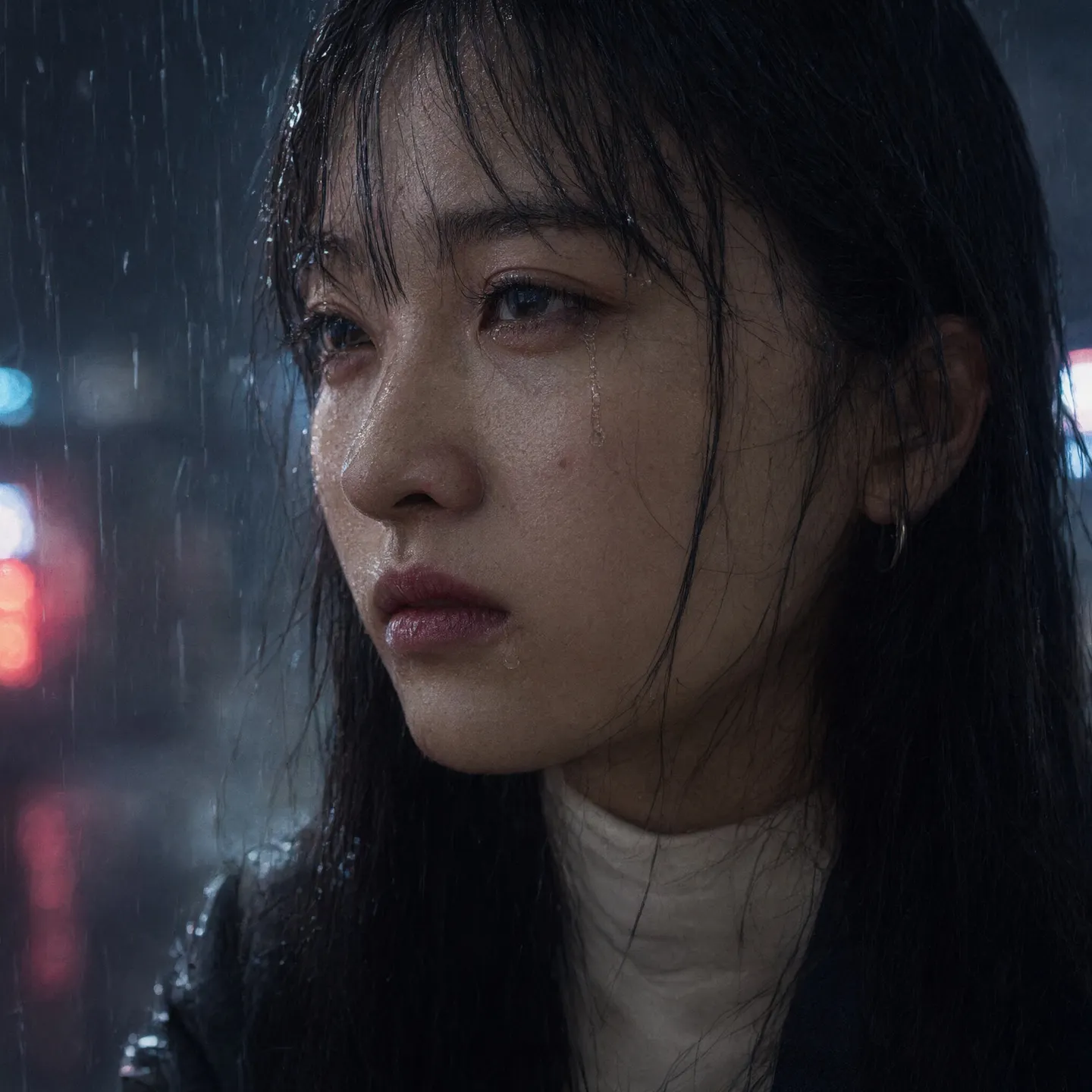
Quick start
Your first great Guava prompt
Everything a beginner needs in one minute: what to know first, the rules that matter most, a template to fill in, and prompts to copy.
What to know first
Guava makes images that pass for photographs, and it rewards detail: a vague prompt gets a generic studio look. Write one natural paragraph that describes the photograph, not only the subject: who or what is in it and exactly how they look, where they are, where the light comes from, and which lens took it. Guava 2 and Guava 2 Pro read very long prompts, so spend the words. Aspect ratio and resolution are settings, not words in the prompt.
The rules that matter most
Describe the photograph, not just the subject
Say what kind of photo it is (an editorial portrait, a candid phone snapshot, a studio product shot), then the subject, the place, the light, and the lens. The light and the lens are what make it look real.
Be exact about people
A specific age ("in her early forties", never just "young"), the face shape and eyes, the skin tone and texture, and every garment with its fabric. People described vaguely all get the same face.
Ask for real texture
Visible pores, freckles, fine lines, flyaway hairs, creased linen, scuffed leather. Words like "flawless" and "perfect skin" give waxy, airbrushed results.
Give the light a source and a direction
Soft window light from the left, a low sun behind her, one bare bulb overhead. Keep one consistent light story: "overcast with hard noon shadows" confuses it.
Draft on Guava 2, finish on Guava 2 Pro
Work the prompt out on the faster Guava 2, then render the keeper on Guava 2 Pro with the same words.
Fill in this template
Replace each part in square brackets with your own idea, and leave out a part you do not need.
[Kind of photograph] of [who or what, described exactly], [doing what], in [the place, with a few real details]. [What they wear or what it is made of, with textures]. [The light: its source, direction, and color]. Shot on [lens and framing], [depth of field]. [Finish].Realistic street portrait photograph of a 34-year-old Korean man with a square jaw, deep-set dark eyes, short black hair and light stubble, leaning on a bicycle and laughing at something off camera, in a narrow alley of bike repair shops with inner tubes hanging in the window behind him. He wears a faded navy work jacket over a gray cotton T-shirt, a smear of grease on his fingertips. Late-afternoon sun from the right falls warm across his face while the alley behind him sits in cool shade. Shot on a 50mm lens at chest height, medium shot, shallow depth of field. Natural color with fine grain, documentary realism.[Kind of photograph]Realistic street portrait photograph, candid smartphone snapshot, studio product photograph, editorial fashion photograph.[who or what, described exactly]Age, face, hair, and skin for a person; type, material, and state for an object: a 34-year-old Korean man with a square jaw, deep-set dark eyes, and light stubble.[doing what]The pose or the action, with what the hands do: leaning on a bicycle, laughing at something off camera.[the place, with a few real details]Where the photo was taken and what is in the background: a narrow alley of bike repair shops, inner tubes hanging in the window.[What they wear or what it is made of, with textures]Each garment with its fabric, or the surface of the object: a faded navy work jacket over a gray cotton T-shirt.[The light: its source, direction, and color]One light story: late-afternoon sun from the right, warm on his face, the alley behind in cool shade.[lens and framing]A focal length and how much of the subject is in frame: a 50mm lens at chest height, medium shot.[depth of field]Shallow depth of field to separate a subject, deep focus to keep a whole room sharp.[Finish]The look of the photograph: natural color with fine grain, crisp commercial lighting, documentary realism.
Prompts to start from
A portrait that passes for a photograph
Realistic editorial portrait photograph. A 41-year-old Nigerian woman with a heart-shaped face, high cheekbones, wide-set dark brown eyes and deep brown skin with visible pores and a few small moles along her jaw sits on a wooden stool, turned slightly to her left, looking straight into the lens with a calm, faintly amused expression. No makeup apart from a soft matte plum lipstick. Her natural hair is gathered into a high puff, a few loose coils catching the light. She wears a rust-colored linen shirt with the sleeves rolled to the elbow, the fabric creased at the shoulders, and thin gold hoop earrings. Her left forearm rests on her knee; her right hand holds a pair of reading glasses by one arm. Behind her, a plain plaster wall in warm gray. Soft window light from the front-left at about 45 degrees, a gentle shadow falling to the right. Shot on an 85mm lens at f/2.8, chest-up, eye level, shallow depth of field. Natural color, fine grain.Why it works: It describes her in the order Guava reads people best (who, face, skin, clothes, pose, light, lens) and names real texture instead of saying "beautiful" or "flawless".
A candid phone snapshot
Candid smartphone photo, slightly tilted, taken across a crowded kitchen table during a family dinner. A grandfather in his late seventies with a white mustache and a checked flannel shirt laughs with his eyes squeezed shut, holding a forkful of noodles halfway to his mouth. Plates of dumplings, a half-empty bottle of orange soda and crumpled napkins crowd the table; a child's arm reaches in from the left edge. Warm overhead light from a single paper lamp, a little harsh, with mild noise in the shadows and a hint of motion blur on his hand. Wide-angle phone lens, everyday snapshot realism.Why it works: Real photos have flaws: a tilted frame, a cropped arm, harsh home light, and a little blur tell Guava to make a snapshot, not a studio shot.
A product shot
Studio product photograph of a matte black ceramic pour-over coffee dripper resting on a slab of pale travertine, a thin coil of steam rising from it. A 100mm macro view from slightly above shows the fine speckled glaze, the spiral ridges inside the cone and a single drop of coffee hanging from the spout. A small glass carafe sits blurred behind it. One large softbox high on the left, a white reflector card on the right, deep soft shadows. Neutral warm-gray background, crisp detail, no noise. No writing, logos or labels anywhere in the image.Why it works: The material, the light setup, and the lens are all named, and the last sentence keeps Guava from inventing a brand on the product.
Your Character in a new outfit and place
@mara sits at a window table in a small Lisbon café, keeping her face, skin tone and shoulder-length auburn hair exactly as in her image. She wears a camel wool blazer over a cream silk blouse and holds a white espresso cup in her right hand, glancing out of the window. Soft overcast daylight from the window on the left, a wall of blue and white tiles behind her, shallow depth of field. Candid editorial photograph, 50mm lens at eye level.Why it works: The handle brings the face, the first sentence says what stays, and the rest changes only the outfit and the scene. Replace @mara with your own Character.
A street photo with readable signs
Realistic photograph of a narrow side street in Porto after rain. Above a small bakery hangs a hand-painted wooden sign reading "PADARIA LUZ" in cream serif capitals on a faded green board, and a chalkboard by the door says "Bolo de arroz 1,50 €" in white handwriting. Wet cobblestones reflect the warm shop window; a man in a dark raincoat walks past, slightly blurred. 35mm lens at eye level, soft overcast light.Why it works: Each piece of text is quoted letter for letter with its carrier, color, and place, so Guava paints it onto the surface where it belongs.
Advanced
Advanced Guava prompting
Techniques for more control once the basics work.
Which Guava to use
Guava 2 Pro renders the image you keep: skin, fabric, and hair up close, small text, and the details you asked for, most faithfully. Guava 2 reads the same prompt and runs faster, so use it to work the prompt out, then switch to Guava 2 Pro without changing a word.
Guava Pro 1.5, Guava Pro, and the original Guava stay available for matching work made on them. They read shorter prompts well, up to about 700 words, and hold less text.
- Guava 2 and Guava 2 Pro read prompts of a few thousand words. A portrait needs about 200; a dense poster or a page of an infographic can use far more.
- When the text in the image matters, render on Guava 2 Pro. On the older models, keep text to a few short words.
Structure: one paragraph, in a set order
Write one natural paragraph, not a list. The working formula is the subject, described, plus the scene, described, plus the style, the camera, the mood, and the details. Name the overall style at the start or the end: "realistic photography", "editorial fashion photograph", "candid smartphone snapshot", "studio product photograph".
For a portrait, about 200 words in this order works best, adapted when a different order reads more naturally: who the person is, their face, their skin and grooming, their clothes, hair, and accessories, their pose, then the setting and light, and last the camera.
For a product or any other scene, describe the subject (its type, count, material, and state), then what sits in the foreground, the middle ground, and the background, the light and color, the textures, the place, the time and weather, and how the objects relate in space.
- Identity: ethnicity, gender, and a specific age ("a 27-year-old", "in her early forties").
- Face: its shape (oval, square, heart-shaped), its structure (high cheekbones, a strong jaw), the eyes (almond-shaped, deep-set; hazel, dark brown), the nose and mouth, and a precise expression ("a faint, knowing smile").
- Skin and grooming: tone (porcelain, olive, tan, deep brown) and texture (visible pores, light freckles, fine laugh lines); makeup item by item, or "no makeup"; facial hair and how it is kept.
- Clothes, hair, and accessories: every garment with its fabric (ribbed wool turtleneck, washed denim, silk blouse); hair color, length, texture, and cut; jewelry, glasses, headwear.
- Pose: posture, where the eyes look, the tilt of the head, and what each hand is doing. Keep it something a body can do.
- Camera: the lens, the aperture, the framing, and the depth of field.
Making it look like a real photograph
Photographs are specific and a little imperfect. The more a prompt reads like a description of one real moment, with one real person, in one real place, under one real light, the less the result looks generated.
Decide what kind of camera took the picture, because each has a look. A phone snapshot is wide, deep in focus, and lit by whatever was there; an editorial portrait is shot on a longer lens with shaped light; a film photo has grain and softer contrast.
- Give people something to do with their hands: holding a cup, adjusting a cuff, resting on a railing. Idle hands drift into stiff poses.
- Add the small mess of real life: a crumpled receipt on the table, a loose thread, rain spots on the window, a cable running along the wall.
- Ask for the skin you want to see (pores, freckles, a faint sunburn across the nose), and leave out "flawless", "perfect", and "beautiful".
- Grade colors finely when they matter: "five greens from olive to jade" gives more than "green foliage".
- A candid moment beats a pose: laughing mid-sentence, glancing off camera, caught turning around.
- Keep the light physically possible. A sunset behind the subject means a rim of light on the hair and a softer, shadowed face, so describe exactly that.
Camera, lens, and light
Camera words work as a photographer would use them. A full camera line is fine: "shot on a full-frame camera with a 35mm lens at f/2.8, 1/250s, ISO 400". The focal length and the aperture do the most work.
Describe light the way you would set it up: where it comes from, how hard it is, and its color. One named light source sets a mood better than a dozen mood words.
| Write | What it does |
|---|---|
35mm lens | A natural, slightly wide view that keeps the surroundings in the story. |
85mm portrait lens, shallow depth of field | A flattering face, the background melted into soft blur. |
100mm macro | Extreme close detail: the weave of fabric, the grain of wood, a drop of water. |
telephoto compression | A long lens from far away, which stacks the background close behind the subject. |
wide-angle smartphone photograph | The everyday phone look: wide, sharp front to back, a little distorted at the edges. |
close-up, chest-up, medium shot, full-body, long shot | How much of the subject is in frame, from the face to the whole scene. |
eye level, high angle, low angle, top-down | Where the camera stands relative to the subject. |
soft window light from the front-left at 45 degrees | Gentle, flattering light with a soft shadow on the far side. |
strong backlight with a rim of light around her hair | The subject outlined against a bright background. |
overcast diffused daylight | Even, shadowless outdoor light with true colors. |
warm tungsten interior against cool blue dusk outside | Two color temperatures in one frame, the classic look of early evening indoors. |
late-afternoon sun raking across the wall | Low, hard side light that brings out every texture. |
Characters, references, and edits
Upload images and mention them as @image1, @image2; mention saved Characters and References (outfits, poses, locations, objects) by their @handle. Guava sees them as one numbered list: your uploads first, then Characters, then References, each in the order you first mention them. Before Guava reads the prompt, Mage replaces each mention with its number, so @mara becomes "character from image 2" and a saved outfit @linen-coat becomes "outfit from image 3".
With images attached, the prompt is an edit or a composite. Say which image changes and what stays, then make the change: "Change the background to a rain-wet street at night, keeping the woman in @image1, her pose and her clothes unchanged."
The output always takes the aspect ratio in the settings, edits included. When you edit a photo, set the aspect ratio closest to the photo's own, or Guava reframes it.
- To keep a person, say so plainly and name what to keep: "keeping her face, skin tone and long black hair exactly as in @image1". Keep their age, hair, expression, and outfit unless you mean to change them, and keep makeup or expression changes subtle.
- Mention a saved Character once, where their description starts, then call them "she" or by name.
- Give each image its role in one sentence: "The man in @image1 wears the jacket from @image2 and holds the camera from @image3."
- To add or replace something, name its category, color, size, which way it faces, and where it goes: "Replace the paper cup in her right hand with a matte black ceramic mug, handle toward the camera."
- For a style change, name concrete features (the brush texture, the palette, the line weight) as well as the style.
- Guava takes only a few images, shared between your uploads, Characters, and References, so send only what this image needs.
Three images in one photograph
The man in @image1 stands on the rooftop from @image2 at dusk, wearing the leather jacket from @image3 zipped halfway. Keep his face, hairstyle and build exactly as in @image1. Light the jacket with the same cool blue dusk as the rooftop, warm string lights glowing behind him. Full-body shot at eye level, 35mm lens, realistic photography.Why it works: Each image has one job, the identity is protected in its own sentence, and the light ties the three sources into one scene.
More edits Guava does well
Beyond swapping clothes and backgrounds, Guava handles edits that change how an image was made: a new pose from a sketch, a new viewpoint on the same subject, a repaired old photograph, or a sheet of poses for one person.
- A pose from a sketch: upload a stick figure or a rough drawing and write "Create a photograph of a woman in the pose drawn in @image1: …", followed by the full description.
- A new viewpoint: "Show the same armchair from directly behind." or "Show a rear view."
- A contact sheet: "A nine-panel grid of the woman in @image1 in nine different poses, same outfit and studio light."
Restore an old family photo
Repair the old photograph in @image1: take out the scratches, creases and dust spots, reduce the noise, and sharpen the faces. Keep every person, their expressions, clothing and pose exactly as they are, with natural skin tones and no change to the composition.Why it works: It lists the damage to fix and everything that must not change, so the people stay themselves. Set the aspect ratio to match the scan.
Text in the image
Put every word in double quotes, letter for letter, in its own language and capitalization, and say where it sits, its font style, color, and size, and what carries it: printed, neon, embroidered, chalk, engraved. Give line breaks and the reading direction when they matter, such as vertical calligraphy read right to left.
When the scene implies text, such as a menu, a chart, an app screen, or a newspaper, write the actual words instead of "a list" or "some labels". Guava places text in open areas and follows the surface it sits on, so a sign on glass or a print on a T-shirt bends with it.
- Never change names, brands, slogans, web addresses, phone numbers, or figures in your text: Guava writes what you give it.
- Guava 2 Pro holds small, dense text and many languages. Keep text short on the older models.
- When the image should carry no text at all, end the prompt with "No writing, logos or watermarks anywhere in the image."
Posters, covers, and layouts
Layouts are the one place where line breaks help. Describe the image region by region ("Across the top: … In the middle: … Along the bottom: …", "Left third: …", "Row 1: … Row 2: …", "a 2×3 grid with white gutters") and give every region its exact content.
A magazine cover
A photographic magazine cover, vertical.
Across the top: the masthead "ATLAS" in tall black condensed serif capitals, spanning the full width.
In the middle: a 30-year-old Filipino man with short wavy black hair, warm tan skin with light freckles across his nose and a relaxed half-smile, in a cream cable-knit sweater, sitting on a weathered wooden dock, one knee up, a coiled rope beside him. Soft overcast light, a pale gray sea behind him, 85mm lens, shallow depth of field.
Left side, stacked in white sans-serif: "The Slow Coast Issue", "48 Hours in Siargao", "Why We Still Sail".
Bottom right, small: "No. 112 · Spring".
Why it works: Every region has its exact content and type style, and the cover photo still gets the full portrait treatment. Set a tall aspect ratio in the settings.
Negative Prompt and Prompt Extend
Guava uses the Negative Prompt setting. For photoreal work, a short list of the usual flaws helps: "waxy skin, airbrushed skin, plastic look, extra fingers, warped hands, oversaturated color, blurry eyes, garbled text, cluttered composition". Describe what you want in the prompt itself; the negative only steers away from mistakes.
Prompt Extend lets Guava rewrite your prompt before it draws. Leave it off when you wrote the prompt yourself, so every word you chose survives. For a one-line idea on Guava 2 or Guava 2 Pro with no images attached, turn it on and set Prompt Extend Mode to Agent for the most careful rewrite; Agent mode only applies when no images are attached.
- Prompt Enhance adds a few extra descriptive words to the end of the prompt. Leave it off when every word is chosen.
Common mistakes
Avoid this, do this instead
Avoid: A short, vague prompt.
a beautiful woman in a café, realistic, 8kInstead: Who it is, the place, the light, and the lens, in one paragraph.
Candid editorial photograph of a 29-year-old Brazilian woman with an oval face, olive skin and long dark curls, laughing at the counter of a small café as she pays, a canvas tote on her shoulder. Morning sun through the front window from the left, 50mm lens at eye level, shallow depth of field.Avoid: "Flawless skin" and "perfect skin".
flawless skin, perfect faceInstead: The texture you want to see.
natural skin with visible pores, light freckles across the nose and fine lines at the corners of the eyesAvoid: "A young woman" and nothing more.
Instead: An ethnicity, a specific age, the face shape, and the eyes.
Avoid: An edit at a different aspect ratio from the photo.
Instead: The aspect ratio closest to the photo's own, so nothing is reframed.
Avoid: Bullet points or headings in the prompt.
Instead: One paragraph. Line breaks only for layouts.
Avoid: Light that contradicts itself: "overcast, hard noon shadows".
Instead: One light story, with one source and one direction.
Avoid: "A menu with some dishes" or "a chart with labels".
Instead: The actual words, each in quotes.
Avoid: "The reference photo" or "the attached image".
the woman from the reference, in a gardenInstead: The image by its mention, and what to take from it.
the woman in @image1, keeping her face and hair exactly as in that image, reading in a garden
FAQ
Guava prompting questions
How long should a Guava prompt be?
How do I make Guava images look more realistic?
How do I keep the same person across Guava images?
Does Guava support negative prompts?
Why did Guava crop or stretch my photo when I edited it?
Can Guava put text in an image?
Should I turn on Prompt Extend?
Prompting guide
More prompting guides
How to prompt Anima
How to prompt Anima on Mage: Danbooru tag order, rating tags, strong weights, escaped parentheses, and Anima prompt examples for characters and scenes.
How to prompt Chroma
Chroma prompt guide: how to prompt Chroma with one caption-style paragraph, use its negative prompt, tune steps and guidance, and copy Chroma prompt examples.
How to prompt Flux 2
Flux 2 prompt guide: how to prompt Flux 2 Dev with subject-first word order, JSON prompts, exact hex colors, and multi-image edits, with examples.
How to prompt GPT Image 2
GPT Image 2 prompt guide: how to prompt GPT Image 2.5 Flare and Sunburst for exact text, precise edits, and consistent characters, with examples.
How to prompt Grok Image
Grok Imagine prompt guide: how to prompt Grok Image with xAI's subject-first order, a check-then-edit loop, and copyable photo prompt examples.
How to prompt HiDream
HiDream prompt guide: how to prompt HiDream with plain sentences, object attributes and relations, and quoted sign text, plus HiDream prompt examples.

Make your first image with Guava 2 Pro
New accounts get 300 free Gems, enough to try Guava 2 Pro. No install, no credit card.
Try Guava 2 Pro